

Опис
WPSwings Role Permission Editor is a comprehensive WordPress user role and capability management plugin that consolidates functionality from multiple legacy role editors into a single, modern, React-powered interface.
Core Features
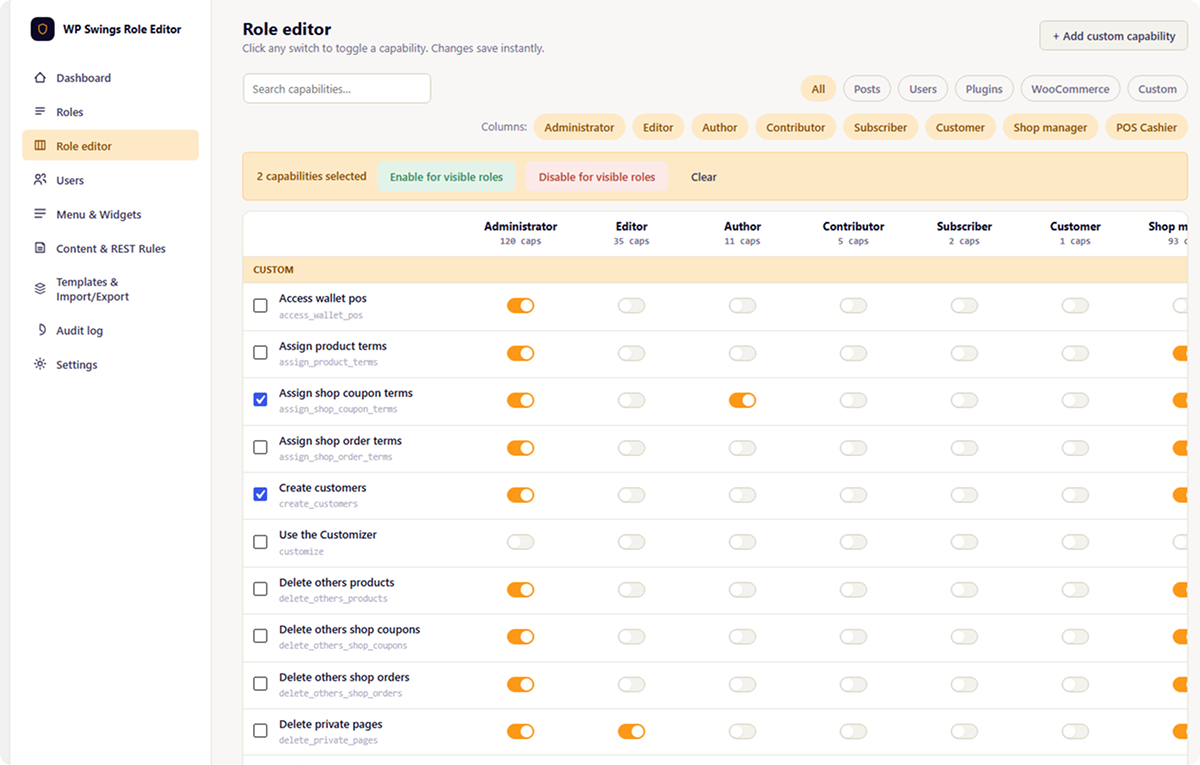
- Visual Capability Matrix – Edit role capabilities with an intuitive grid interface
- Per-User Capability Overrides – Grant or deny specific capabilities to individual users
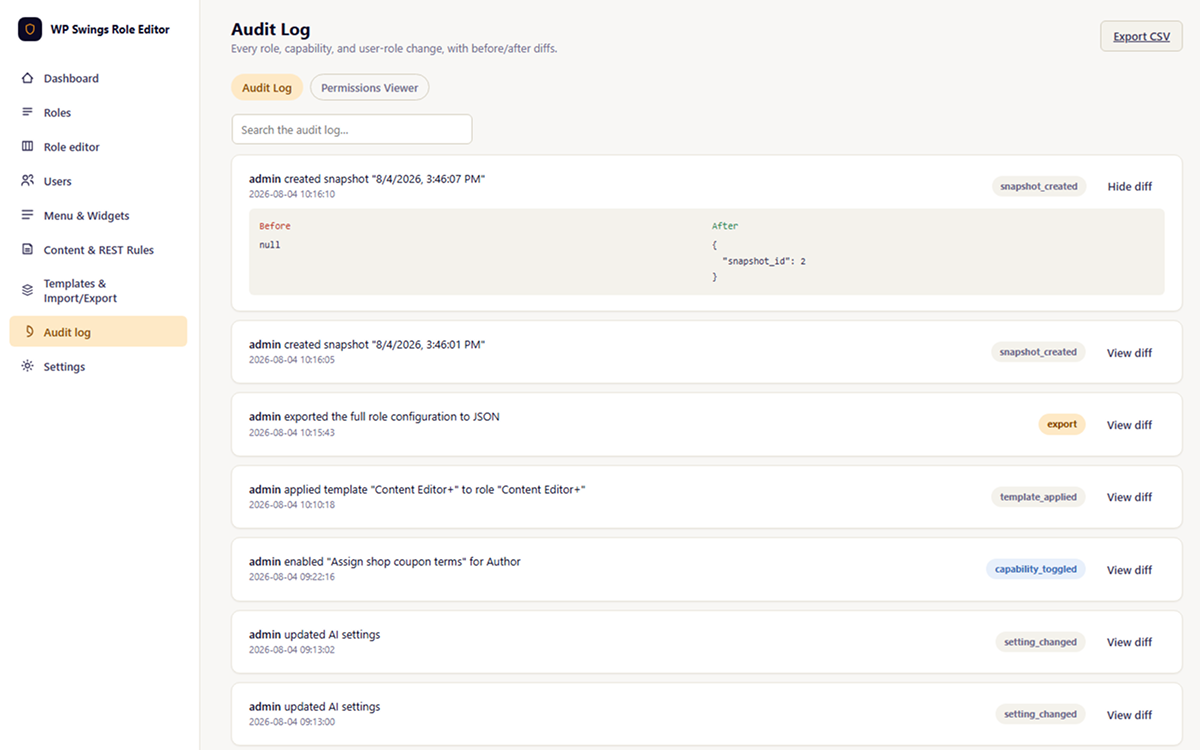
- Audit Log – Track all role and capability changes with detailed history
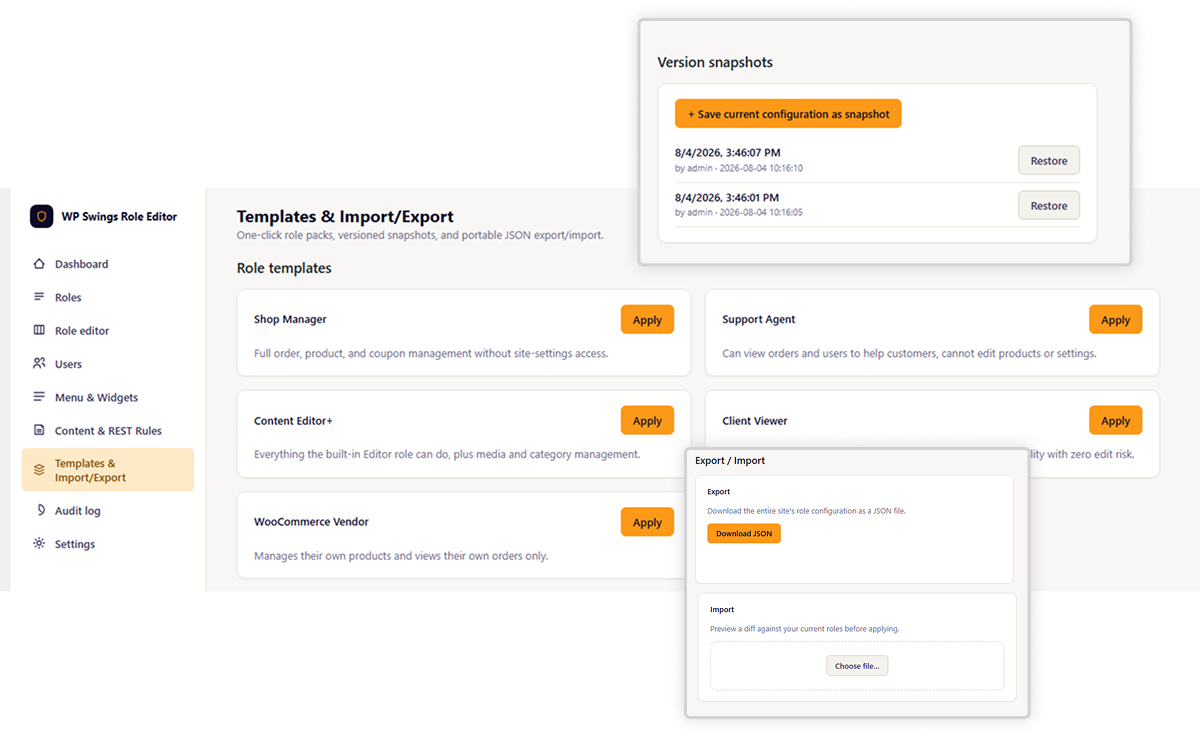
- JSON Import/Export – Backup and restore role configurations
- Template System – Predefined role templates for common use cases
- Snapshot & Restore – Create point-in-time backups of your role configuration
Access Control Features
- REST API Route Permissions – Control access to WordPress REST API endpoints
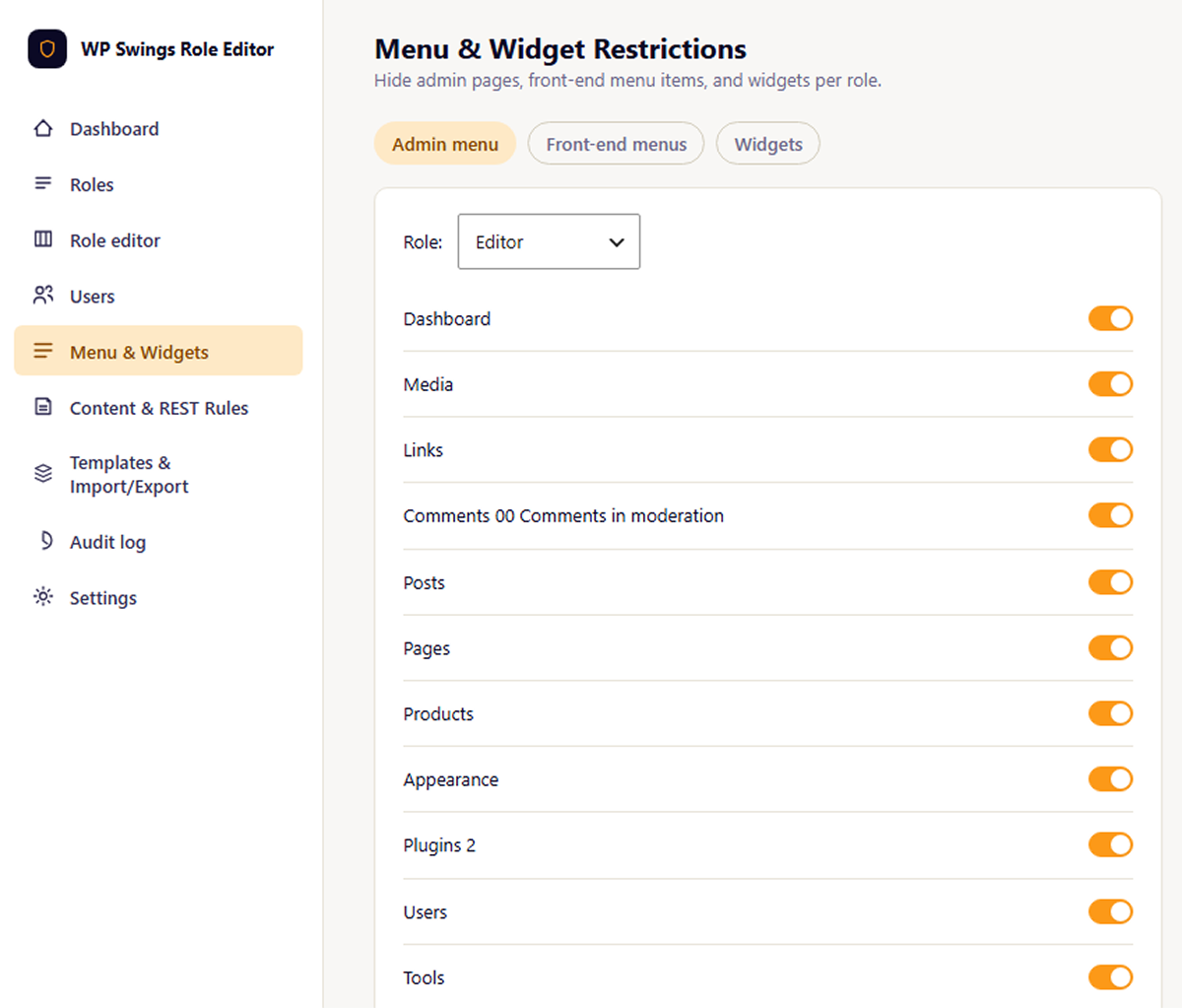
- Admin Menu Restrictions – Show/hide admin menu items by role
- Widget Restrictions – Control widget visibility by role
- Metabox Restrictions – Show/hide metaboxes based on user role
- Content Restrictions – Restrict post/page content by role with shortcodes and blocks
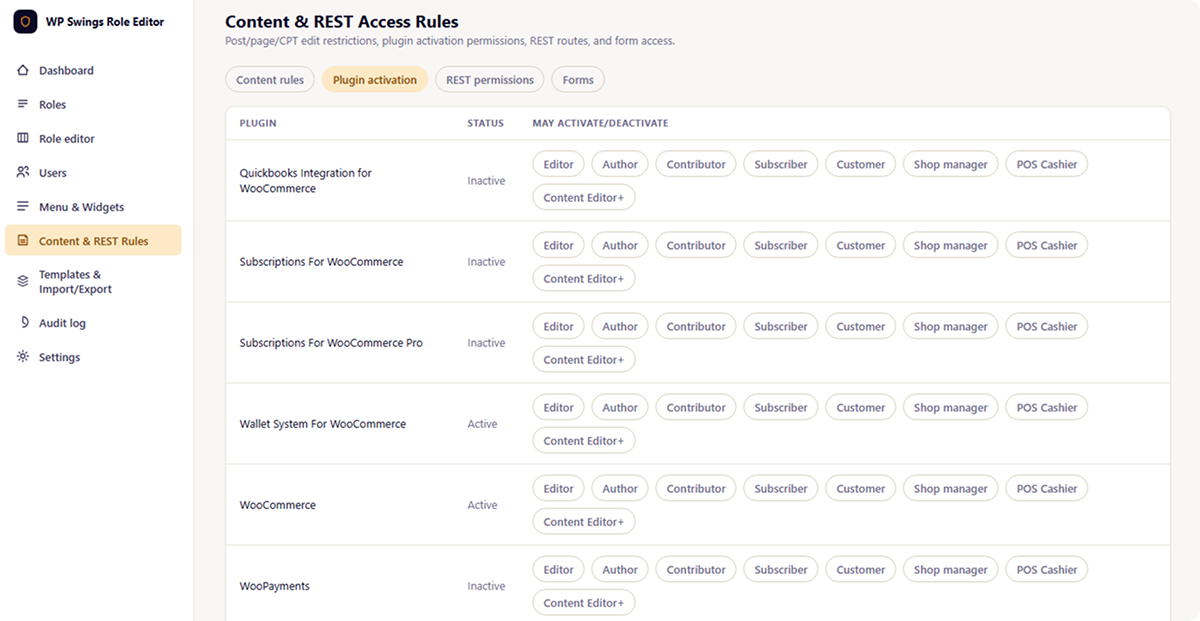
- Plugin Permissions – Control which roles can manage specific plugins
- Form Restrictions – Role-based form access control
Multisite Network Support
- Network-wide role management – Manage roles across all sites in a network
- Site-specific overrides – Allow individual sites to customize network roles
- Bulk synchronization – Sync role configurations across all network sites
AI-Powered Features (Optional)
This plugin includes optional AI features that leverage WordPress core’s AI Client API (available since WordPress 7.0):
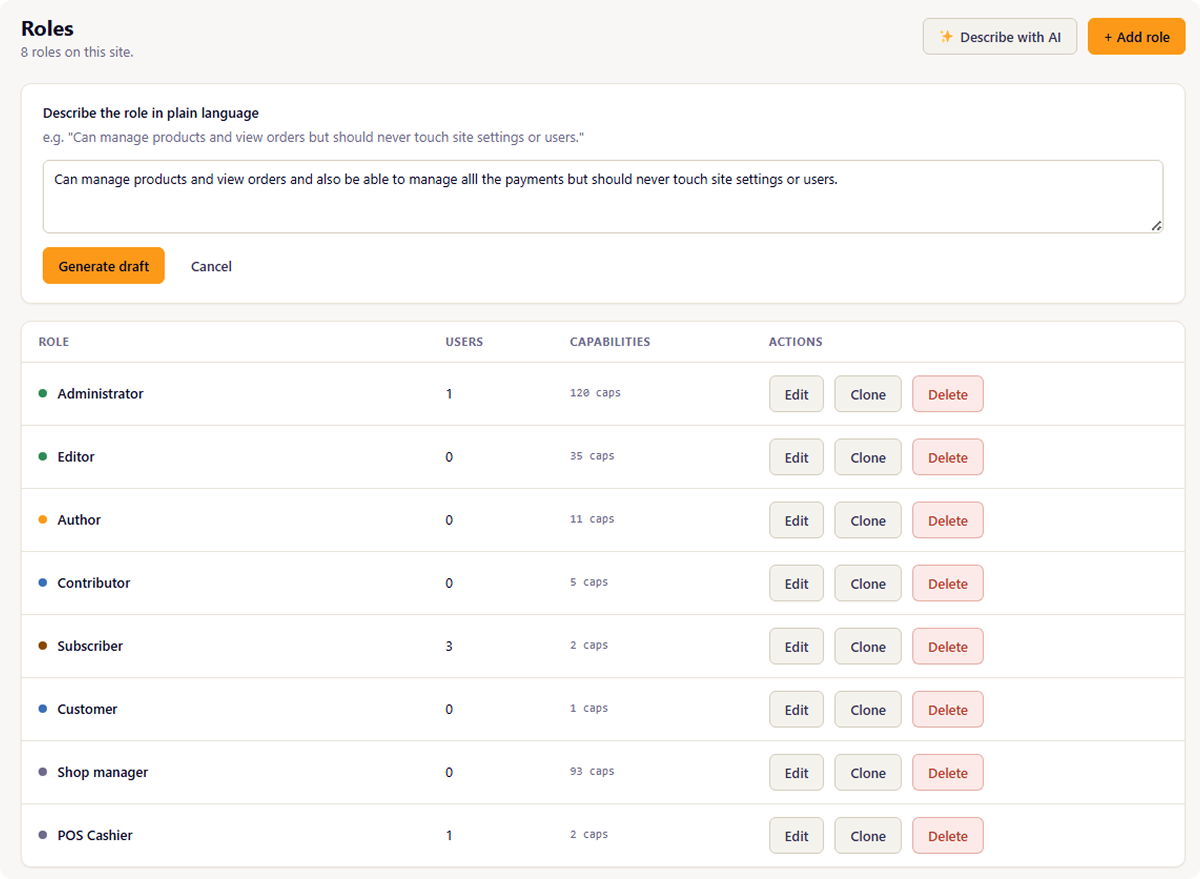
- Natural Language Role Builder – Create roles from plain-language descriptions
- Audit Log Summaries – AI-generated digests of role/capability changes
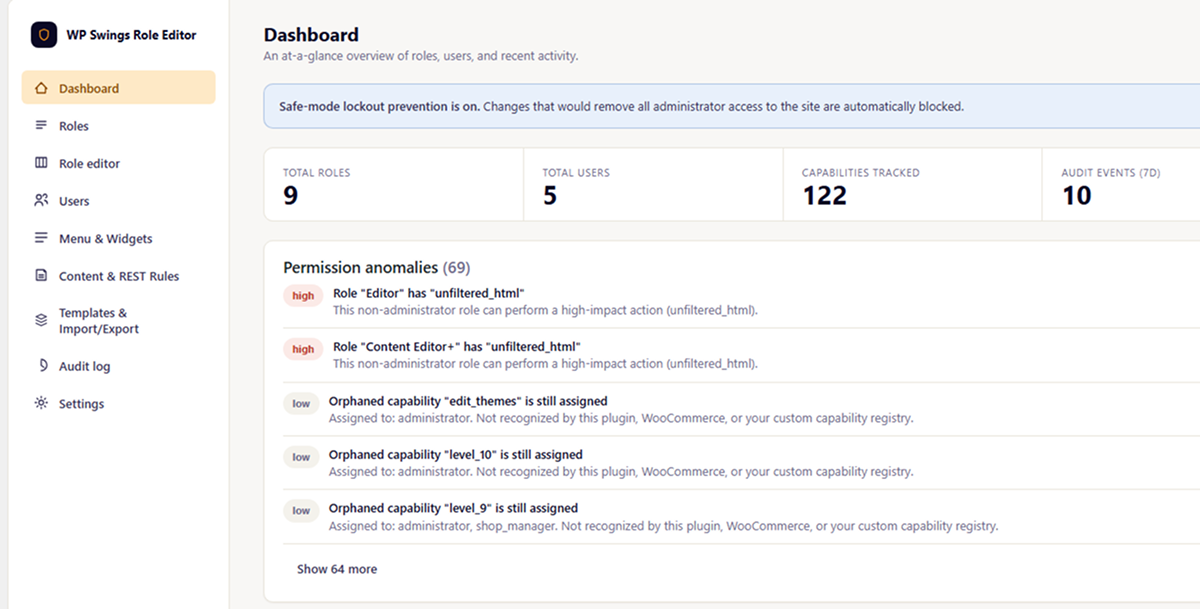
- Capability Explanations – Understand orphaned capabilities from deactivated plugins
- Permission Anomaly Detection – AI-enhanced security analysis of role configurations
Note: AI features require WordPress 7.0+ and a configured AI provider in WordPress Settings AI. The plugin does not directly call external AI services.
External Services & Privacy
WordPress AI Client API
This plugin optionally uses WordPress core’s AI Client API (WordPress 7.0+) to provide AI-powered features:
- What data is sent: When AI features are enabled, the plugin sends role/capability metadata, audit log entries, and permission configurations to the AI provider configured in WordPress Settings AI
- When data is sent: Only when you actively use AI features (natural language role builder, audit digest generation, capability explanations, anomaly detection)
- External communication: The plugin does NOT directly communicate with external AI services. All external AI communication is managed by WordPress core based on your site-level AI provider configuration
- Data retention: Data handling and retention policies depend on the AI provider you configure (Anthropic, OpenAI, etc.). Refer to your chosen provider’s privacy policy
- Opting out: AI features are disabled by default and can be toggled on/off in Settings AI
No Other External Services
This plugin does not make any other external HTTP requests or connect to third-party services beyond the WordPress AI Client API integration described above.
Building From Source
This plugin includes compiled JavaScript assets in admin/build/. The human-readable source code is available in admin/src/.
Build Requirements
- Node.js 16+ and npm
- The plugin uses Vite for building React components
Build Steps
- Navigate to the
admin/directory - Install dependencies:
npm install - Build for production:
npm run build - Development mode with hot reload:
npm run dev
The build process compiles React/JSX source files from admin/src/ into bundled JavaScript and CSS in admin/build/.
Снимци екрана
Блокови
Овај додатак пружа 1 блок.
- Wpswrope Restrict Content
Постављање
- Upload the plugin files to
/wp-content/plugins/wpswings-role-permissions-editor/or install via the WordPress plugin installer - Activate the plugin through the ‘Plugins’ menu in WordPress
- Navigate to WPSwings Roles in the admin menu to start managing roles
For AI Features (Optional)
- Ensure you’re running WordPress 7.0 or later
- Configure an AI provider in Settings AI in your WordPress admin
- Enable AI features in WPSwings Roles Settings AI
ЧПП
-
Do I need WordPress 7.0 for this plugin to work?
-
No. The plugin works with WordPress 6.0+. However, AI features require WordPress 7.0+ and a configured AI provider.
-
Does this plugin call Anthropic or OpenAI directly?
-
No. The plugin uses WordPress core’s AI Client API, which handles all external AI communication. You configure your preferred AI provider once at the WordPress level (Settings AI), not per-plugin.
-
What AI providers are supported?
-
Any AI provider supported by WordPress core’s AI Client API, which typically includes Anthropic Claude, OpenAI GPT, and others. Configuration is managed in WordPress Settings AI.
-
Can I use this plugin without AI features?
-
Yes! All core role management, audit logging, access control, and multisite features work independently of AI. AI features are entirely optional.
-
Is my data sent to third-party AI services?
-
Only if you enable AI features AND have configured an AI provider in WordPress Settings AI. When enabled, role/capability data is sent to your configured AI provider to generate natural language descriptions, summaries, and analysis. The plugin itself does not directly communicate with external services.
-
What happens to orphaned capabilities from deactivated plugins?
-
The plugin detects orphaned capabilities (those not recognized by active plugins) and allows you to:
* View which roles have them assigned
* Use AI to explain what they likely controlled (optional)
* Remove them from all roles with one click -
Can I restrict access to specific REST API endpoints?
-
Yes. The REST API route permissions feature allows you to define custom permission rules for any WordPress REST API route by role.
-
Does this work in a multisite network?
-
Yes. The plugin includes full multisite support with network-wide role management, site-specific overrides, and bulk synchronization.
Прегледи
Нема рецензија за овај додатак.
Сарадници и градитељи
„WPSwings Role Permission Editor“ је софтвер отвореног кода. Следећи људи су допринели овом додатку.
Сарадници
Преведите „WPSwings Role Permission Editor“ на свој језик.
Заинтересовани сте за градњу?
Прегледајте код, проверите SVN складиште или се пријавите на белешку градње преко RSS-а.
Белешка о изменама
1.0.0 – Released on 07 Aug 2026
- Initial release
- Visual capability matrix editor
- Per-user capability overrides
- Comprehensive audit log
- JSON import/export
- Template system with predefined roles
- Snapshot & restore functionality
- REST API route permissions
- Admin menu, widget, metabox restrictions
- Content restriction shortcodes and blocks
- Multisite network support
- Optional AI features using WordPress AI Client API
- React-powered admin interface