Скочи на садржај
WordPress.org

Српски

  • Теме
  • Додаци
  • Новости
    • Документација
    • Форуми
  • Информације
  • Упутства
  • Речник
  • @wp_sr
  • Организација
  • Get WordPress
Get WordPress
WordPress.org

Plugin Directory

WP ShareX

  • Submit a plugin
  • My favorites
  • Log in
  • Submit a plugin
  • My favorites
  • Log in

Овај додатак није испробан са последња 3 главна издања Вордпреса.Можда се више не одржава или подржава и можда има грешке са усклађеношћу са новијим издањима Вордреса.

WP ShareX

joomdev
Преузимање
  • Детаљи
  • Прегледи
  • Постављање
  • Изградња
Подршка

Опис

WP ShareX is an advanced WordPress Social Share plugin enables you to add social share buttons on Posts and pages. You can assign buttons on Top of the Content, Bottom of the Content, Sidebar and on media.

Features of WP Social Share by JoomDev
1. 24 Social Network
2. You have the option to select either Icons or Icons with Text
3. 3 Button Shapes
4. 4 Button Animations
5. URL Shortening Option with Bitly and Goo.gl
6. Embed Twitter Handle and desired tags with Tweet
7. 4 Button display Location e.i. Top of the Content, Bottom of the content, Media, and Sidebar
8. Hide On Mobile Ability
9. Default Share Count Option. (You can play with your user’s mind)
10. Encourage your Audience to share your content with Share Incentive Feature

Снимци екрана
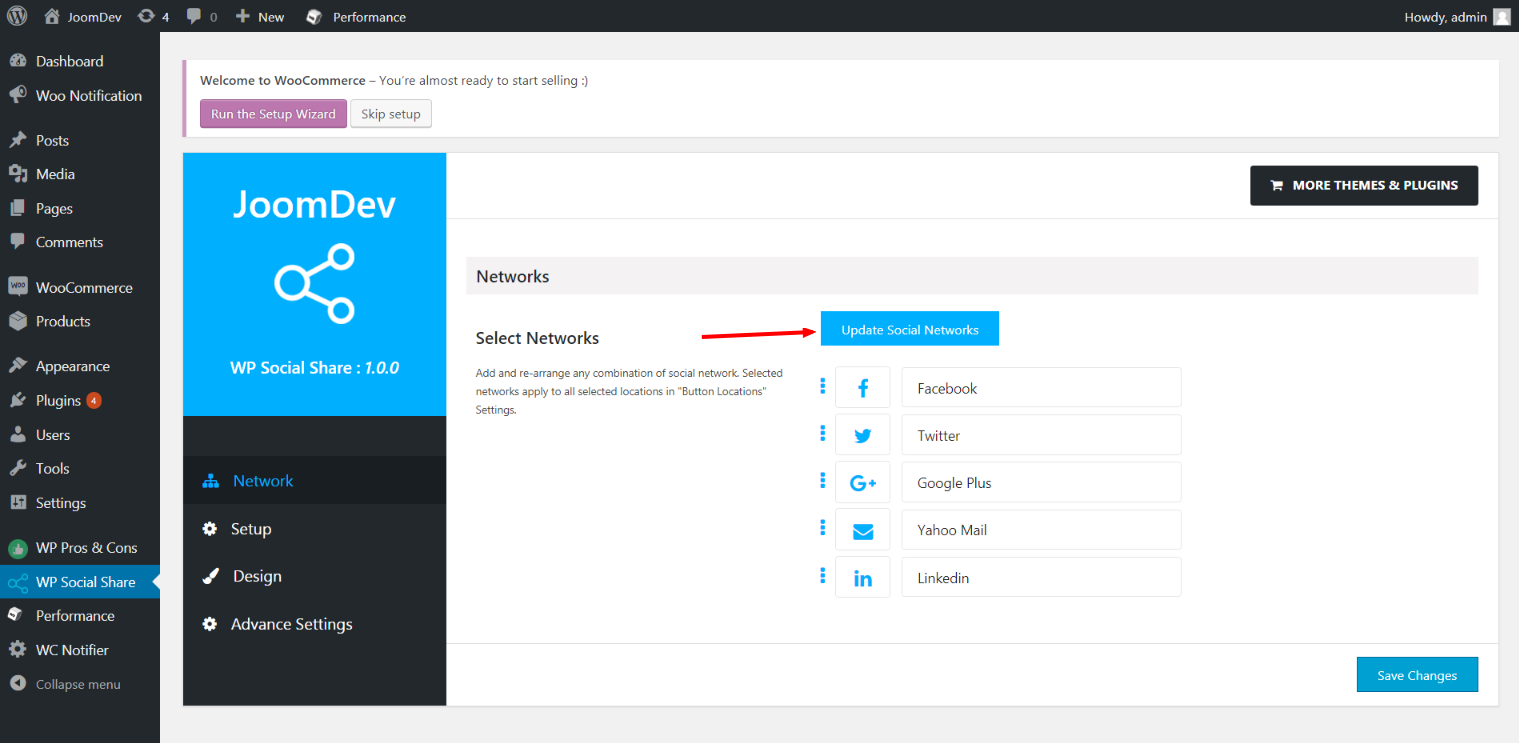
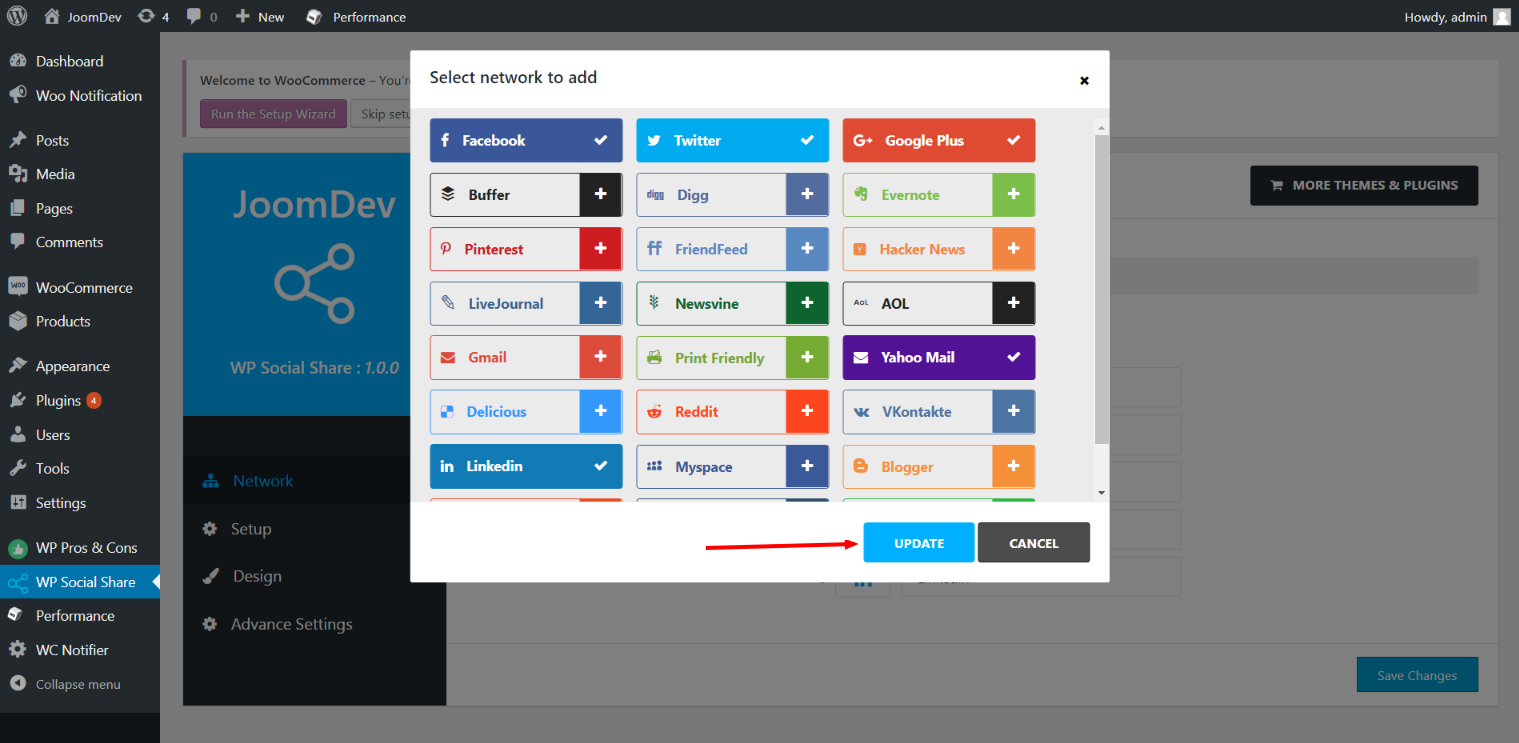
Click here to select networks
Update networks after selecting them.
Setup plugin and api settings.
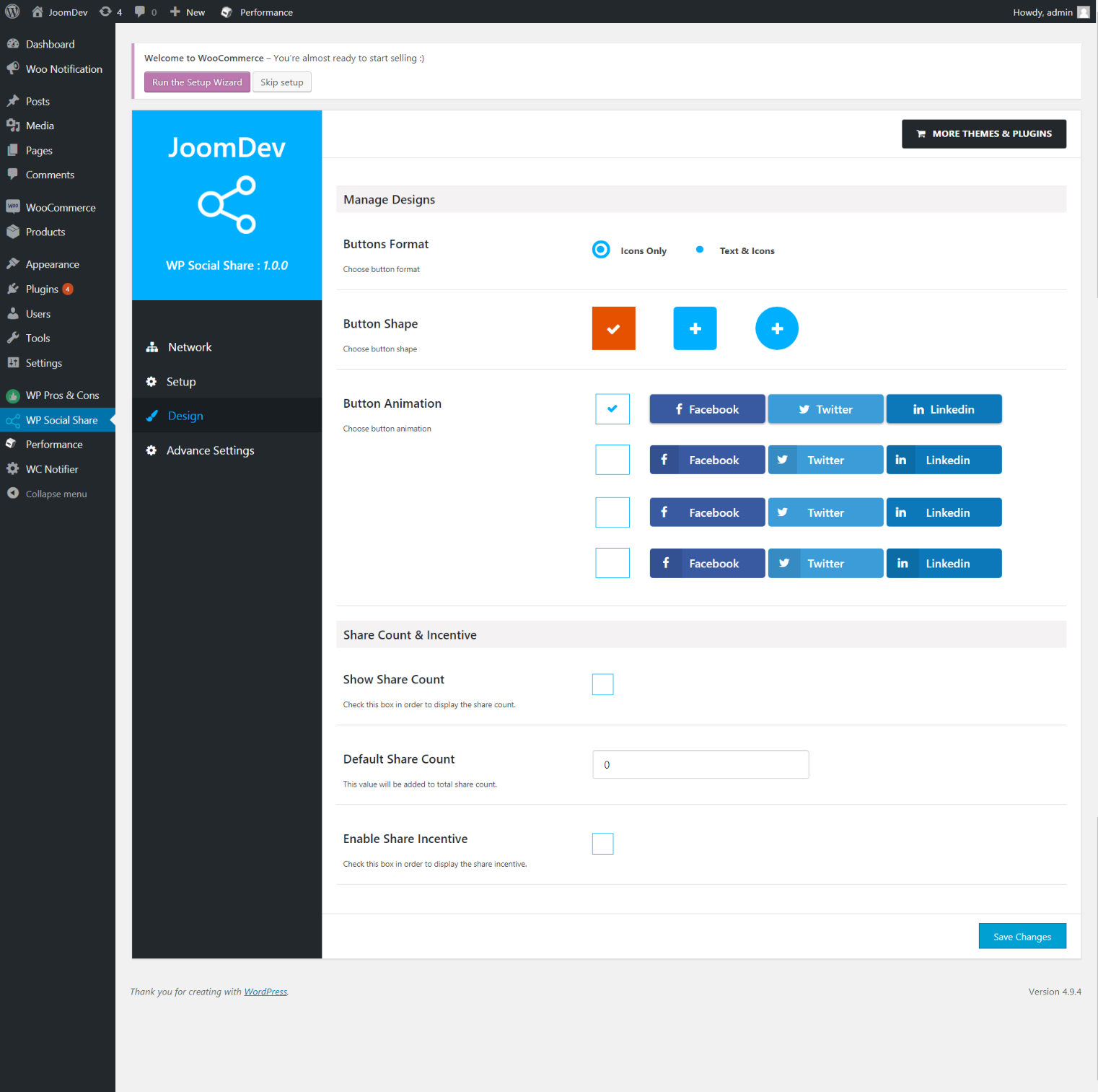
Select any design to display the buttons.
For mobile
For mobile

Постављање

Way 1: 1. Upload joomdev-wp-social-share.zip to the /wp-content/plugins/ directory 2. Extract the zip file. 3. Activate the plugin from wordpress plugins page. And you have done.

Way 2: 1. Go to plugins page in admin. 2. Click on Add New button. 3. Search for „WP ShareX“. 4. Click install on WP Social Share. 5. Activate the plugin.

ЧПП

Installation Instructions

Way 1:
1. Upload joomdev-wp-social-share.zip to the /wp-content/plugins/ directory
2. Extract the zip file.
3. Activate the plugin from wordpress plugins page. And you have done.

Way 2:
1. Go to plugins page in admin.
2. Click on Add New button.
3. Search for „WP ShareX“.
4. Click install on WP Social Share.
5. Activate the plugin.

How do I use this plugin?

See description.

Прегледи

Excellent!

Arnab Mohapatra 16. март 2018. 1 одговор
Incredible plugin. It allows to add any sharing button on the page simply and fast!
Види сав 1 преглед

Сарадници и градитељи

„WP ShareX“ је софтвер отвореног кода. Следећи људи су допринели овом додатку.

Сарадници
  • joomdev

Преведите „WP ShareX“ на свој језик.

Заинтересовани сте за градњу?

Прегледајте код, проверите SVN складиште или се пријавите на белешку градње преко RSS-а.

Белешка о изменама

1.0.0

  • New Plugin initialized.

Мета

  • Version 1.0.0
  • Last updated 8 година раније
  • Active installations 10+
  • WordPress version 3.0 или новије
  • Tested up to 4.9.29
  • Language
    English (US)
  • Tags
    sharesocialsocial share
  • Напредни преглед

Оцене

5 out of 5 stars.
  • 1 5-star review 5 stars 1
  • 0 4-star reviews 4 stars 0
  • 0 3-star reviews 3 stars 0
  • 0 2-star reviews 2 stars 0
  • 0 1-star reviews 1 star 0

Your review

See all reviews

Сарадници

  • joomdev

Подршка

Имате нешто да кажете? Потребна вам је помоћ?

Види форум подршке

Донирај

Желите ли да подржите напредак овог додатка?

Донирај овом додатку

  • About
  • News
  • Hosting
  • Privacy
  • Showcase
  • Themes
  • Plugins
  • Patterns
  • Learn
  • Support
  • Developers
  • WordPress.tv ↗
  • Get Involved
  • Догађаји
  • Donate ↗
  • Five for the Future
  • WordPress.com ↗
  • Matt ↗
  • bbPress ↗
  • BuddyPress ↗
WordPress.org
WordPress.org

Српски

  • Visit our X (formerly Twitter) account
  • Посетите наш Bluesky налог
  • Visit our Mastodon account
  • Посетите наш налог на Threads-у
  • Visit our Facebook page
  • Посетите наш Инстаграм налог
  • Visit our LinkedIn account
  • Посетите наш TikTok налог
  • Visit our YouTube channel
  • Посетите наш Tumblr налог
Кôд је поезија.
The WordPress® trademark is the intellectual property of the WordPress Foundation.