Опис
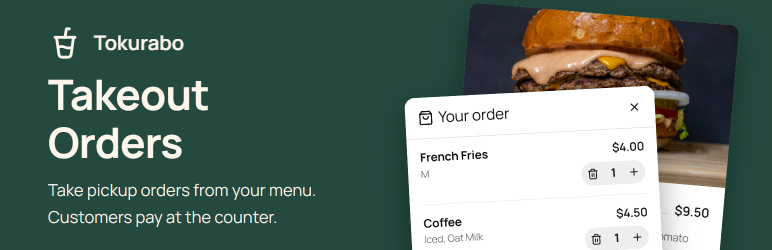
Tokurabo Takeout Orders adds a cart and an order form to the menu shown by Tokurabo Takeout Menu. Customers choose items, pick a pickup time and send the order. You get an email, and the order is saved in your WordPress admin. Customers pay when they pick up.
No online payment, no accounts, no checkout page to set up. Install it, and your menu takes orders.
Take orders without online payment
Many small shops want online orders, but not online payments. Online payments mean card fees, refunds and chargebacks. With this plugin, customers pay at the counter when they pick up, the way they do now. Your register stays your register. Orders are not sent to Square or to any payment service. The prices in the order are calculated on your server from your menu, the same way as on your menu page.
For customers
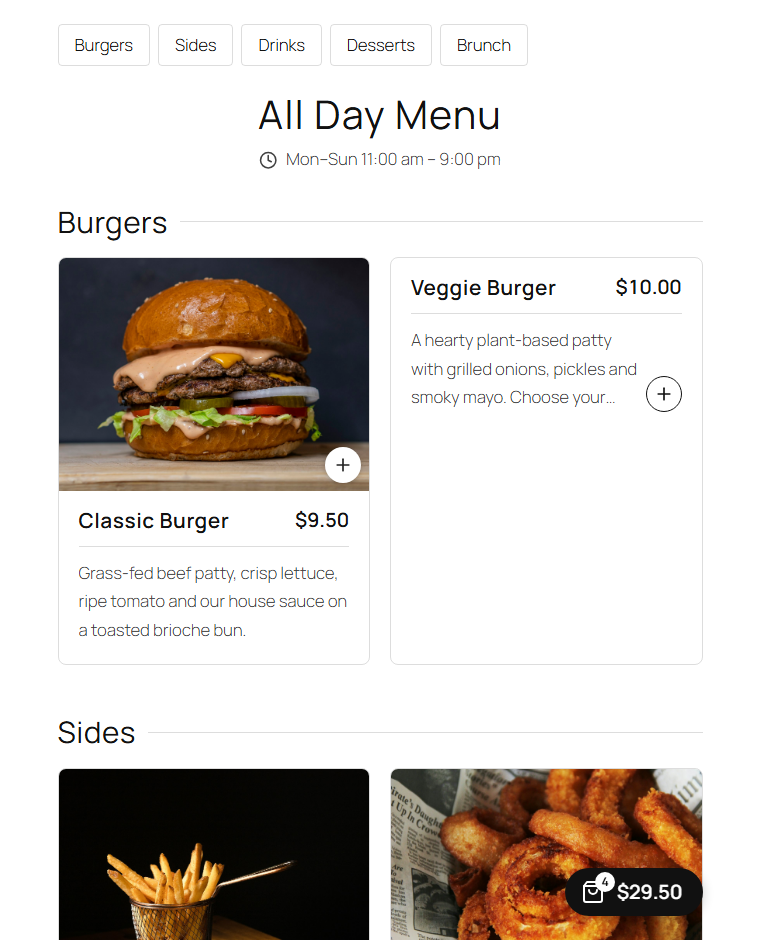
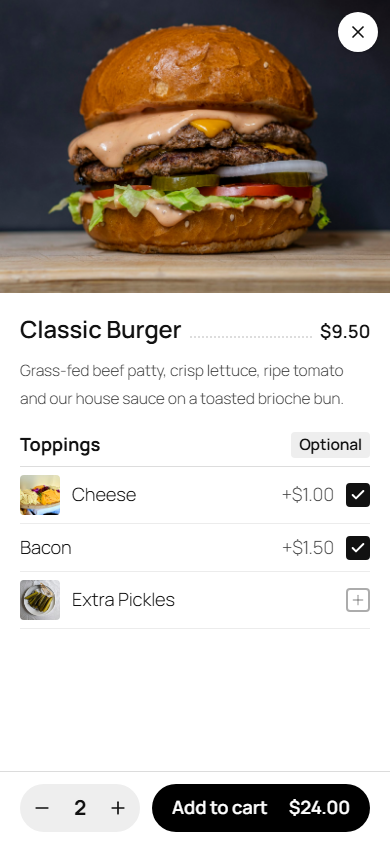
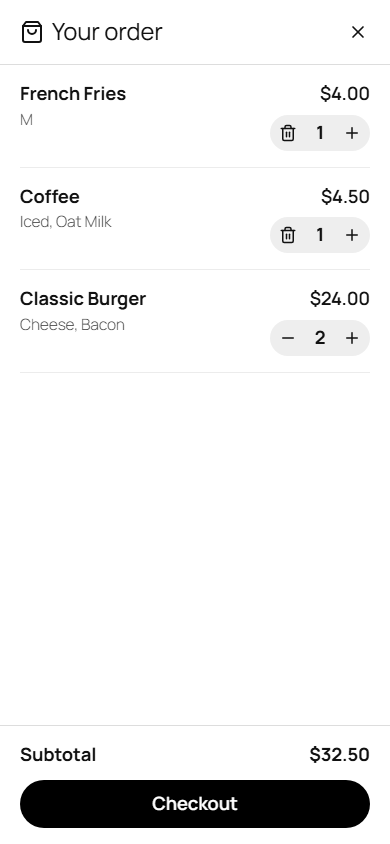
- Tap „+“ on an item, or open it and choose a size and options, then „Add to cart“
- A small cart button stays in the corner on every page of your site, so customers can keep browsing
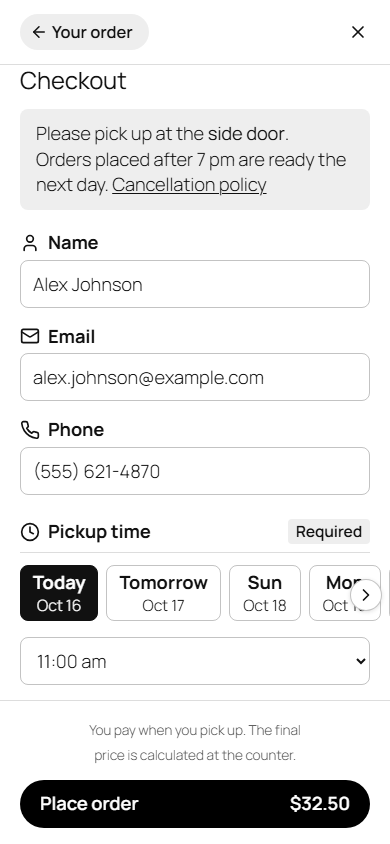
- Enter name, email and phone, and choose a pickup date and time (or „ASAP“)
- Their details are remembered in their own browser for next time. No sign-up needed
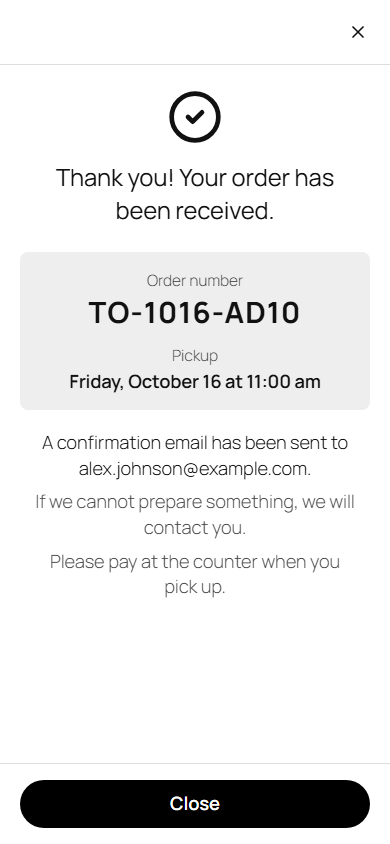
- They get a confirmation email with the order number
For you
- An email for each new order. Reply to it to contact the customer. Send it to up to 5 addresses
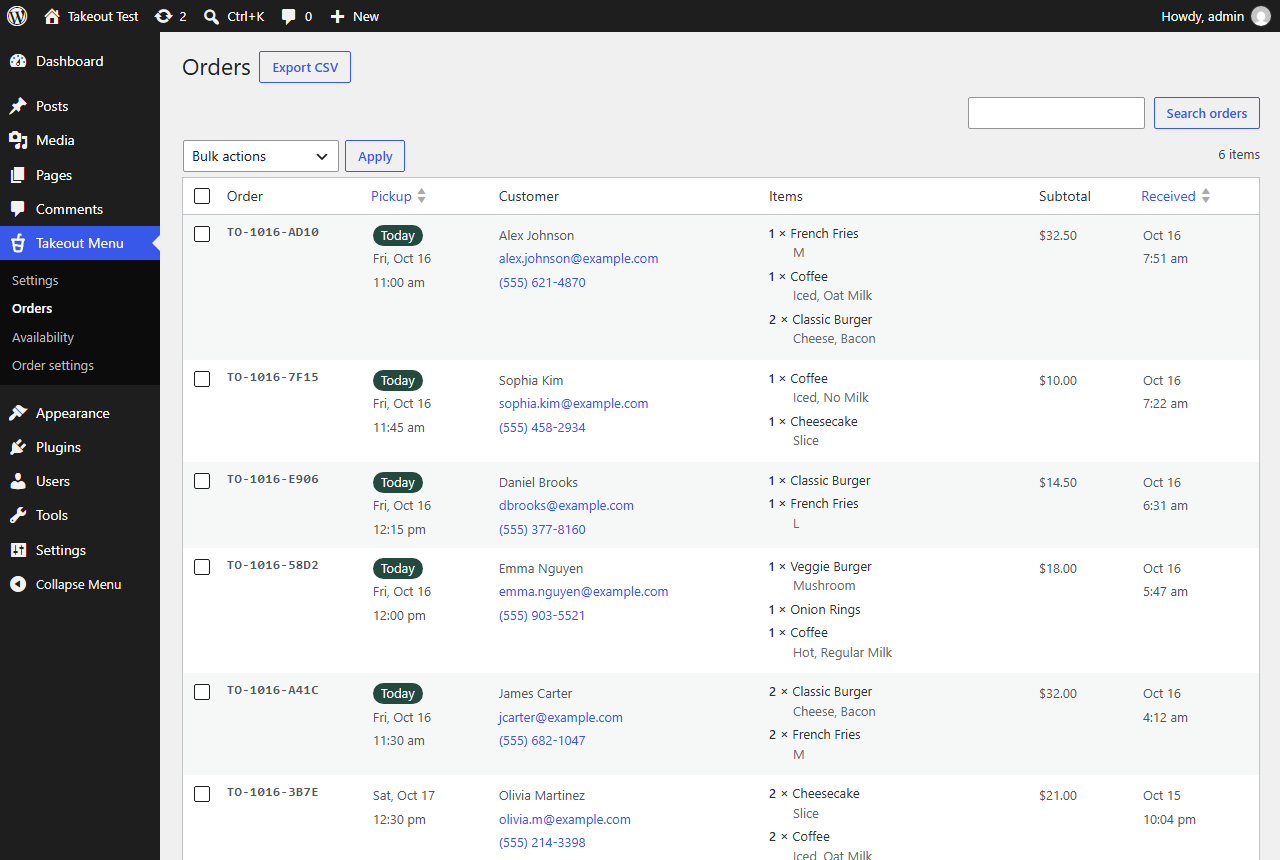
- A list of all orders in the admin: search, sort by pickup time, delete, and export to CSV
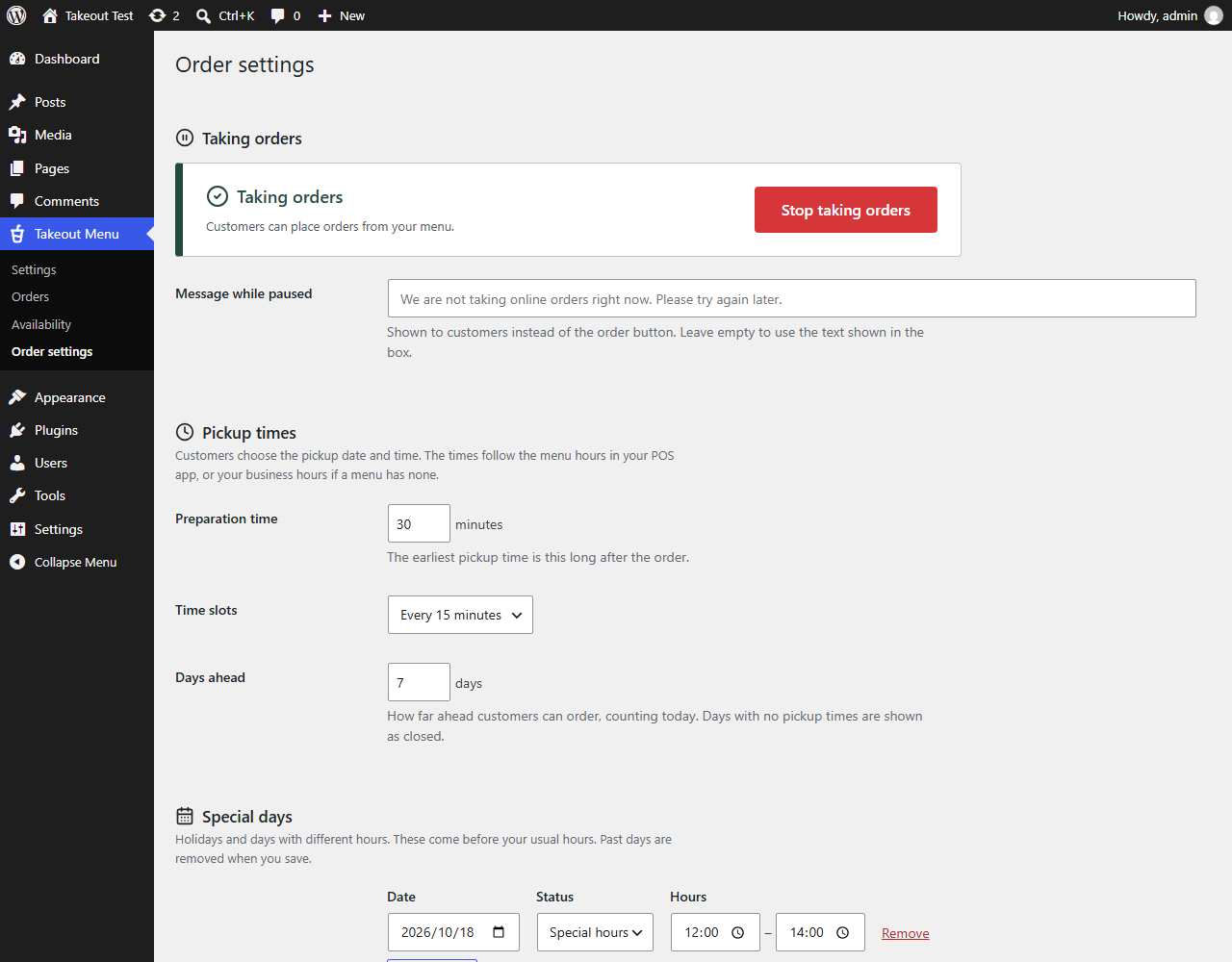
- Pickup times follow your menu hours. Set the preparation time, time slots, how many days ahead, and special days (holidays or different hours)
- Stop taking orders with one button when you are too busy. The menu stays on your site
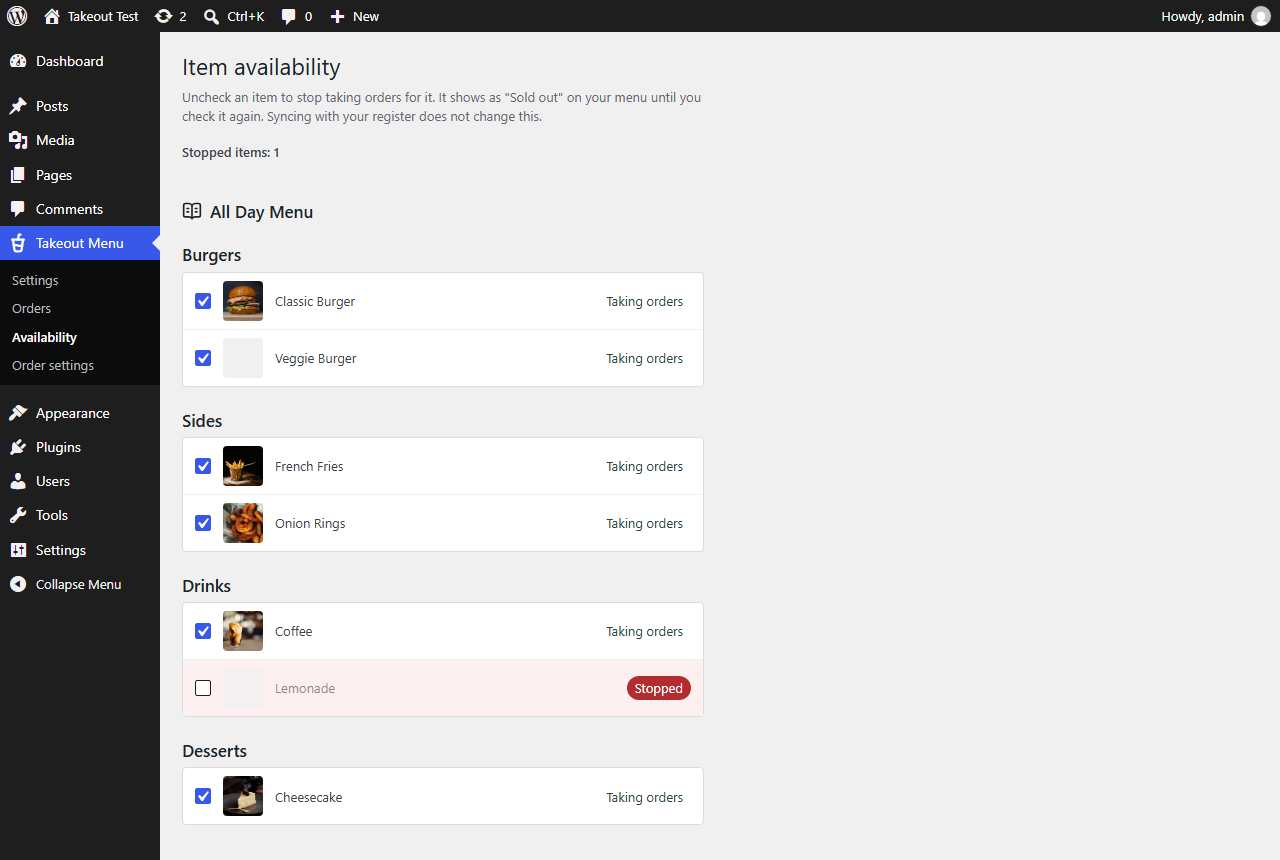
- Stop single items („Sold out“) with a checkbox. Items marked sold out in Square are also shown as sold out
- A notice at the top of the order form, for example where to pick up
- Your own order number prefix, like TO-1017-A3F9
Not only for restaurants
Bakeries, cake shops, florists, delis, coffee stands and retail stores can take pickup orders (click and collect) the same way. If you keep your items in Square, Takeout Menu shows them, and this plugin takes the orders.
Requirements
This plugin needs Tokurabo Takeout Menu. Set up Tokurabo Takeout Menu first and show your menu on a page.
For web designers
Building a site for a restaurant, cafe or shop that uses Square? Add this plugin to the menu, and the site takes pickup orders without a payment setup. Orders go to the owner by email and to the WordPress admin. Colors and fonts come from the theme. To use your own CSS, turn off „Use the plugin styles“ in Order settings.
This plugin is not made by, endorsed by or affiliated with Square or Block, Inc. Square is a trademark of Block, Inc.
Privacy
When a customer places an order, this plugin saves the order with the customer’s name, email address and phone number in your WordPress database, and sends emails to the customer and to you. If the customer is logged in to your site, their user ID is saved too.
The customer’s name, email and phone are also remembered in the customer’s own browser (localStorage) so they do not have to type them again. They are not sent anywhere until the customer places an order.
To limit spam, a hashed form of the customer’s IP address and email address is kept for up to one hour. It cannot be turned back into the original address.
This plugin does not send any data to outside services.
Credits
- Icons: Lucide (https://lucide.dev). Copyright (c) 2026 Lucide Icons and Contributors. ISC License (https://github.com/lucide-icons/lucide/blob/main/LICENSE).
Снимци екрана
Постављање
- Install and activate Tokurabo Takeout Menu, and show your menu on a page.
- Install and activate Tokurabo Takeout Orders.
- Go to Takeout Menu > Order settings. Check the pickup times and your email address in „From email address“, and save.
- Open your menu page. Customers can now add items to the cart and place orders.
ЧПП
-
Do I need WooCommerce?
-
No. This plugin works with Tokurabo Takeout Menu only.
-
Is it free?
-
Yes.
-
Can customers pay online?
-
Not with this plugin. Customers pay at the counter when they pick up.
-
Are orders sent to Square?
-
No. Orders are saved in your WordPress site and sent to you by email. Enter them in your register when the customer picks up.
-
Where do I see new orders?
-
In the email for each order, and in Takeout Menu > Orders in your admin.
-
Emails do not arrive.
-
Takeout Orders sends emails through WordPress, with your shop name as the sender and the first address in „From email address“ as the address (Order settings > Order emails). Click „Send test email“ there to check that emails arrive. On many hosts, emails from WordPress end up in spam or are not sent at all. Install an SMTP plugin, such as FluentSMTP, and send through your own email account. This also helps for other emails from your site.
-
Which pickup times can customers choose?
-
Times when at least one of your menus is served, from now plus the preparation time, every 15 minutes (you can change this), for the next 7 days (you can change this). If an item in the cart is not served at the chosen time, the customer is told before placing the order. Special days in Order settings come before your usual hours.
-
Pickup times follow your menu hours, or your business hours if a menu has none. The hours of other menus are never borrowed. If the cart has an item from a menu with no hours and there are no business hours, the customer does not choose a pickup time. They can order any time, and the order says you will contact them about the pickup date and time. Contact the customer to decide it. This works for one menu only too, for example a cake menu where you agree on the date with each customer. Order settings shows which way your site works now. To let customers choose, set menu hours in your POS app.
-
How do I stop orders for a while?
-
Go to Takeout Menu > Order settings and click „Stop taking orders“. The menu stays on your site, but customers cannot place orders. Click „Resume taking orders“ to start again.
-
How do I stop one item?
-
Go to Takeout Menu > Availability and uncheck the item. It shows as „Sold out“ until you check it again.
-
What if a customer does not come?
-
Orders are paid at pickup, so there is nothing to refund. Customers must enter their phone number, so you can call them. You can also write your cancellation policy in the notice at the top of the order form (Order settings).
-
Can customers change or cancel an order?
-
The confirmation email asks them to contact you. They can reply to the email or call you. Delete the order in Takeout Menu > Orders if you need to.
-
Is there spam protection?
-
Yes. The same connection can place up to 5 orders in 10 minutes, and the same email address can receive up to 5 orders in an hour. The form also has a hidden field that catches simple bots. The same order is not saved twice, even if the customer clicks twice or the connection drops.
-
What happens to customer data?
-
Names, emails and phone numbers are saved with each order in your WordPress database. You can delete orders from the list, or have old orders deleted automatically (Order settings > Order history). The plugin works with the WordPress privacy tools (Tools > Export Personal Data and Tools > Erase Personal Data).
-
What happens when I delete the plugin?
-
All orders and settings of Takeout Orders are deleted. Export your orders to CSV first if you want to keep them. Deactivating the plugin does not delete anything.
-
Can I change the look?
-
The cart and the order form use your theme’s fonts and colors. You can change more with your own CSS. To write all the CSS yourself, turn off „Use the plugin styles“ in Order settings. Every class name starts with
takeout-orders-.
Рецензије
Нема рецензија за овај додатак.
Сарадници и градитељи
„Tokurabo Takeout Orders“ је софтвер отвореног кода. Следећи људи су допринели овом додатку.
Сарадници
„Tokurabo Takeout Orders“ је преведен на 1 језик. Хвала преводиоцима на њиховим доприносима.
Преведите „Tokurabo Takeout Orders“ на свој језик.
Заинтересовани сте за развој?
Прегледајте кôд, погледајте SVN складиште или се претплатите на дневник развоја преко RSS-а.
Дневник измена
0.3.1
- Changed: One email address setting instead of two. „Send new orders to“ is now „From email address“: order emails are sent from this address, and new orders arrive at it. If you set a different From address in 0.3.0, enter the address you want here.
- New: A note in Order settings to use an SMTP plugin if emails do not arrive or go to spam.
0.3.0
- Changed: Items in a menu with no hours no longer borrow the hours of other menus. If there are no business hours either, the pickup date and time is arranged with the customer after the order.
- New: Shop name and From email address in Order settings. Order emails are sent as „Shop name <noreply@your-site-domain>“ by default.
- New: „Send test email“ button in Order settings.
- New: The subtotal shows whether prices include tax, in emails, the cart and the Orders list. Customers see it as „Estimated subtotal“.
- New: The Orders list shows how long orders are kept.
- New: Order settings warns you before you leave the page with unsaved changes.
- Changed: Admin menu order is now Availability, Order settings, Orders.
0.2.0
- New: „Use the plugin styles“ setting in Order settings. Turn it off to write all the CSS for the cart and the order form yourself.
- New: Hooks for add-on plugins: a separate cart with its own items and pickup times, and a check before an order is saved.
- Improved: Clearer description and new FAQ entries.
0.1.0
- First release.