
Опис
Tab Shortcode Ultimate is yet another simple, responsive, lightweight tabs plugin for creating responsive tabbed panels with unlimited options and transition animations support.
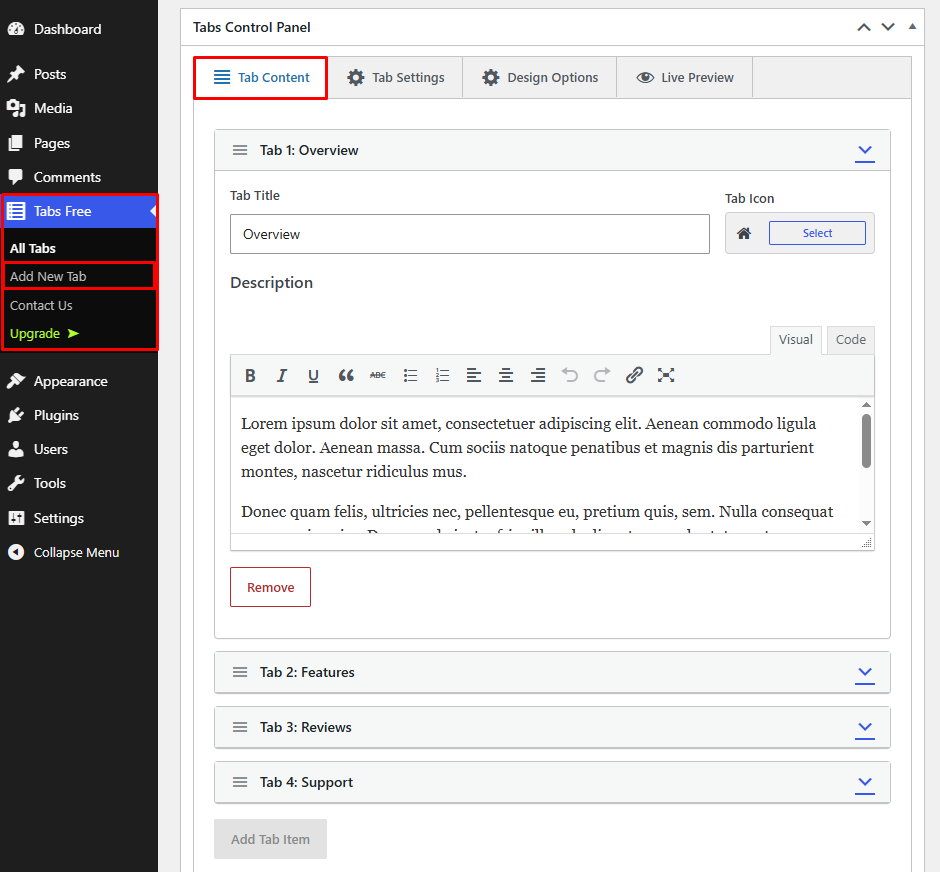
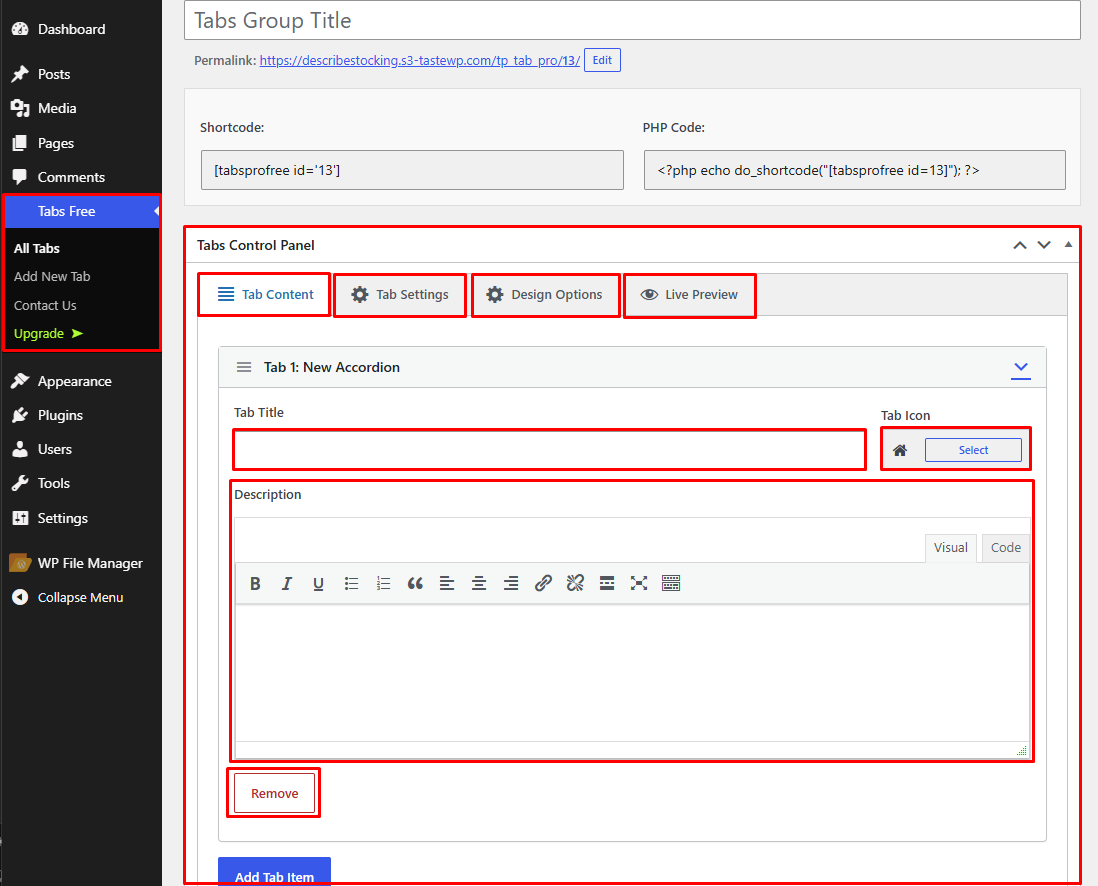
This plugin allows you to use shortcode to display tabs post/page or widget via unique post ID. You can easily Manage tabs via options page.
🚀 Key Features & Options
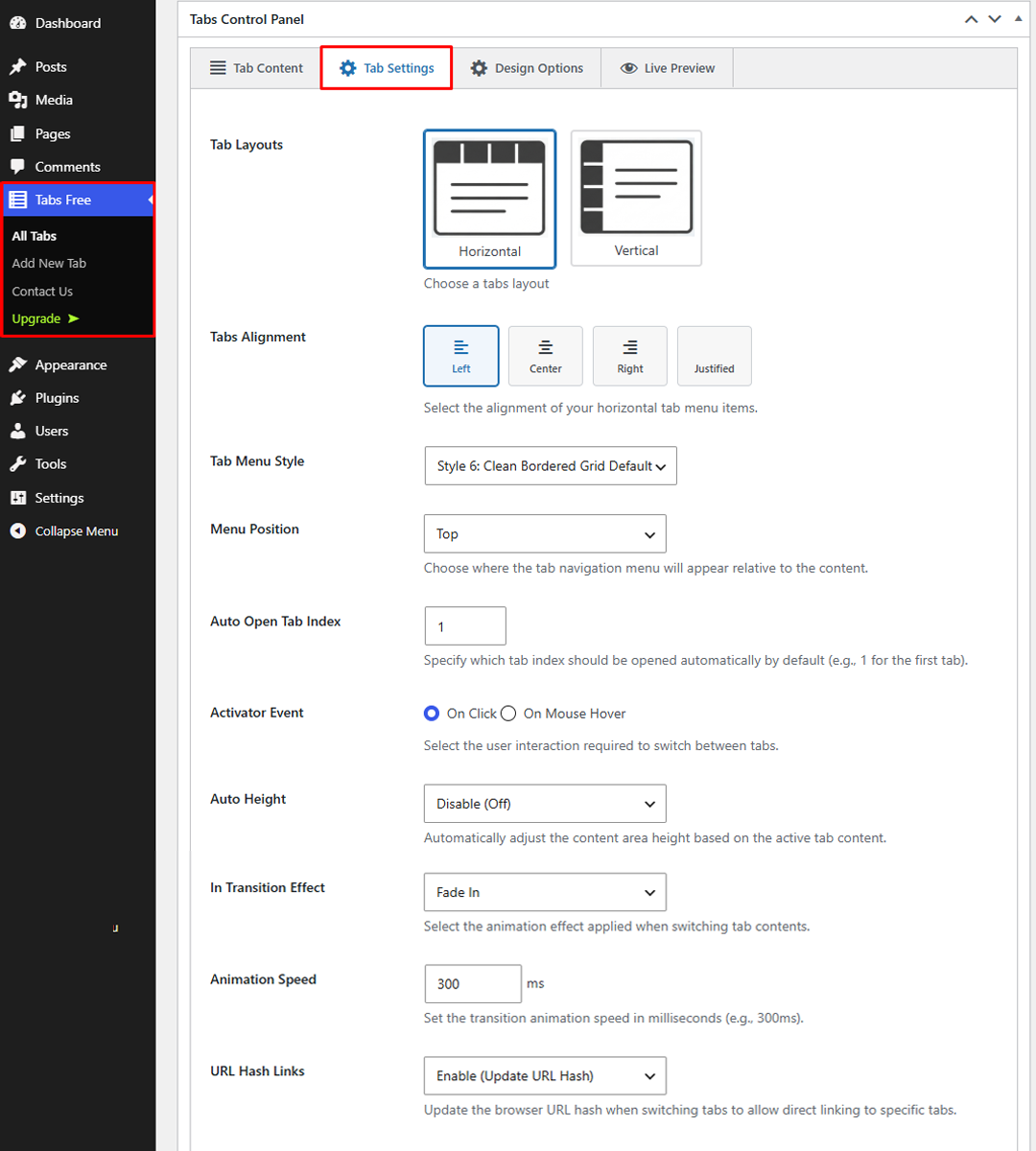
- Multiple Tab Layouts: Easily switch between Horizontal and Vertical tab layouts.
- Flexible Tabs Alignment: Align your navigation tabs to the Left, Center, Right, or Justified.
- Menu Styles & Positions: Choose custom menu styles and control menu positions (top/bottom).
- Auto Open Tab Index: Set a specific default active tab to load automatically.
- Activator Events: Switch user interaction between Click and Hover.
- Auto Height Mode: Dynamic content height control for seamless layouts.
- Smooth Transitions & Animations: Configure entrance effects with customizable animation speeds.
- URL Hash Links: Direct linking support to open specific tabs via URL parameters.
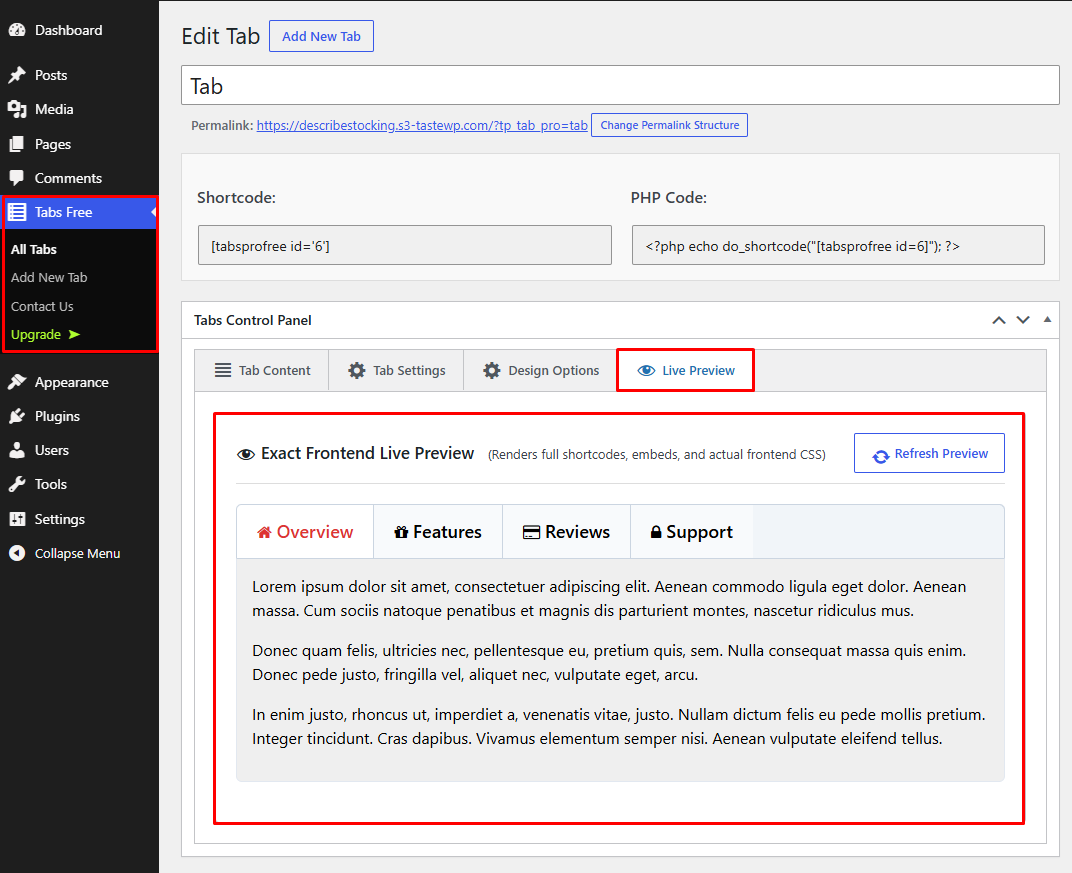
- Live Preview: Real-time preview support right inside your WordPress dashboard.
- Clean OOP Code & High Performance: Built on modern Object-Oriented Programming principles with CSS Custom Properties (CSS Variables) for optimal speed.
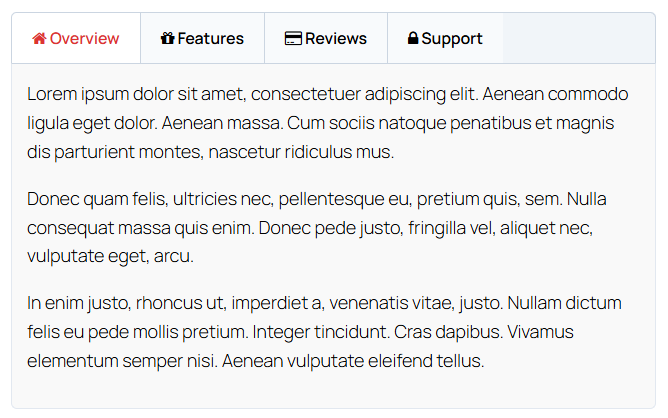
- Fully Responsive: Looks stunning on all mobile devices, tablets, and desktops.
- Advanced Transition Effects (fade, slideUp, slideRight, flip, rotate, scaleDown, etc.)
- Drag & Drop Tab item sorting from the backend
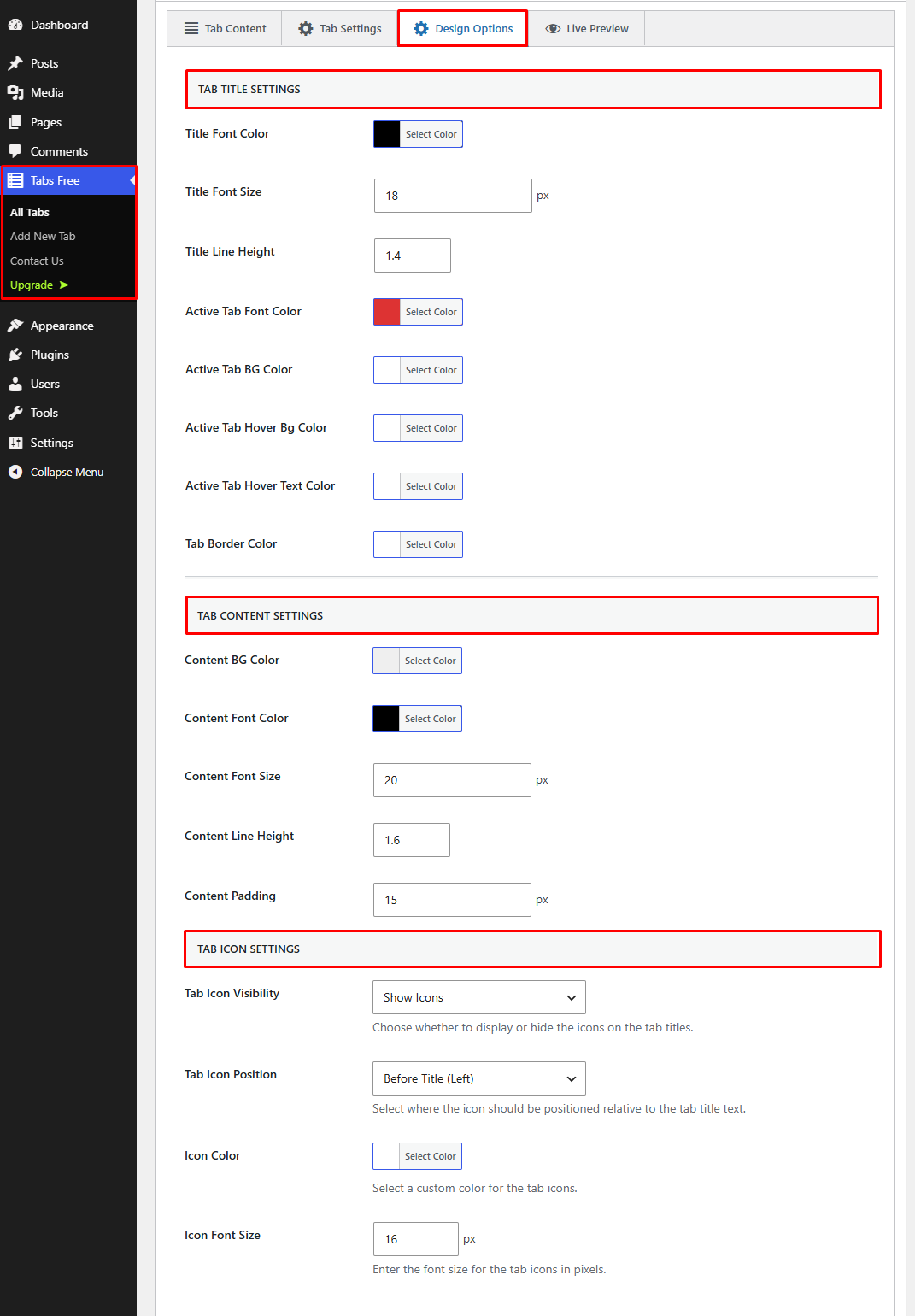
- Comprehensive color customization (titles, active states, hover texts, borders, and content backgrounds)
- 24/7 Dedicated Support Forum
Снимци екрана
Постављање
- Install as regular WordPress plugin.
- Go your Pluings setting via WordPress Dashboard and activate it.
- After activate plugin you will see a button on the post or page visual editor called tptabs_ultimate Shortcode. Click on it, from there you will receive the shortcode.
How to use short-code?
Рецензије

22. октобар 2020.
1 одговор
Poor Support. Doesnt work with current WP. Last updates 2 years ago.

11. октобар 2017.
Thanks for producing a great plugin. Our site looks more professional and its made things so much easier for me!

13. јануар 2017.
Exactly what I needed, pro version is excellent & super fast email support.
Recommended

3. септембар 2016.
Hi Guys, I cannot describe how fantastic your plugin is, I have used straight away and I am very pleased. Thank you very much for creating this plugin. it is very easy and useful.
Сарадници и градитељи
„Tab Ultimate“ је софтвер отвореног кода. Следећи људи су допринели овом додатку.
Сарадници
Преведите „Tab Ultimate“ на свој језик.
Заинтересовани сте за развој?
Прегледајте кôд, погледајте SVN складиште или се претплатите на дневник развоја преко RSS-а.
Дневник измена
2.0.4
- Fixed: Resolved an issue where newly created accordion tab icons and settings did not persist on the first publish.
- Fixed: Cleaned up duplicate Visual/Code editor toolbar rendering issues on newly added tab items.
- Improved: Enhanced JavaScript re-indexing logic for dynamic metabox repeater fields, icon selectors, and TinyMCE editor instances.
2.0.3
- Refactored entire plugin architecture into modern Object-Oriented Programming (OOP).
- Optimized dynamic styling by implementing CSS Custom Properties (CSS Variables) injected directly into the main container.
- Fixed legacy database meta compatibility issues; added robust fallback mechanisms for old meta keys so existing shortcodes work seamlessly without manual re-saves.
- Corrected variable parameter ordering within the dynamic style builder for accurate border and hover text rendering.
- Enhanced feature support including full layout options (Horizontal/Vertical), alignments (Left/Center/Right/Justified), menu styles, auto-height, URL hash links, and live preview.
2.0.2
- Update Options Page.
2.0.1
- Fix Css Issues.
- Update Options Page.
2.0.0
- Release Date – 12/22/2025*
- Fix Css Issues.
- Update Options Page.
- Update Options Page UI.
1.9
- Release Date – 09/27/2025*
- Fix jQuery Issues.
- Fix Cross Site Scripting (XSS) Issue.
1.8
- Release Date – 03/09/2025*
- Fix jQuery Issues.
- Fix Css Issues.
1.7
- Release Date – 05/12/2025*
- Fix javascript Issues.
1.6
- Release Date – 04/17/2025*
- Fix Css Issues.
- Update Options Page.
- Update Options Page UI.
- Added New Options.
- Added New Shortcode Options.
1.5
- Release Date – 02/09/2024*
- Fix Css Issues.
- Update Options Page.
1.4
- Release Date – 21/10/2023*
- Fix Css Issues.
- Fix jQuery Issues.
- Update Options Page.
- Added New Option.
- Fix Security Issue.
1.3
- Release Date – 25/10/2020*
- Fix Css Issues.
- Fix jQuery Issues.
- Update Options Page.
- Fix Error Issue.
1.2
- Release Date – 13/08/2017*
- Fix Css Issues.
- Fix javascript Issues.
1.1
Release Date – 23 Jan, 2017
- Fix Previous Version Css Issues.
- Added New Tab Style.
- Unlimited Shortcode Via Post id.
- Enable Custom Post.
- Added Repeatable Tab Meta Box.
- Added Drag & Drop Api .
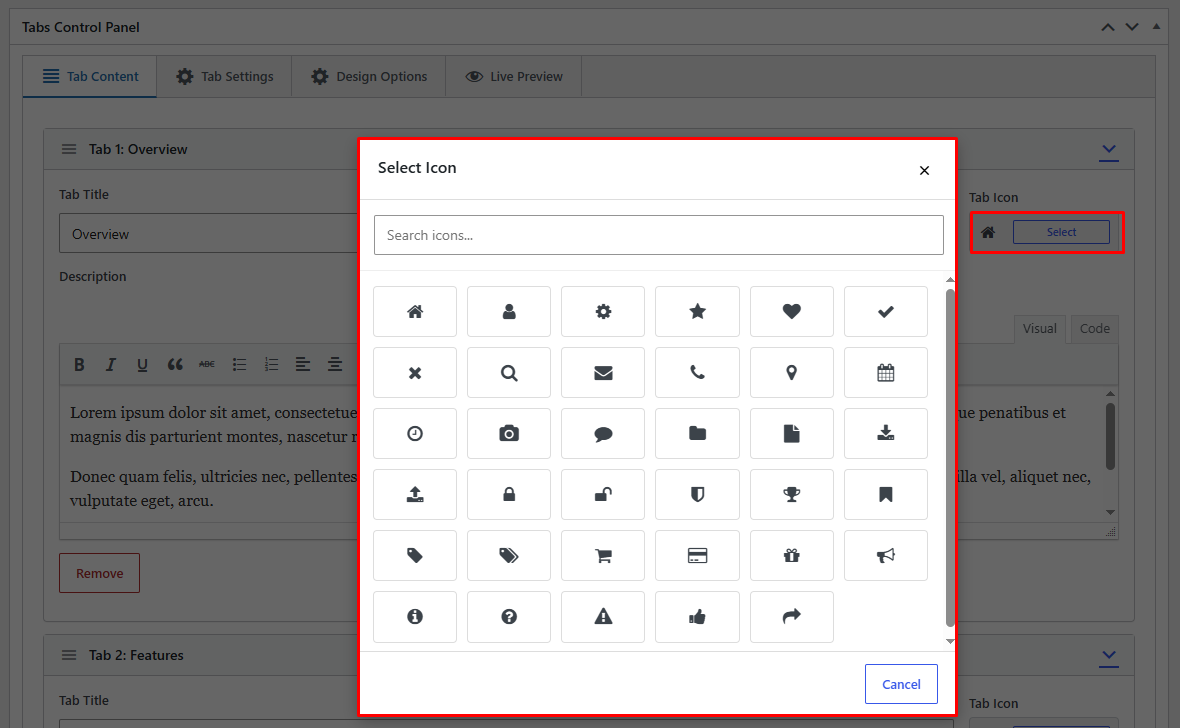
- Added Unlimited Icons.
- Added Many Transitions Style.
- Added Easy option panel.
- Added Different Tab Menu Position.
- Added Color option .
- Added Tab Open On Hover Options
etc.
1.0
- Почетно издање