
Опис
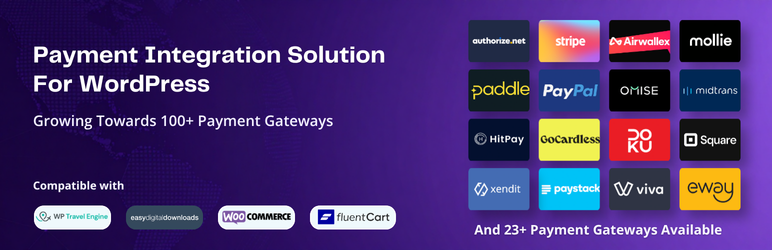
If you want to accept payments through Stripe, PayPal, or any other gateway inside WooCommerce, WP Travel Engine, or your favorite WordPress plugin, but your plugin doesn’t support it, PayLexer connects them for you.
Most WordPress plugins only work with a handful of payment gateways. If the one you want isn’t on that list, you’re stuck. You either switch plugins, hire a developer to build a custom connection, or just make do with whatever your plugin supports.
PayLexer adds your chosen gateway directly inside your existing checkout flow. Your customers stay in the same checkout process they already know. Nothing changes for them except that they have more ways to pay.
No coding. No developer. No switching plugins. You install PayLexer, connect your gateway, and you’re ready to accept payments in less than 7 minutes.
PayLexer does not process or store payments. Every transaction goes directly through the gateway you choose.
Getting Started with PayLexer in Less than 7 Minutes | Supported Payment Gateways | Compatible Plugins | Customer Support | Documentation
Key Features
- 68 payment gateways across global, regional, and local markets
- Works inside your existing checkout flow, not a replacement
- Your credentials are stored in an encrypted vault. We cannot access them. Nobody can.
- Free for up to 5 WordPress sites. Need more? Just ask.
- New gateways and plugin integrations added every month
Supported Payment Gateways
PayLexer currently supports 68 payment gateways. New ones are added every month.
- Stripe – Global
- PayPal – Global
- Airwallex – Global
- Braintree – Global
- Paddle – Global
- Adyen – Global (North America, Europe, Latin America, Asia-Pacific, Middle East)
- Checkout.com – Global
- FastSpring – Global
- Global Payments – Global
- Authorize.Net – United States
- Square – United States, United Kingdom, Canada, Australia
- Flutterwave – Africa
- DPO – Africa
- Paystack – West Africa
- Squad – Nigeria
- Pesapal – East Africa
- PayFast – South Africa
- AmwalPay – Middle East
- Tap Payments – Middle East (GCC)
- MyFatoorah – Middle East (GCC)
- Fatora – Qatar
- Moyasar – Saudi Arabia
- Xendit – Southeast Asia
- HitPay – Southeast Asia
- Omise – Southeast Asia (Thailand, Japan, Singapore)
- Midtrans – Indonesia
- DOKU – Indonesia
- ToyyibPay – Malaysia
- PayU – India
- PayHere – Sri Lanka
- Viva – Europe
- Mollie – Europe
- SumUp – Europe
- Nets – Europe (Nordics)
- iyzico – Turkey
- GoCardless – UK, Europe, US, Australia, Canada
- Revolut – Europe, US, Australia, Singapore, and expanding globally
- Eway – Australia and Asia-Pacific
- Westpac PayWay – Australia
- Pin Payments – Australia
- TropiPay – Latin America and the Caribbean
- Culqi – Peru
- Conekta – Mexico
- M-Pesa – East Africa
- GetPayIn – Egypt
- Mercado Pago – Latin America
- Openpay – Latin America (Mexico, Colombia)
- SSLCommerz – Bangladesh
- NICEPAY – Indonesia
- Paytrail – Finland
- UPayments – Kuwait
- Dodo Payments – Global
- Klarna – Europe, Australia, North America
- Montonio – Europe
- Windcave – Global
- Cost+ – Europe
- Maya – Philippines
- Quickpay – Europe
- MultiSafepay – Europe
- ONVO – Costa Rica
- BlueSnap – Global
- Paysafe – US, Canda, UK, Europe
- Lemon Squeezy – Global
- Elavon – North America and Europe
- Transbank – Chile
- 9Pay – Vietnam
- Wordline – North America
- Himalayan Bank Limited – Nepal
Coming Soon
More gateways are on the way. These are in progress and will be available soon.
* Getnet – Latin America and Iberia
* eSewa – Nepal
* Khalti – Nepal
* Nabil Bank – Nepal
* Fondy – Europe
* TranFi – Southeast Asia, Latin America, and the Middle East
Looking for a different gateway? Request it here. Your request helps us decide what gets added next.
Compatible Plugins
PayLexer currently works with four major WordPress plugins.
- WooCommerce
- WP Travel Engine
- FluentCart
- Easy Digital Downloads
You do not need to switch or reconfigure anything. Simply install PayLexer, connect your account, and every supported gateway becomes available inside your existing plugin.
We regularly add support for new WordPress plugins. If your preferred plugin is not supported yet, you can submit a plugin request.
Full documentation available at paylexer.com
External Services
PayLexer is a WordPress plugin that links your WordPress store to the PayLexer platform, a cloud-based service. It connects your store’s checkout to your chosen payment gateway. The plugin and the PayLexer platform do not process payments. Every transaction is handled directly by the gateway you choose. A PayLexer account is required for the plugin to work.
To do that, the plugin communicates with these PayLexer services:
-
Payment service (https://paylexer.com) — Initiates and tracks payment requests and keeps your gateway settings in sync. Sends order details and customer billing information needed to complete the payment, including name, email, address, and phone, along with your site URL and account credentials.
-
Checkout (https://processor.paylexer.com) — Shows your customer the secure payment screen. Receives only a reference to the payment being made.
-
App (https://app.paylexer.com) — Loads the payment-method logo images shown at checkout and in the settings, and provides admin links to your PayLexer dashboard.
The plugin also sets one first-party cookie, „paylexer_session_id“, to link a guest’s checkout to their payment. It stores a random ID only, with no personal data.
Your use of these services is subject to the PayLexer Terms of Service (https://paylexer.com/terms) and Privacy Policy (https://paylexer.com/privacy-policy).
Privacy Policy
PayLexer processes payment information as necessary to complete transactions. The plugin:
- Does not store credit card or sensitive payment data
- Transmits payment data securely to payment providers
- Stores order references and transaction IDs for order management
- May send customer email and order information to PayLexer services
- Follows WordPress privacy and data protection guidelines
For complete privacy information, visit paylexer.com/privacy-policy
Постављање
Automatic Installation:
- Log in to your WordPress dashboard
- Navigate to Plugins > Add New
- Search for „PayLexer“
- Click „Install Now“ and then „Activate“
Manual Installation:
- Download the plugin zip file
- Log in to your WordPress dashboard
- Navigate to Plugins > Add New > Upload Plugin
- Choose the downloaded zip file and click „Install Now“
- Activate the plugin through the ‘Plugins’ menu
Requirements:
- WordPress 5.9 or higher
- PHP 8.1 or higher
- At least one supported platform: WooCommerce, WP Travel Engine, Fluent Cart, or Easy Digital Downloads
- SSL certificate (HTTPS) recommended for production
ЧПП
-
Is PayLexer free to use?
-
Yes. PayLexer is free to use. You can connect up to 5 websites at no cost. No credit card required.
-
Do I need a developer to set up PayLexer?
-
No. You sign up, add your website, and connect the gateway you want to use. The setup takes less than 7 minutes.
-
Will my existing checkout flow change?
-
No. PayLexer adds the gateway inside your existing checkout. Your customers go through the same process they always have. They just have more ways to pay.
-
What if my payment gateway is not supported yet?
-
We add new gateways every month. If you don’t see the one you need, you can request it here. Your request helps us decide what gets added next.
-
Will PayLexer work with my existing WordPress setup?
-
Yes. Your existing plugin and setup stay exactly as they are. PayLexer adds gateway options on top of what you already have.
-
Does PayLexer process or store my payments?
-
No. Every payment goes directly through the gateway you choose. PayLexer never touches the transaction.
-
How safe are my payment gateway credentials?
-
Your credentials are stored in an encrypted vault. We cannot access them. Nobody can.
-
What happens when new gateways or plugins are added?
-
Nothing changes on your end. New gateways and plugins appear in your dashboard automatically. You connect them when you’re ready.
Прегледи


Сарадници и градитељи
„PayLexer – Payment Integration Solution for WordPress (Stripe, PayPal, Paystack, and more)“ је софтвер отвореног кода. Следећи људи су допринели овом додатку.
Сарадници
Заинтересовани сте за градњу?
Прегледајте код, проверите SVN складиште или се пријавите на белешку градње преко RSS-а.
Белешка о изменама
1.0.8
- Added support for 5 new payment gateways: Elavon, Transbank, 9Pay, Worldline, and Himalayan Bank Limited.
- Updated the supported payment gateways list to 68 gateways.
- Bug – Fixed WP Travel Engine bookings recording a paid amount of 0 (booking shown as unpaid) after a successful payment, when WP Travel Engine reported no payable amount for the payment.
- Bug – Fixed the return redirect not being processed for gateways whose outcome is verified by the connector, so the shopper is now routed correctly after paying.
- Bug – Fixed an issue where the FluentCart checkout page got stuck on a loading screen when a payment failed using Paysafe.
1.0.7
- Added support for 4 new payment gateways: ONVO, BlueSnap, Paysafe, Lemon Squeezy.
- Updated the supported payment gateways list to 63 gateways.
- Added compatibility with WordPress 7.1.
1.0.6
- Added support for 4 new payment gateways: Cost+, Maya, Quickpay and MultiSafepay.
- Updated the supported payment gateways list to 59 gateways.
- Enhancement – In the WordPress plugin, the „Test Connection“ button is now displayed only after users save their credentials.
- Bug – Fixed an issue where booking emails were not being triggered for Xendit payments.
1.0.5
- Added support for 3 new payment gateways: Klarna, Montonio, and Windcave.
- Updated the supported payment gateways list to 55 gateways.
1.0.4
- Added support for 3 new payment gateways: Paytrail, Dodo Payments, and UPayments.
- Updated the supported payment gateways list to 52 gateways.
- Fixed a conflict with FluentCart where all payment gateways were displayed on the checkout page without validating whether the selected currency was supported by the gateway.
- Resolved a conflict with WooCommerce where users could proceed with payment even when the checkout page displayed a shipping option error, leaving them stuck on the checkout page.
1.0.3
- Added support for 3 new payment gateways: NICEPAY, Openpay, and SSLCommerz
- Updated the supported payment gateways list to 49 gateways.
- Fixed conflict with WPTE where enabled PayLexer gateways did not appear at the checkout page.
1.0.2
- Added support for 3 new payment gateways: M-Pesa, GetPayIn, and MercadoPago
- Updated the supported payment gateways list to 46 gateways.
1.0.1
- Added support for 16 new payment gateways: Checkout.com, FastSpring, Global Payments, Squad, MyFatoorah, Fatora, HitPay, Omise, DOKU, PayU, PayHere, Nets, Iyzico, Pin Payments, Culqi, and Conekta
- Updated the supported payment gateways list to 43 gateways
1.0.0
- Initial release