
Опис
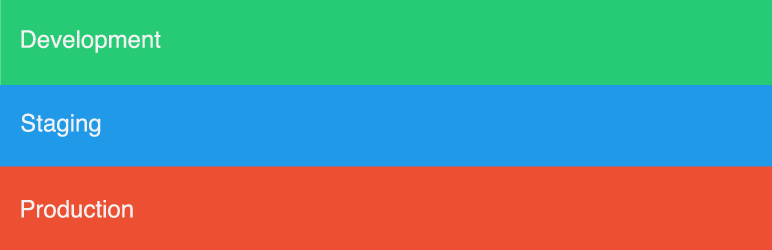
Env Bar is a great way to keep track of your server environment. On the Env Bar Settings page you can select Development, Staging, or Production to then output a colored bar in the bottom of your site.
Credits
Icon: Created by Aneeque Ahmed from the Noun Project
Снимци екрана


Постављање
- Upload the plugin files to the
/wp-content/plugins/env-bardirectory, or install the plugin through the WordPress plugins screen directly. - Activate the plugin through the ‘Plugins’ screen in WordPress
- Use the Environment screen to configure the plugin
ЧПП
- Can you use this plugin with Multisite?
-
Yes, this will add the bar globally and you can access the options page within the Network.
- Can you use this plugin as a mu-plugin?
-
Yes, just upload the env-bar.php to your /wp-content/mu-plugins/ directory.
Рецензије

26. децембар 2018.
This plugin adds a great visual indication on what setup you are on. I have my live setup and dev setup. I can half look at the bottom of the page and know what environment I in. If I see green, I am free to do whatever I want without having to worry about breaking anything. Orange, and I need to switch tabs!
Сарадници и градитељи
„Env Bar“ је софтвер отвореног кода. Следећи људи су допринели овом додатку.
Сарадници
Преведите „Env Bar“ на свој језик.
Заинтересовани сте за развој?
Прегледајте кôд, погледајте SVN складиште или се претплатите на дневник развоја преко RSS-а.
Дневник измена
0.3.0
- tested with 5.0 release
0.2.1
- removing dev files from trunk and using git for development
0.2.0
- Fixed issues related to WordPress Coding Standards
0.1.0
- Initial commit