
Опис
Debug Bar Cron adds information about WP scheduled events to a new panel in the Debug Bar. This plugin is an extension for
Debug Bar and thus is dependent upon Debug Bar being installed for it to work properly.
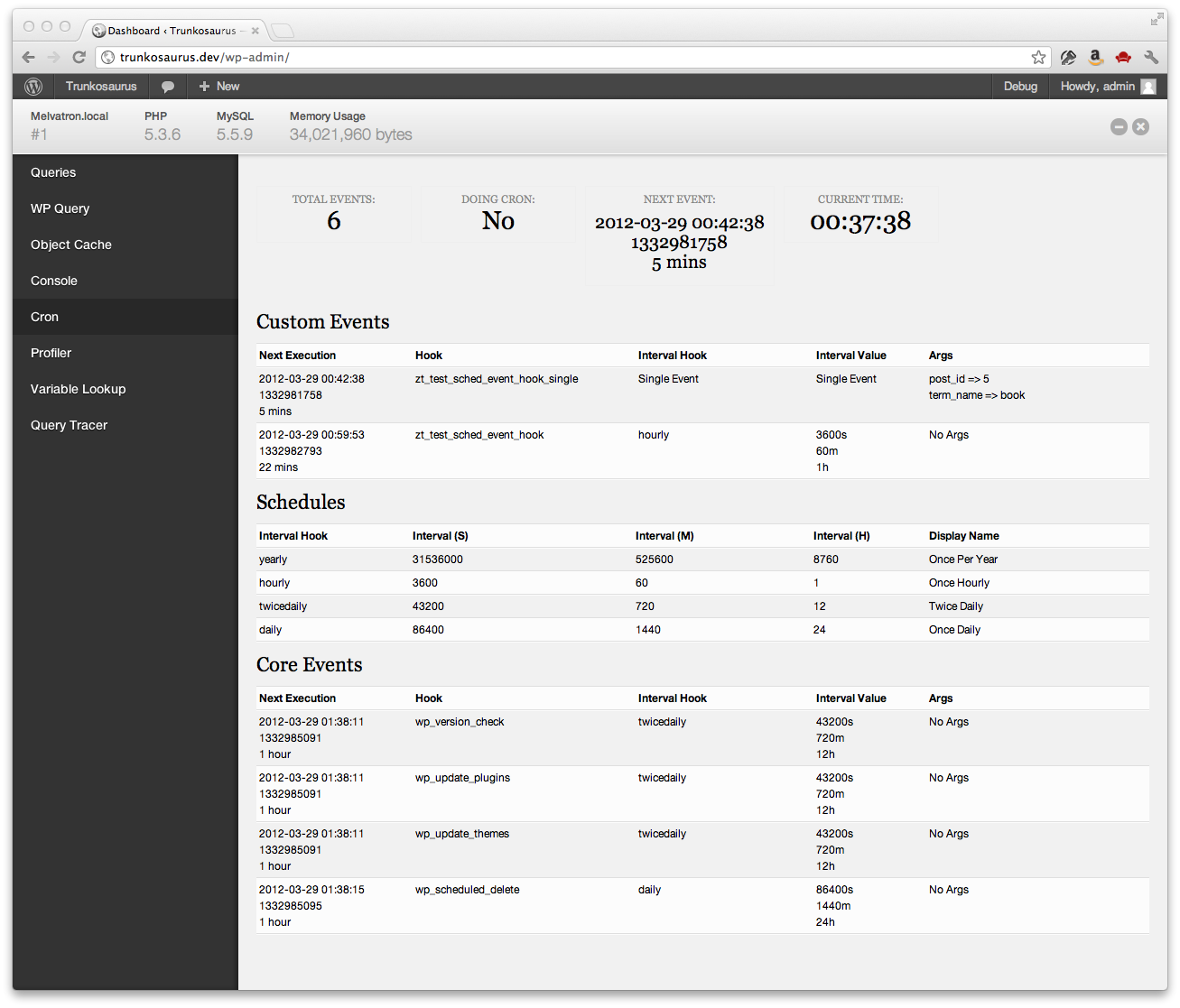
Once installed, you will have access to the following information:
- Number of scheduled events
- If cron is currently running
- Time of next event
- Current time
- List of custom scheduled events
- List of core scheduled events
- List of schedules
Снимци екрана
Постављање
- Install Debug Bar if not already installed (https://wordpress.org/extend/plugins/debug-bar/)
- Upload the
debug-bar-cronfolder to the/wp-content/plugins/directory - Activate the plugin through the ‘Plugins’ menu in WordPress
- View the WP schedule events information in the „Cron“ panel in Debug Bar
ЧПП
- Is debugging cron easier with this plugin?
-
Yes
Рецензије

24. октобар 2016.
This has been great for checking if WordPress's scheduled events are firing. Good for checking if you need to setup a real cron job or if that real cron job is failing. Very clear presentation.
Сарадници и градитељи
„Debug Bar Cron“ је софтвер отвореног кода. Следећи људи су допринели овом додатку.
Сарадници


Преведите „Debug Bar Cron“ на свој језик.
Заинтересовани сте за развој?
Прегледајте кôд, погледајте SVN складиште или се претплатите на дневник развоја преко RSS-а.
Дневник измена
0.1.3
- Fixed ‘Array to string conversion’ error when Cron job arguments are in a multi-dimensional array – props Jrf, ethitter, and mintindeed.
- Fixed a number of HTML validation errors – props Jrf.
0.1.2
- Added indicators for missed events
0.1.1
- Readme updates
0.1
- Initial release