
Опис
The plugin has its own admin options page (settings page) where you can:
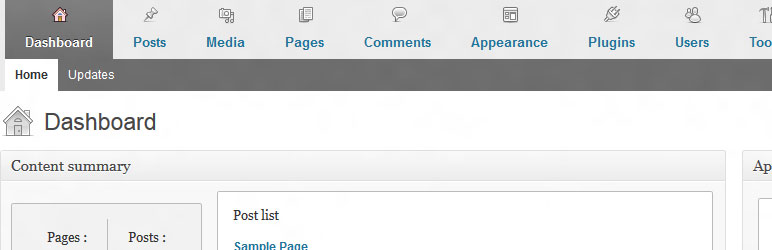
- add user-friendly horizontal menu and dashboard metaboxes
- completely remove blogging plarform widgets
- change logo and link of the login page
- customize admin bar menu
- add custom content to the admin footer
- hide notices (core update notice, plugin update notice and theme update notice)
- hide screen options and help tag
- change basic site settings e.g. hide site generator and feed links
It gives your clients a better experience of their new website.
Support for translation!
- Polish translation
- Dutch translation by Jos Wolbers
Plugin is ready for WordPress 3.6
Снимци екрана

Постављање
- Upload
cms-admin-areato the/wp-content/plugins/directory - Activate the plugin through the ‘Plugins’ menu in WordPress
- Go te the admin area options page (Settings-> Admin Area Options)
ЧПП
If you have any questions, or require additional information, please contact me netbiel@gmail.com
Рецензије
Нема рецензија за овај додатак.
Сарадници и градитељи
„CMS admin area“ је софтвер отвореног кода. Следећи људи су допринели овом додатку.
Сарадници
Преведите „CMS admin area“ на свој језик.
Заинтересовани сте за развој?
Прегледајте кôд, погледајте SVN складиште или се претплатите на дневник развоја преко RSS-а.
Дневник измена
1.0
- The plugin has its own admin options page (settings page) with 3 tabs
- Plugin is ready for WordPress 3.6
0.9.3
- Plugin is ready for WordPress 3.5