

Опис
AI Content Rinse helps review content copied from AI tools and other sources.
- Scan post/page titles, content and excerpts for zero-width spaces, BOM characters and soft hyphens.
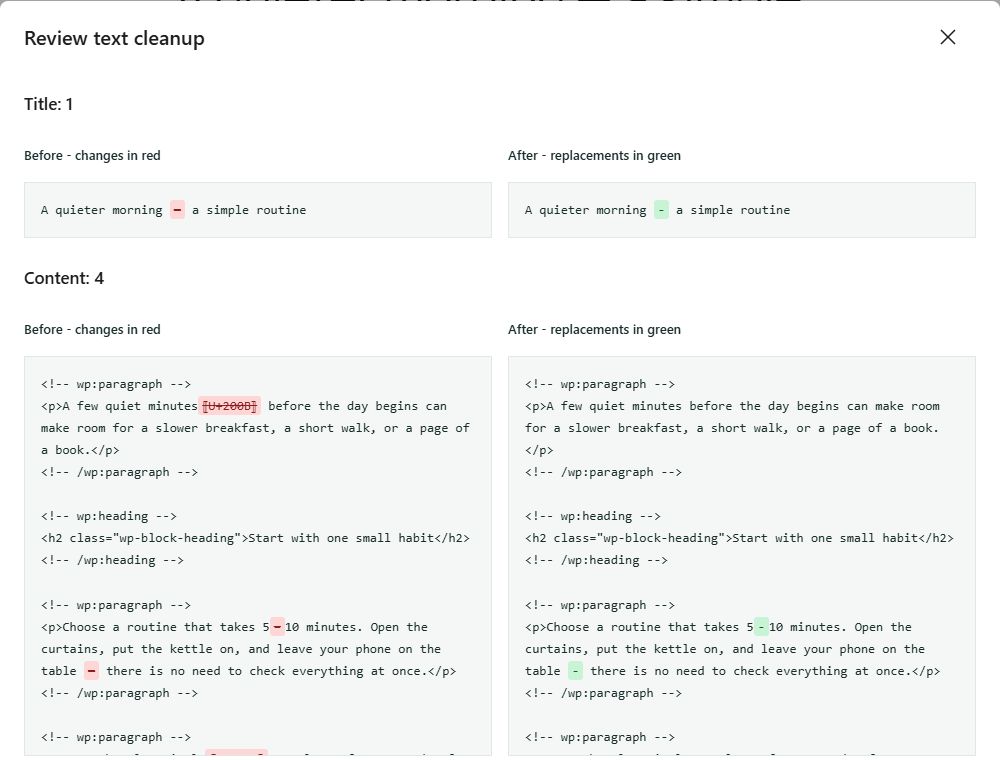
- Preview the proposed text changes before applying them.
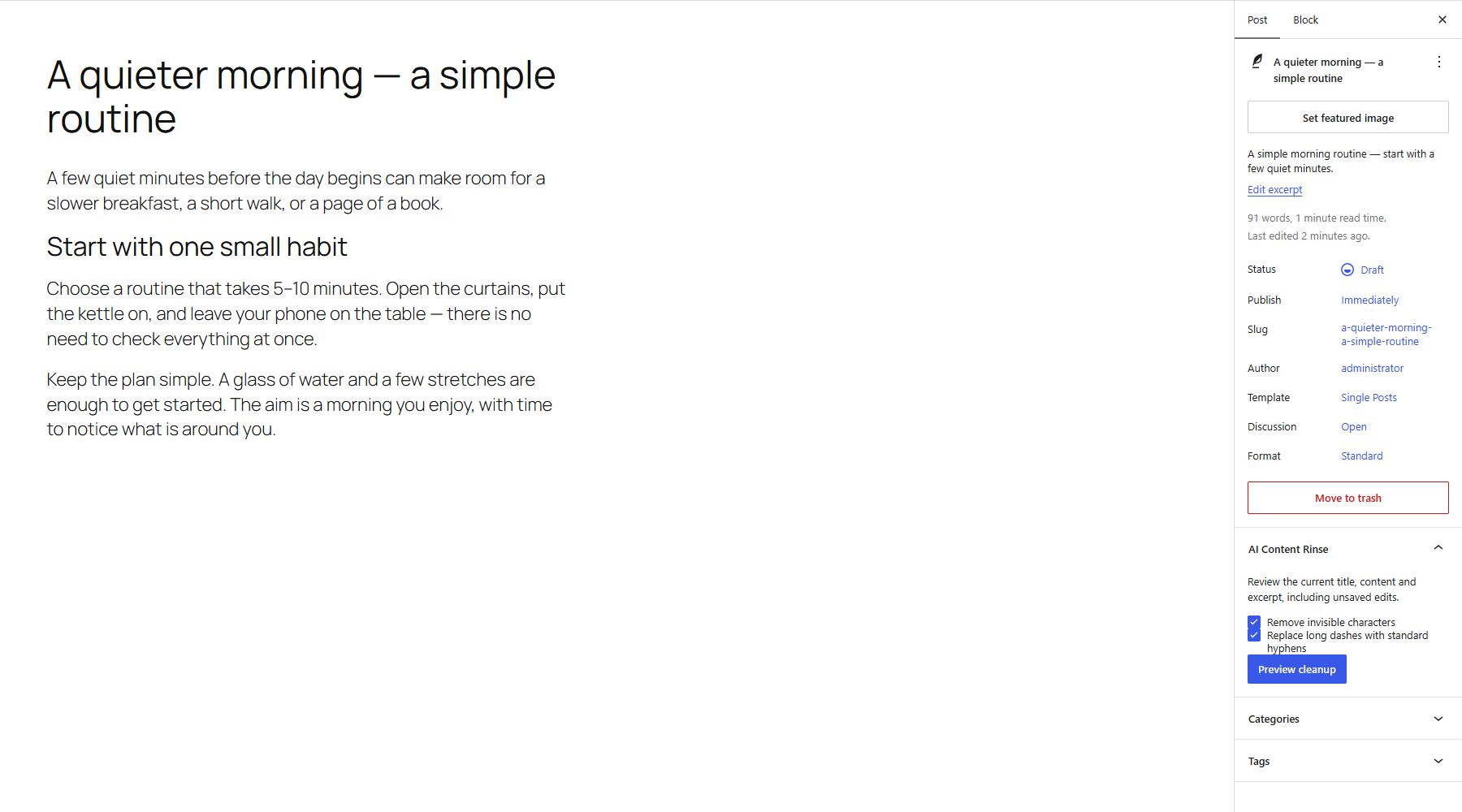
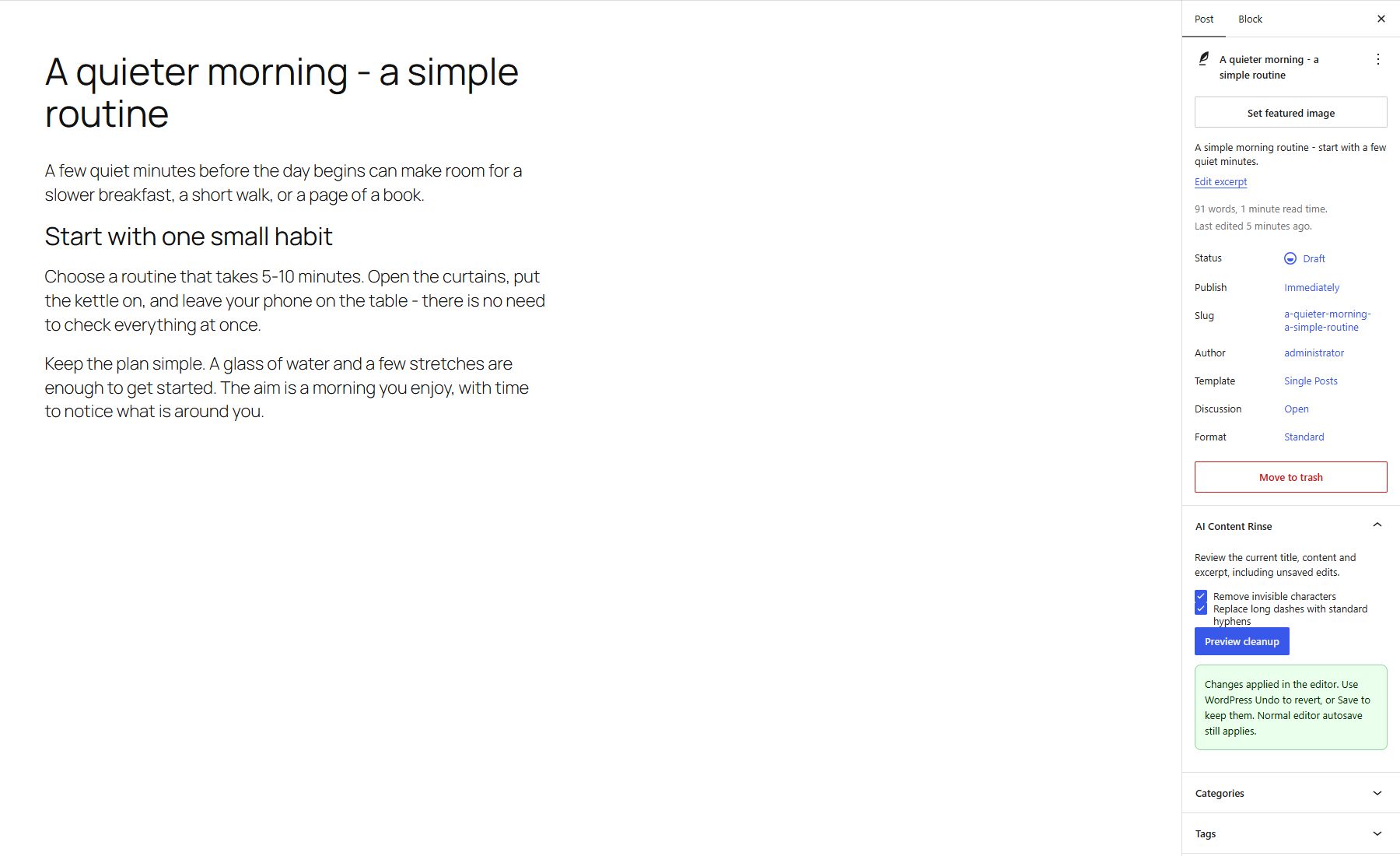
- Review the current title, content and excerpt directly in the block editor, including unsaved edits. Apply the reviewed changes to the editor and use WordPress Undo or Save.
- Choose invisible-character removal and long-dash replacement independently. Both are enabled initially; preferences are saved for each administrator.
- Preserve HTML tags, block comments, attributes, shortcodes, code, Cyrillic and emoji joiners.
- Restore text backups when no subsequent editorial changes would be overwritten.
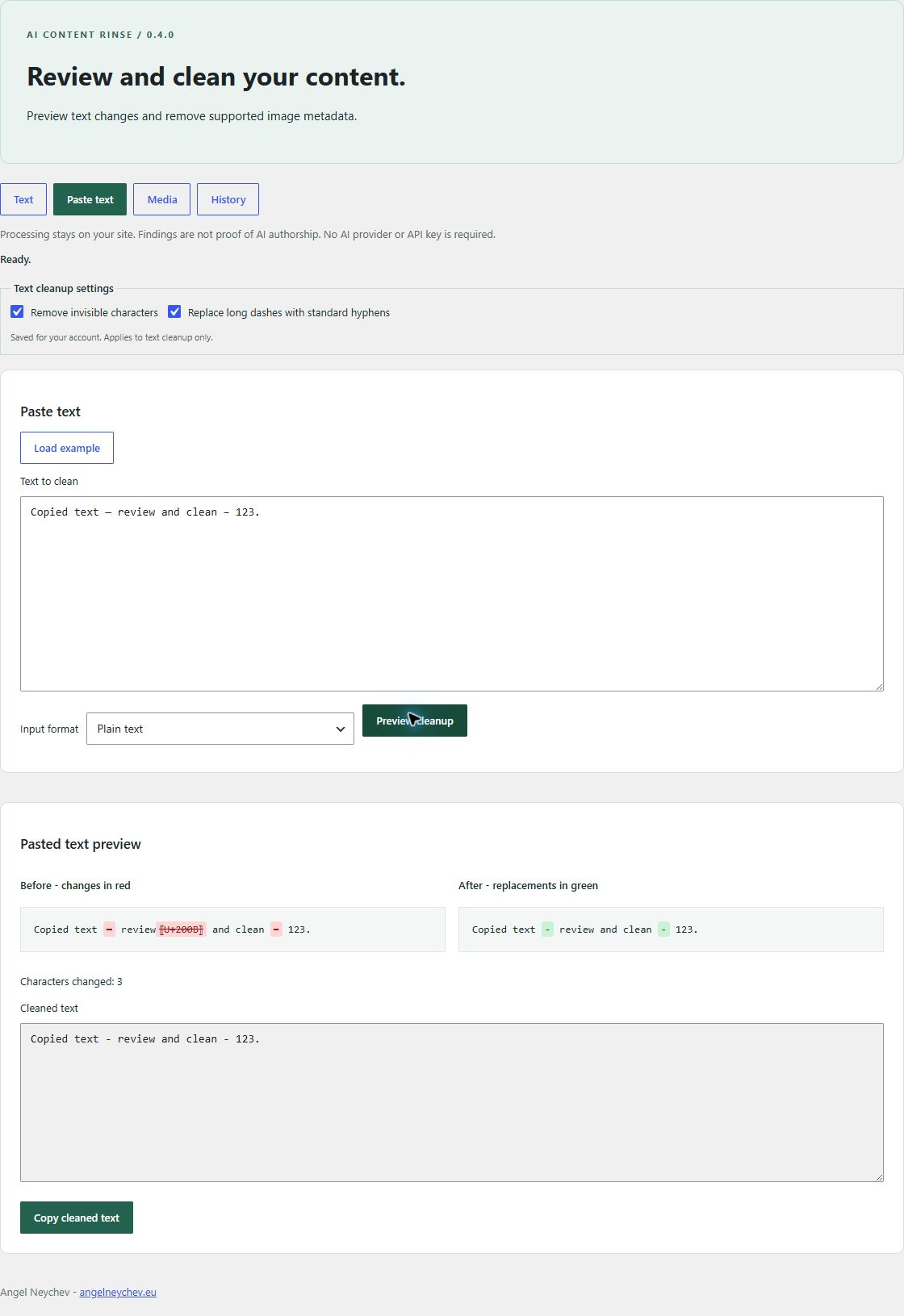
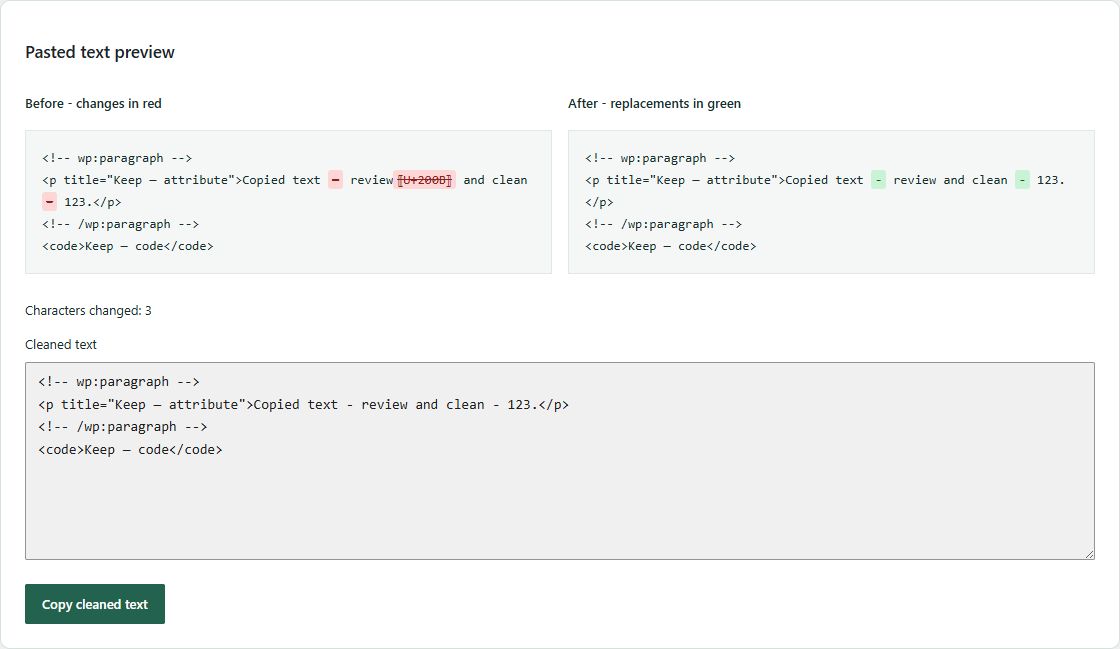
- Paste plain text or WordPress/HTML content, preview exact character changes and copy the cleaned result.
- Load a demonstration text with invisible characters and long dashes to try the preview. Replacing entered text requires confirmation.
- Search content, filter findings on the current page and review selected items before batch cleanup.
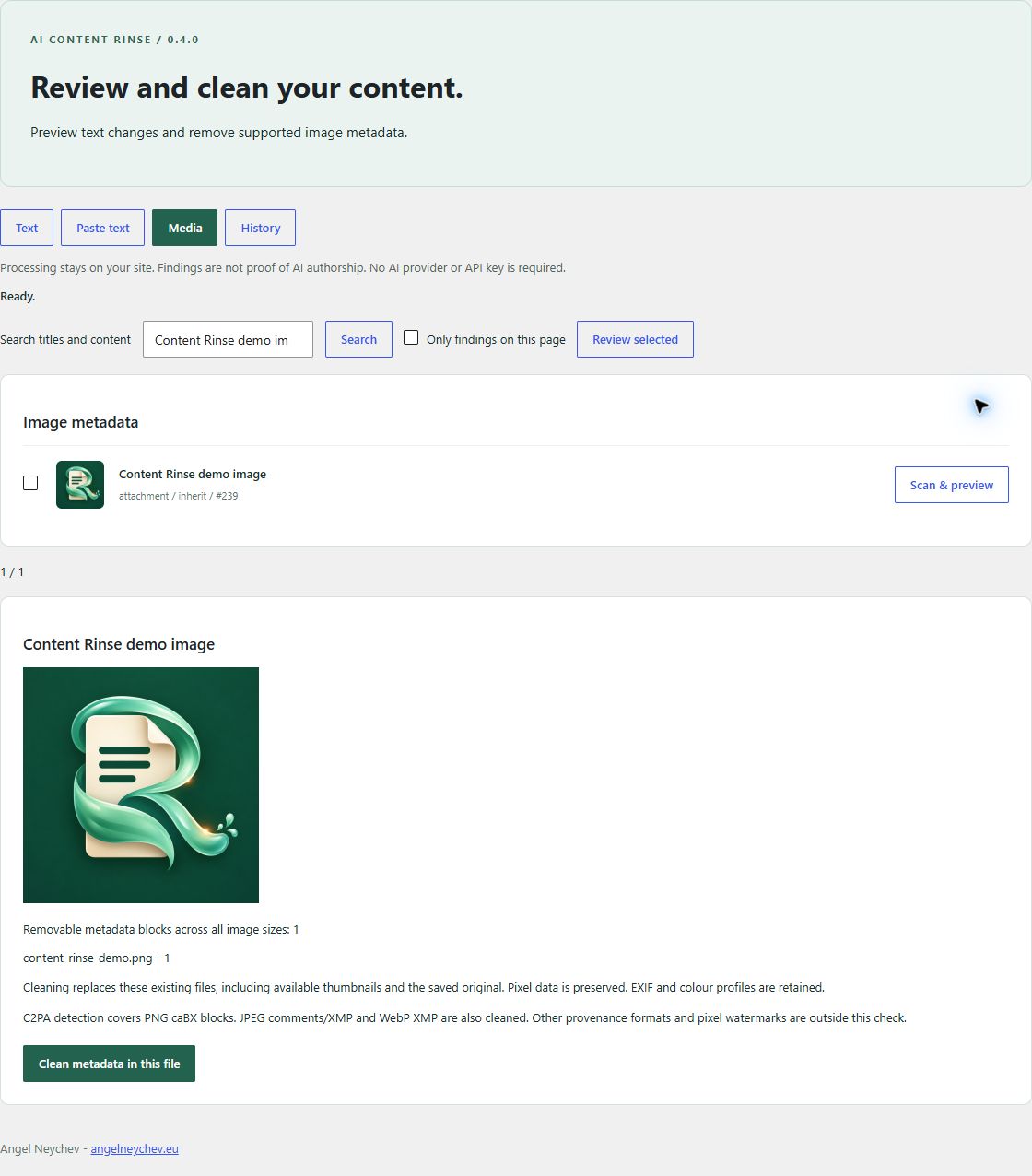
- Clean supported image metadata in existing files, including available resized versions and saved originals, without regenerating image sizes.
- Verify staged bytes before replacement and scan the saved files again. Report per-file results and incomplete operations.
This release removes JPEG comments/XMP, PNG text and caBX C2PA chunks, and WebP XMP. It preserves EXIF (including GPS), ICC colour profiles and source pixel data. Media IDs, filenames and URLs are retained. Each file must be local and at most 20 MB; up to 100 existing variants per attachment are checked. Missing or unsupported variants block the preview. Replacement uses a verified temporary staging file; no new attachment or permanent image copy is created. An attachment with multiple files is processed one file at a time; failures are reported and a fresh scan is required to retry.
No external service, account, tracking or AI API key is required. Findings do not establish AI authorship. Provenance detection currently recognizes PNG caBX blocks and textual OpenAI/GPT references inside them; it does not validate signatures. C2PA in other formats, visible logos and pixel-domain watermarks are outside this release. It does not rewrite prose, support page-builder data, or automatically clean uploads or posts. Image metadata removal has no undo. Existing browser/CDN caches may still serve old bytes until refreshed. Pasted text is processed locally on your WordPress server without saving a post.
Снимци екрана
Постављање
- Upload the ai-content-rinse folder to wp-content/plugins.
- Activate AI Content Rinse.
- Open Tools > AI Content Rinse.
- Scan an item and review changes before applying them.
- In a post or page block editor, open Settings > Post or Page > AI Content Rinse to clean the current editor text.
ЧПП
-
Does editor cleanup publish my post?
-
No. It changes the current editor fields after your review. Save or update with the normal WordPress controls. WordPress autosave continues normally. Use WordPress Undo to revert the cleanup; this action does not create a recovery record in the plugin’s History tab.
-
Which editors are supported?
-
The editor panel supports the visual block editor for posts and pages and is available to administrators. Classic Editor users can use Tools > AI Content Rinse for saved content. Page-builder data, bound blocks, invalid blocks and content that cannot be parsed and serialized without changes are not supported by the editor panel. Editor previews are limited to 1 MB across title, content and excerpt.
-
Can I keep my long dashes?
-
Yes. Turn off long-dash replacement while keeping invisible-character cleanup enabled, or choose either category separately. Preferences apply to text previews and do not affect image metadata cleanup. Already reviewed workspace changes remain tied to their original preview.
-
Are backups deleted on uninstall?
-
No. Text recovery records are retained. Restore text before uninstalling if you want the pre-cleaning version. Image cleanup does not create recovery copies.
-
Does it guarantee removal of AI watermarks?
-
No. It reports concrete character and metadata findings only.
Прегледи
Нема рецензија за овај додатак.
Сарадници и градитељи
„AI Content Rinse: Text & Metadata Cleaner“ је софтвер отвореног кода. Следећи људи су допринели овом додатку.
Сарадници
Преведите „AI Content Rinse: Text & Metadata Cleaner“ на свој језик.
Заинтересовани сте за градњу?
Прегледајте код, проверите SVN складиште или се пријавите на белешку градње преко RSS-а.
Белешка о изменама
0.4.0
- Add reviewed cleanup in the post/page block editor with support for unsaved edits and WordPress Undo.
- Add independent, per-user preferences for invisible characters and long dashes.
- Add a loadable example in the paste workspace.
- Reject stale editor previews and block content that cannot be preserved exactly.
0.3.3
- Use a colon in the public name and sentences in the author line so directory formatting does not turn keyboard hyphens into typographic dashes.
0.3.2
- Use standard keyboard punctuation in the plugin name, public description and interface labels.
0.3.1
- Prepare the first directory submission and make JavaScript interface strings discoverable by translation tools.
0.3.0
- Verify temporary writes and saved files; clean existing variants without recompressing or creating attachments.
- Require current, user-specific media previews and reject stale file sets.
- Render exact server-side text changes; add paste cleanup, search, page findings filter and reviewed batch operations.
- Add integration coverage for C2PA, in-place replacement, preserved image bytes and error cases.
0.2.0
- Make in-place metadata replacement the only media cleanup action; image pixels remain unchanged.
0.1.9
- Add confirmed replacement of the original attachment and remove detected C2PA PNG blocks.
0.1.8
- Detect and remove C2PA PNG manifests, including OpenAI/GPT references, when saving a cleaned copy or replacing the original.
0.1.7
- Clarified media results: zero supported text blocks is not an AI provenance verdict.
0.1.6
- Fixed green highlighting for replacements inside Gutenberg content while preserving block comments.
0.1.5
- Avoid highlighting hyphens inside HTML and block markup in the after preview.
0.1.4
- Added red/green visual highlighting to the before and after comparison.
0.1.3
- Added optional visible punctuation cleanup: em and en dashes are normalized to the standard hyphen.
0.1.2
- Expanded Layer A Unicode cleanup to include bidi controls, tag characters, fillers, reserved invisible ranges and supplementary variation selectors.
0.1.1
- Fixed the REST transport for local installations without Apache rewrite rules.
0.1.0
- Initial local preview release: text inspection, reviewed cleanup, conflict-aware restoration and image metadata copies.