

Опис
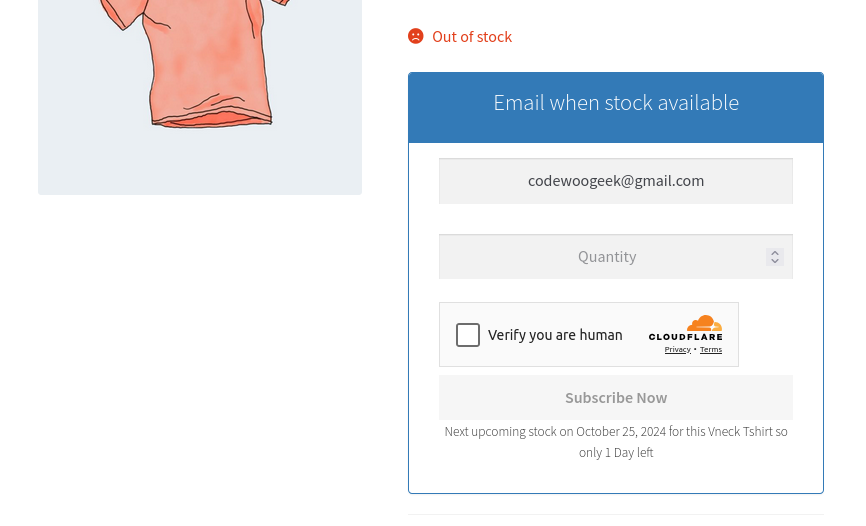
Every out-of-stock product is a lost sale waiting to happen. Back In Stock Notifier for WooCommerce captures those visitors instead of losing them. It shows an email subscription form on out-of-stock products, then automatically emails every subscriber the moment the product is restocked.
Try the Live Demo | Documentation & Support | Browse Add-ons
Why store owners choose this plugin
- Built for scale. Restock emails are sent through a background process engine. Even with 10,000+ subscribers on a single product, notifications go out reliably. No server crashes, no timeouts, no duplicate emails that loop-based plugins suffer from.
- Works out of the box. Activate the plugin and the waitlist form appears on out-of-stock products immediately. No setup required.
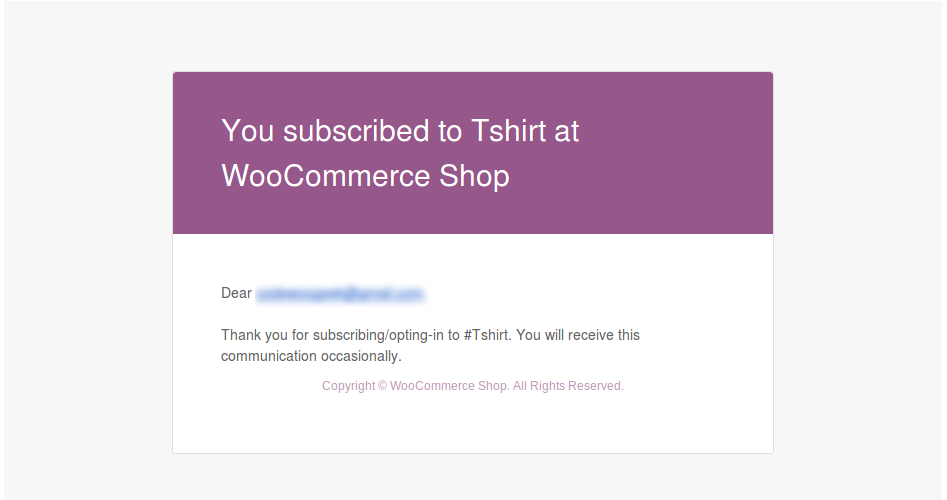
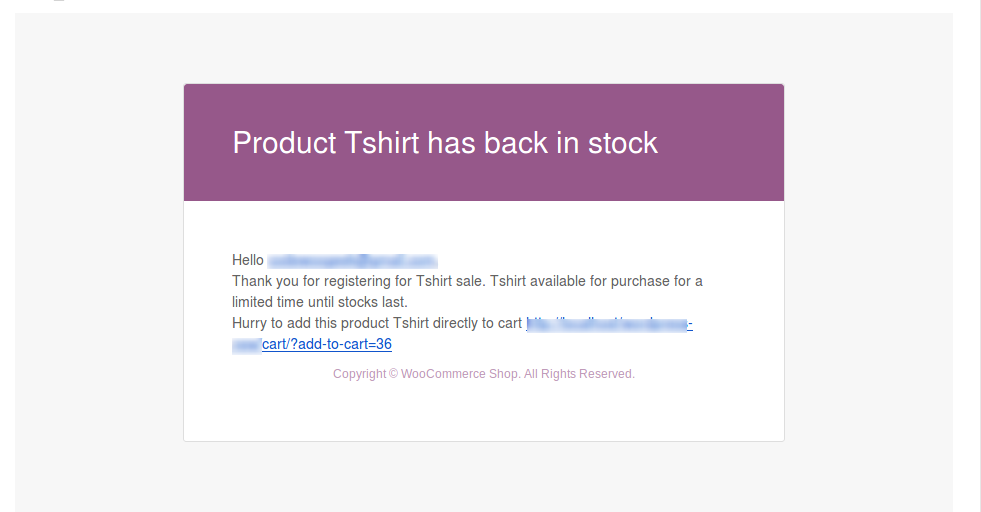
- Native WooCommerce emails. The subscription confirmation and restock notification emails use the WooCommerce email system, so they match your store branding and are fully customizable under WooCommerce > Settings > Emails.
- Trusted by 20,000+ stores worldwide.
Supported product types
- Simple and Variable products (product level and variation level)
- Grouped products
- Simple and Variable Subscriptions (WooCommerce Subscriptions)
- Product Bundles (WooCommerce Product Bundles)
Core features
- Automatic restock emails sent through a reliable background process
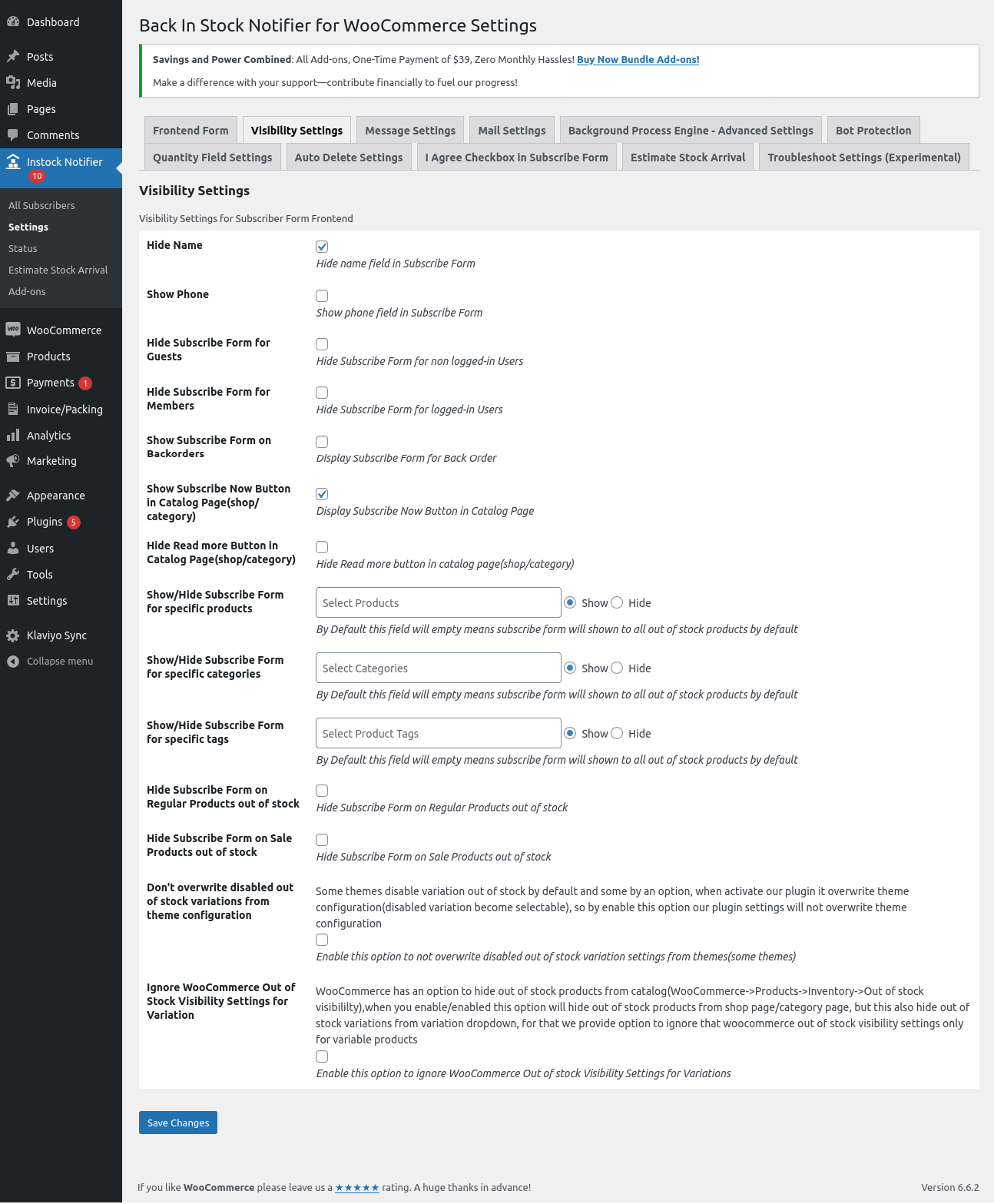
- Email subscription form on out-of-stock products, for both guests and members
- Email address pre-filled for logged-in members
- Duplicate check per product, the same email is never added twice to a waitlist
- Customizable subject and message with placeholders like {product_name}, {product_link}, {cart_link} and more
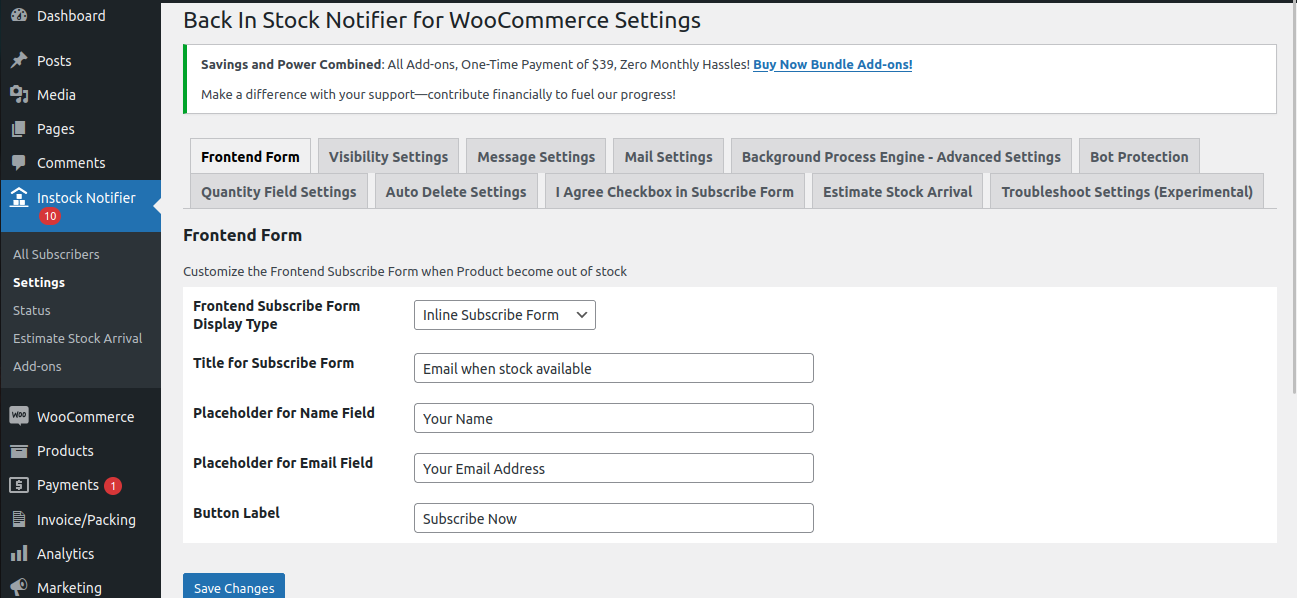
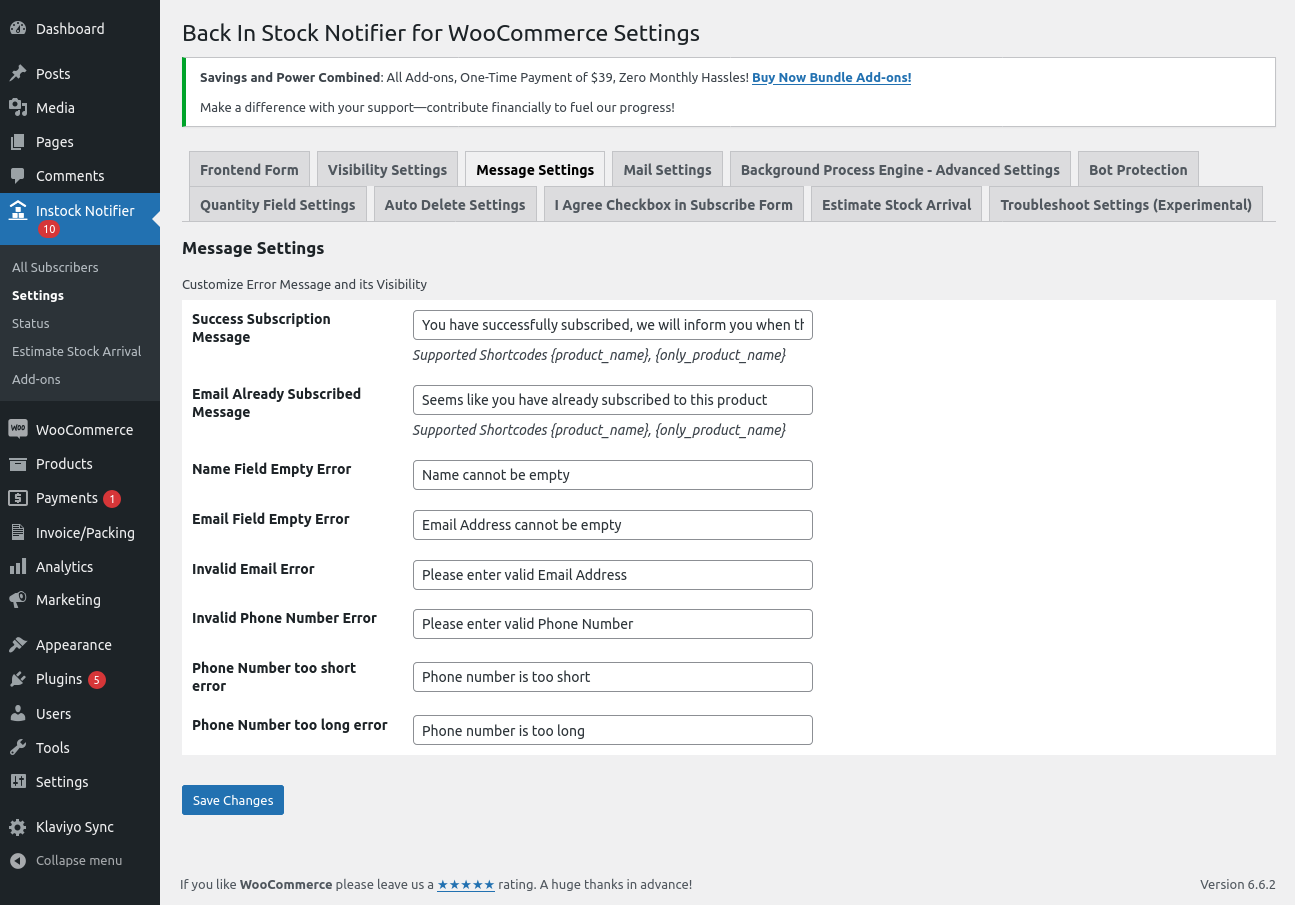
- Customizable form labels, messages, and error texts
- Option to show the subscribe form for backorder products
- Fair Sending (First-Come-First-Served), on a limited restock notify only as many subscribers as units in stock, the rest stay on the waitlist for the next restock
- Email speed limit, send automatic emails gradually to respect hosting and SMTP provider limits
- Bot protection with Google reCAPTCHA (v2/v3) and Cloudflare Turnstile
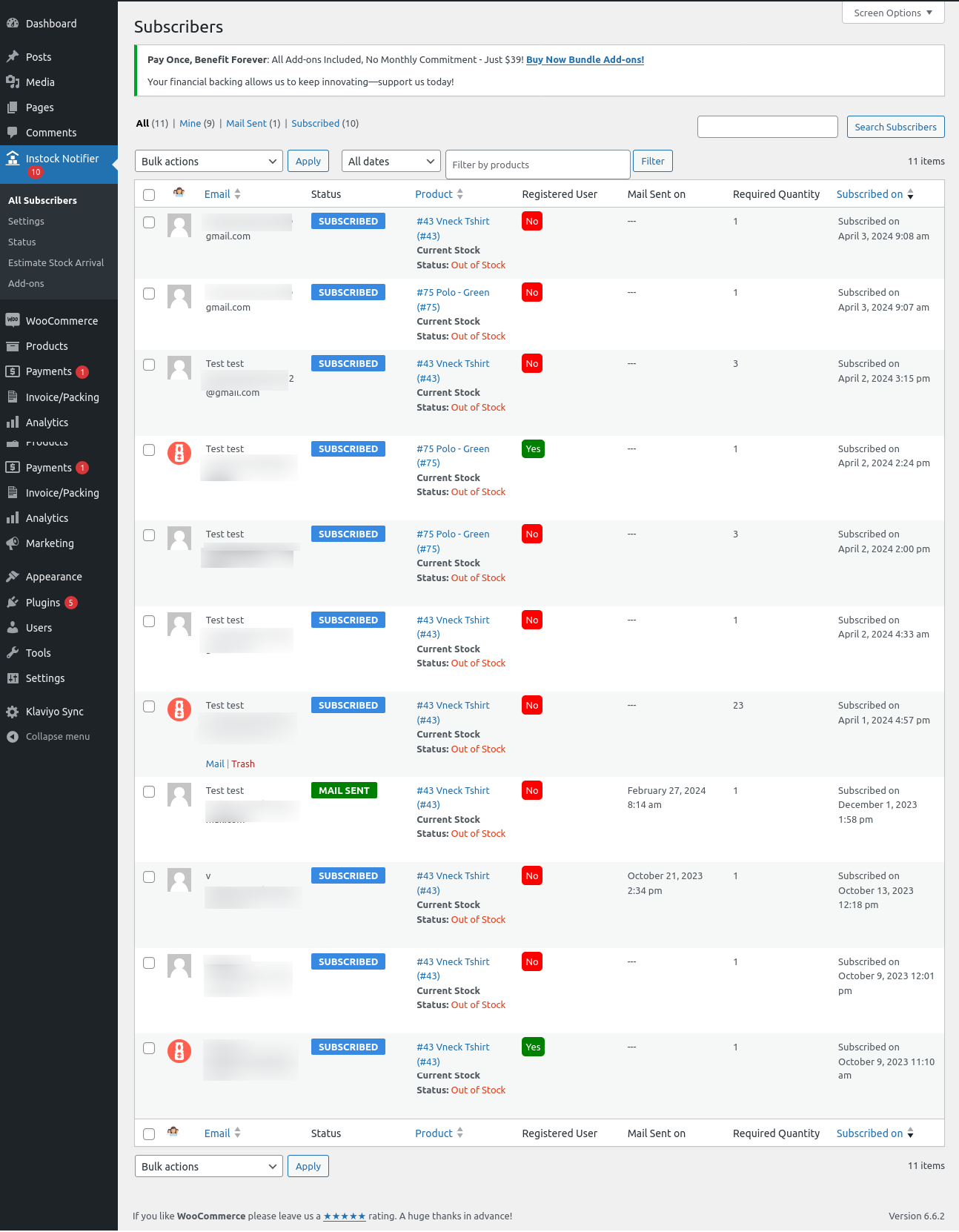
- Subscriber management dashboard to view, sort, filter, and delete subscribers
- Manual and bulk send instock mail actions
- Dashboard report widget with subscription and mail statistics
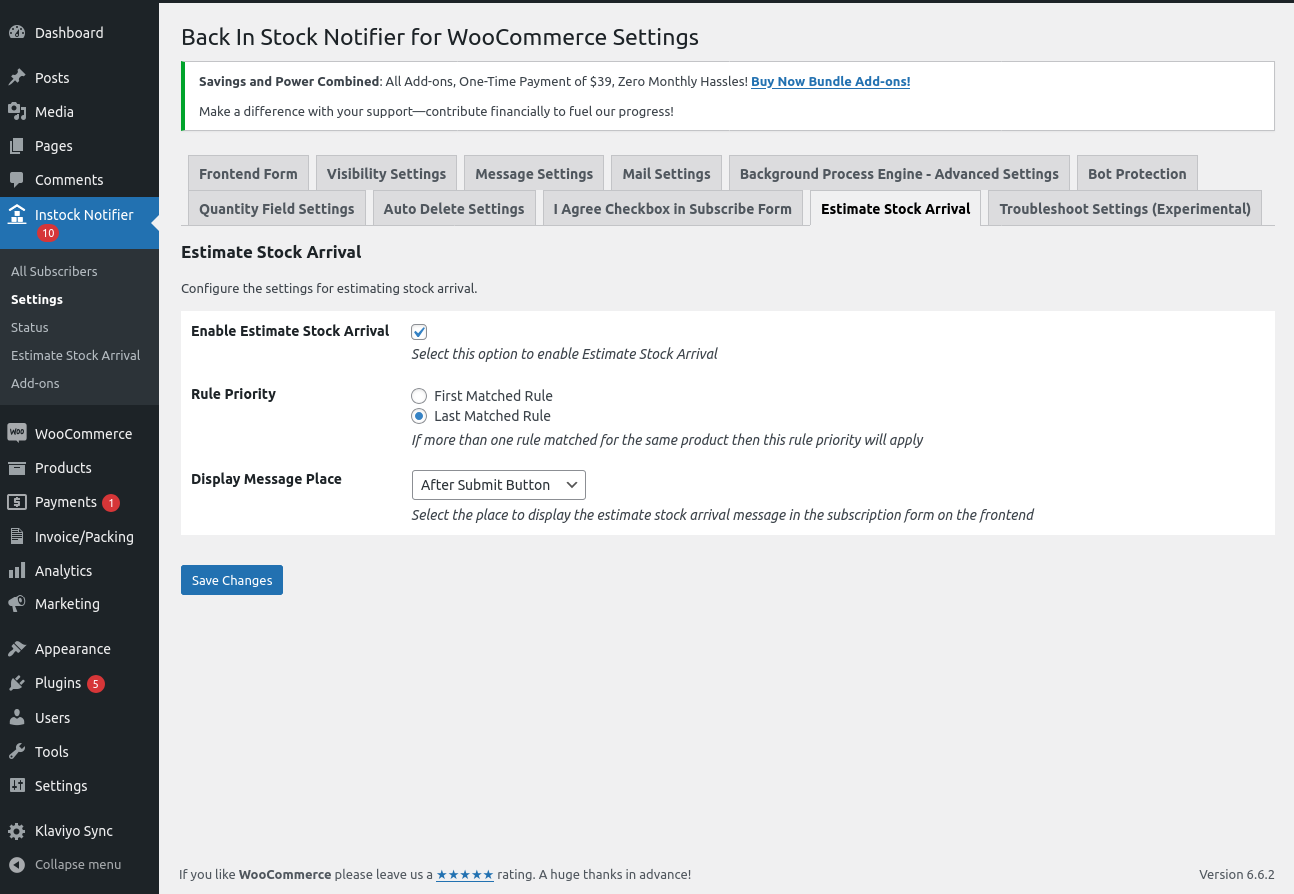
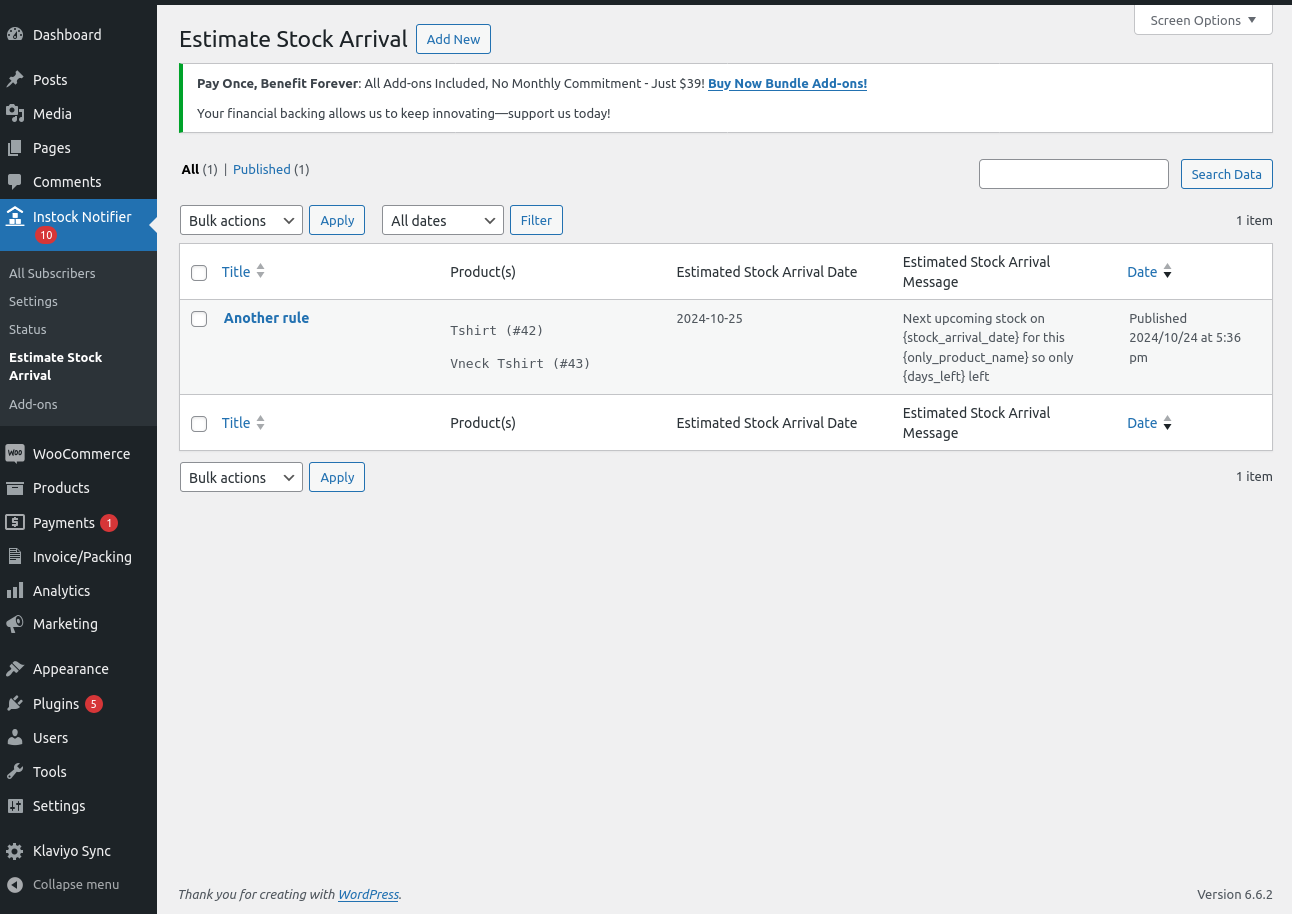
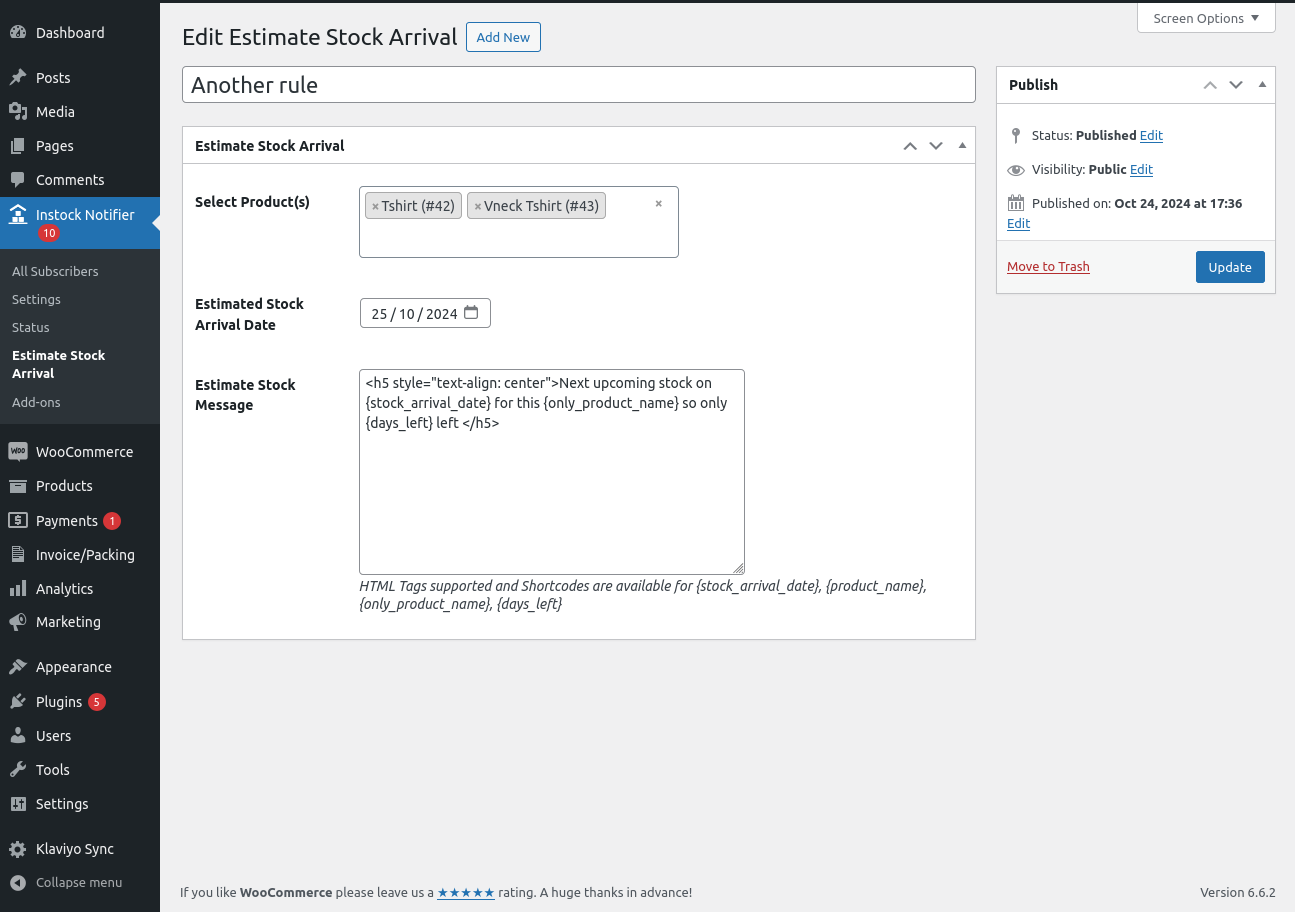
- Estimate Stock Arrival messages on the subscribe form
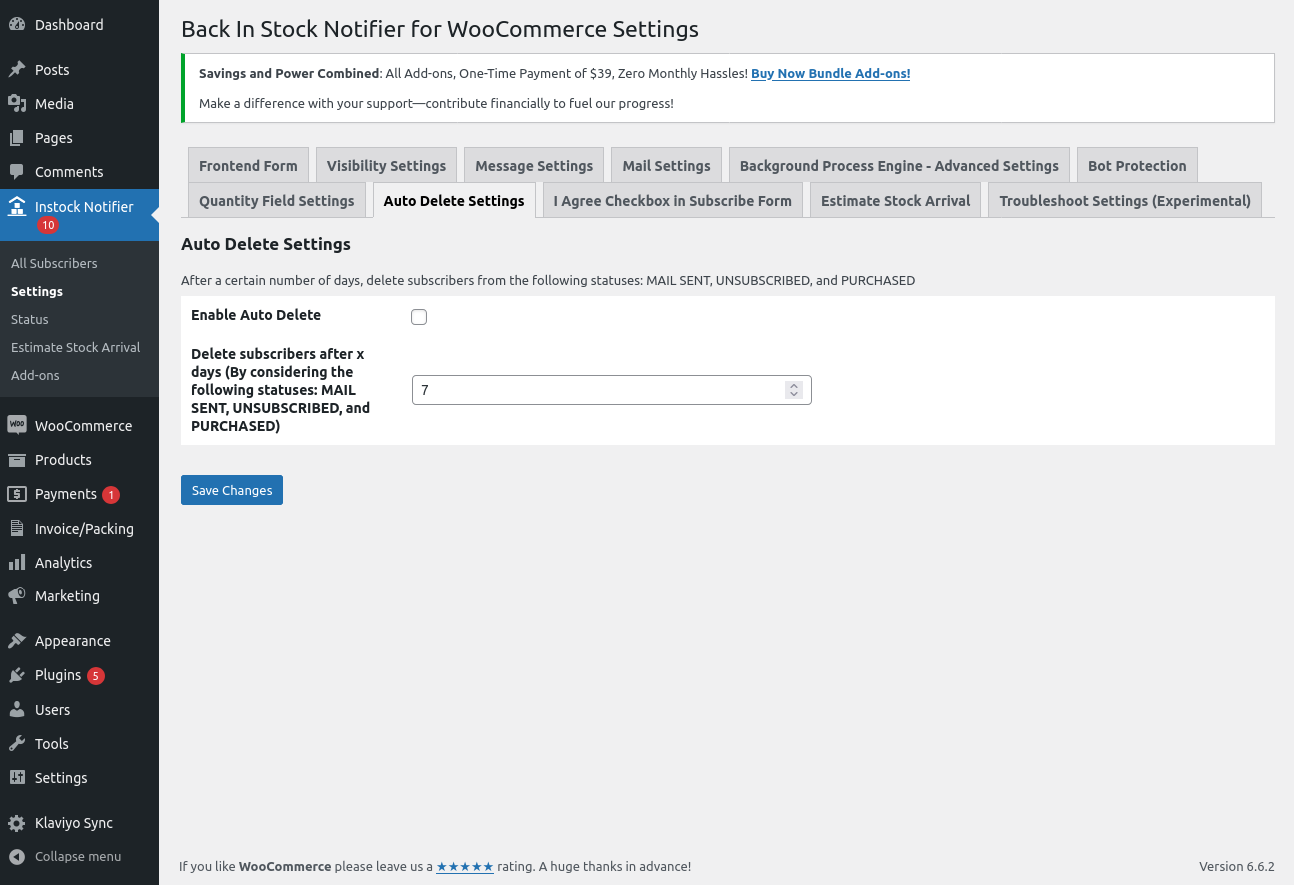
- Auto-delete old subscriber entries on a schedule
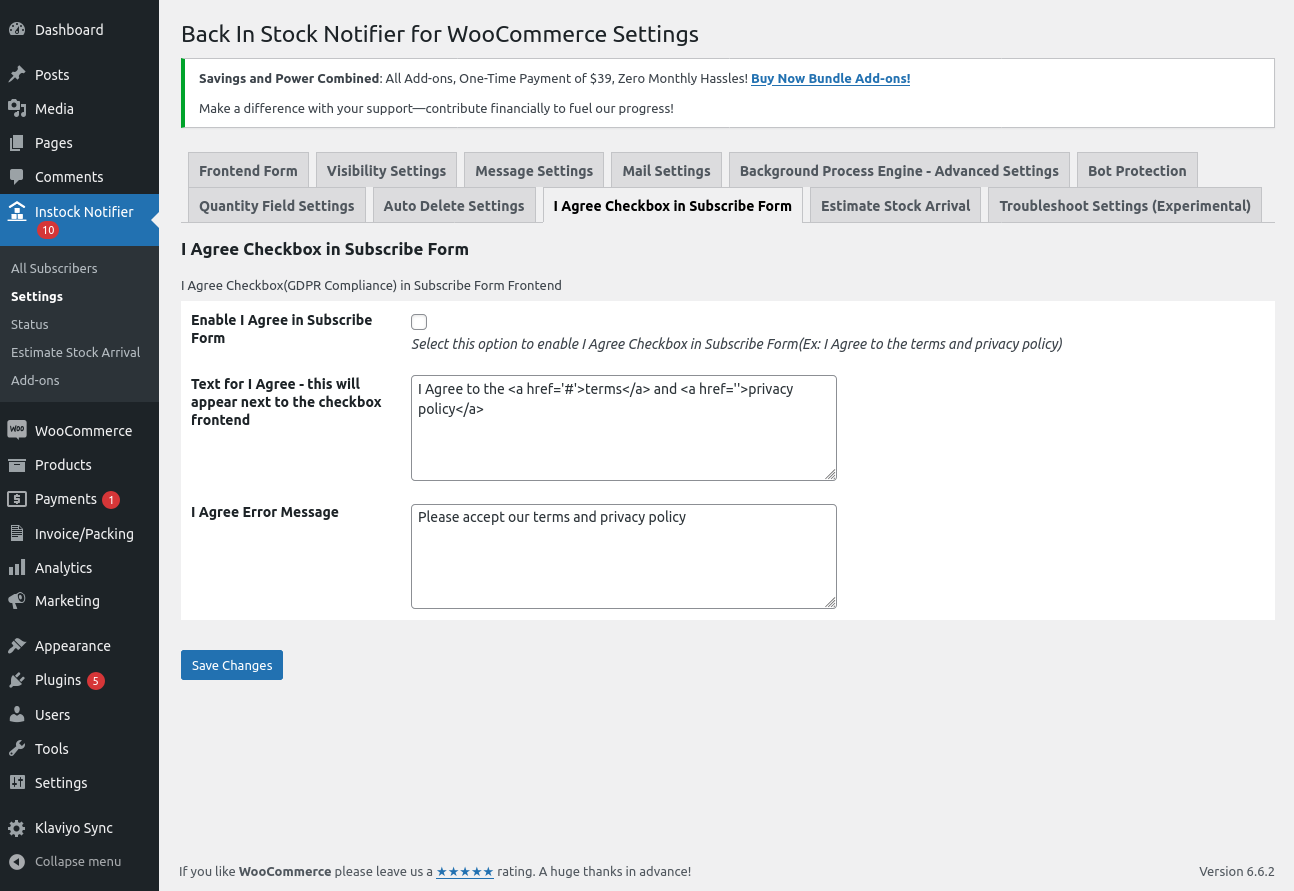
- GDPR-friendly privacy checkbox
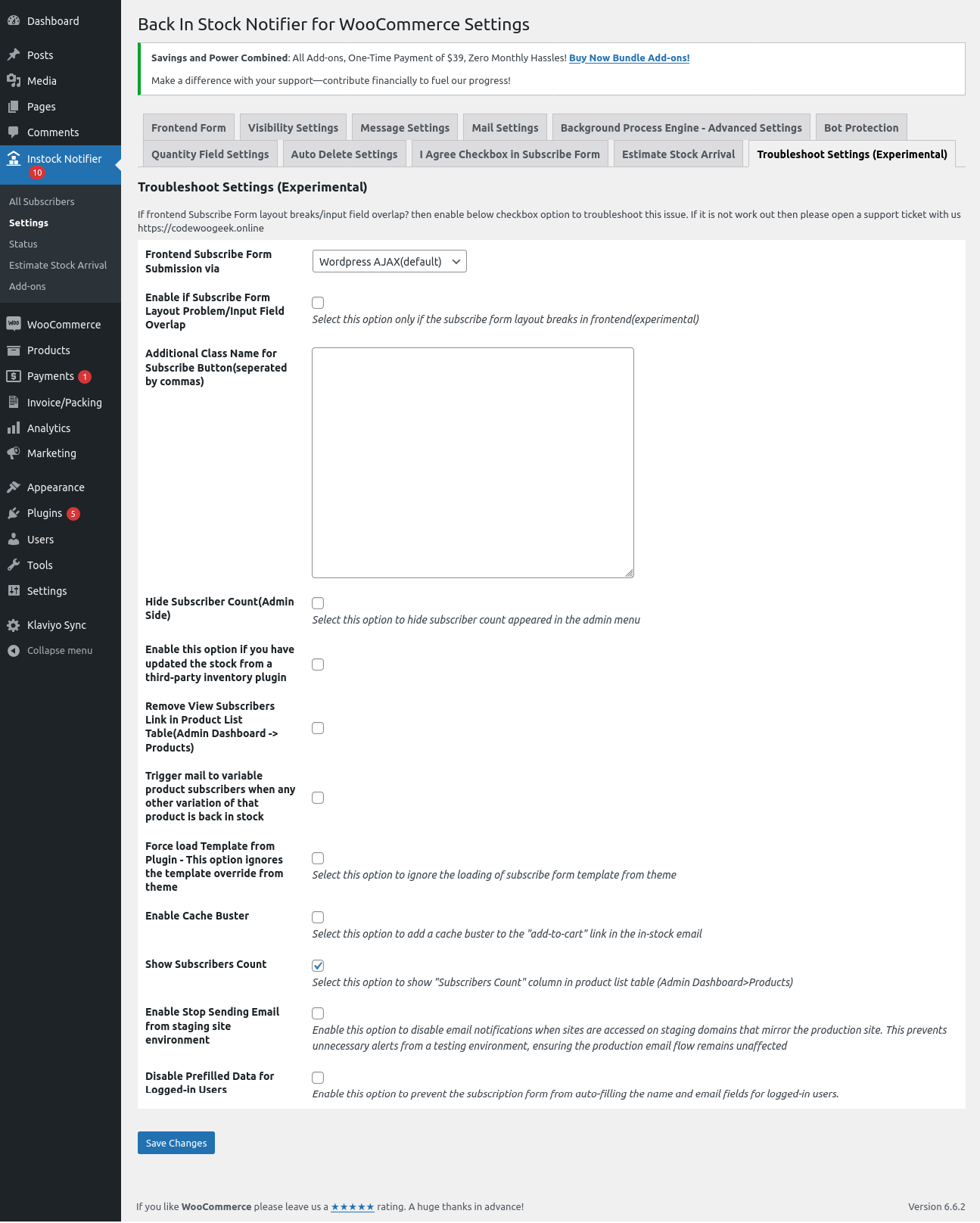
- Third-party inventory management support (stock updated directly in the database)
- REST API to create, read, update, and delete subscribers
- Webhooks for subscription events
- Quantity field support
- Works with Elementor
- Translation ready
Premium Add-ons
Supercharge your waitlist with premium add-ons. Every purchase is a one-time payment with lifetime updates. No subscriptions, no recurring fees. You can browse and manage everything from your dashboard under Instock Notifier > Marketplace.
Best value: get Bundle Add-ons, all 15 add-ons plus every future add-on, for one discounted price.
- Bundle Add-ons – All 15 add-ons below plus any future add-ons, at one discounted price.
- Double Opt-In – Subscribers confirm by email before joining the waitlist. Keeps your list clean and compliant, and unconfirmed entries are auto-deleted after X days.
- Unsubscribe – Adds an unsubscribe link to emails, and members can manage their waitlists from My Account.
- Ban Emails – Block disposable email domains (mailinator and similar), public domains, and specific addresses to stop fake signups.
- Never Restock – Product discontinued? Point waiting subscribers to an alternative product and notify them when it becomes available, so no waitlist goes to waste.
- Mailchimp – Automatically sync waitlist subscribers to your Mailchimp audience in the background.
- Klaviyo – Sync subscribers to Klaviyo and trigger Klaviyo Flows for Back In Stock and Successful Subscription events, so you can build advanced automations and campaigns.
- ActiveCampaign – Sync subscribers to ActiveCampaign automatically.
- Twilio SMS – Send restock alerts by SMS in addition to email, so customers never miss a restock.
- Track Sales – See which subscribers purchased after receiving a restock email and measure the revenue your waitlist recovers.
- Export CSV – Export subscriber lists to CSV for records, newsletters, or promotions.
- Import CSV – Import subscribers from a CSV file when migrating from another platform or store.
- Edit Subscribers – Correct or update existing subscriber entries directly from the admin.
- Custom CSS – Style the subscribe form with color, size, and custom CSS options. No coding needed.
- WPML – Send every email in the subscriber’s own language using WPML string translation.
- Polylang – Send subscription and restock emails in the subscriber’s chosen Polylang language.
See the full catalog at propluginslab.com, with more add-ons coming soon.
Pro WooCommerce Plugins by ProPluginsLab
Six standalone premium WooCommerce plugins built by the same team, each a one-time payment with lifetime updates:
- Multivendor for WooCommerce – Turn your store into a complete multi-vendor marketplace with vendor dashboards, commissions, and payouts.
- Advanced Shipment Tracking for WooCommerce – Complete fulfillment manager. Add tracking numbers to orders and keep customers informed with tracking details in order emails.
- Composite Products for WooCommerce – Let customers build their own kits, boxes, and product combos. Includes a built-in Product Bundle feature (2 in 1).
- Extra Fees for WooCommerce – Add conditional fees and surcharges based on cart total, shipping method, payment gateway, product category, user role, and more.
- Gift Cards for WooCommerce – Sell digital gift cards with customizable templates, scheduled delivery, and balance management.
- Name Your Price for WooCommerce – Let customers choose their price. Perfect for donations, tipping, and pay-what-you-want campaigns.
Visit ProPluginsLab for all our premium WooCommerce plugins and solutions.
Снимци екрана
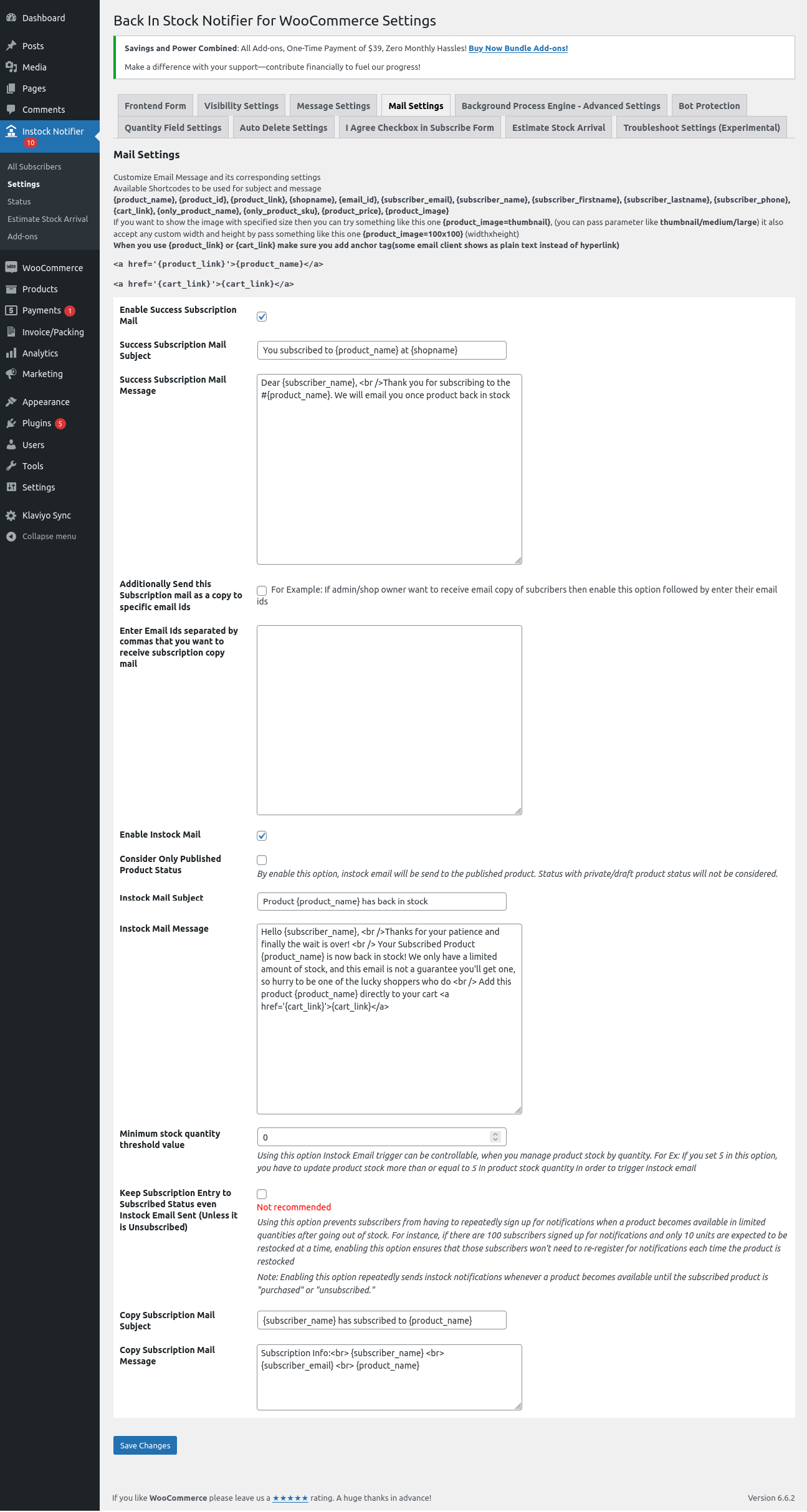
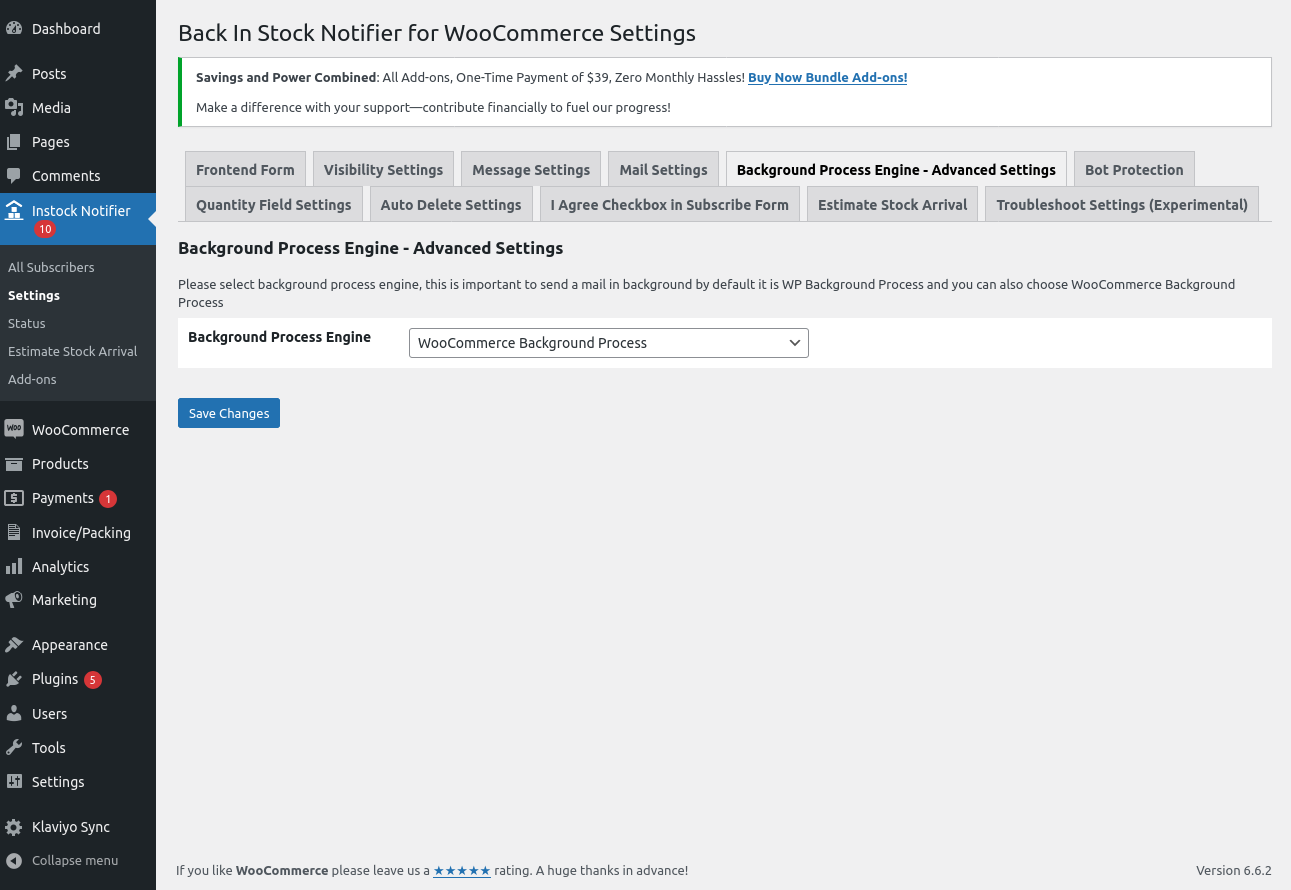
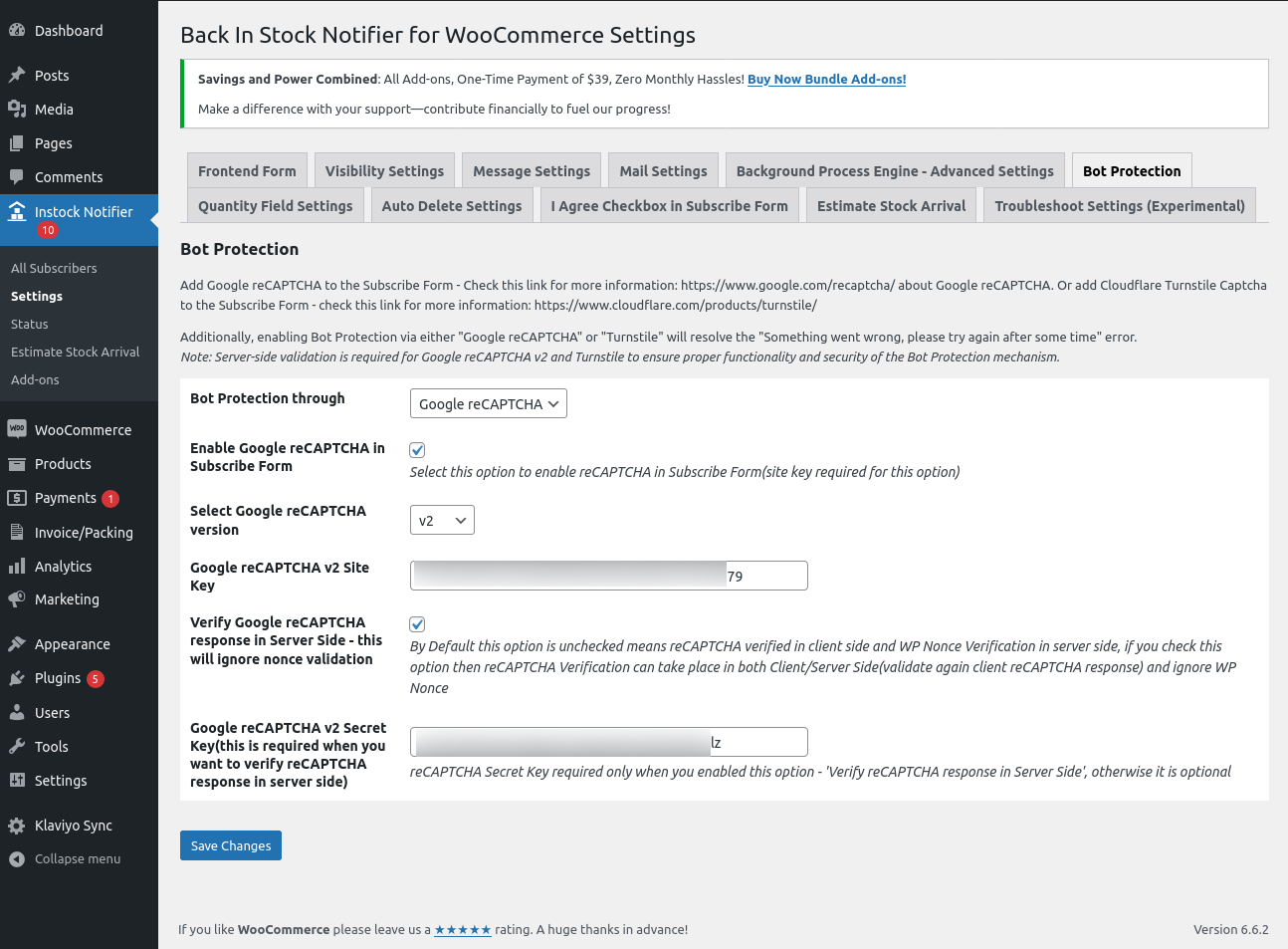
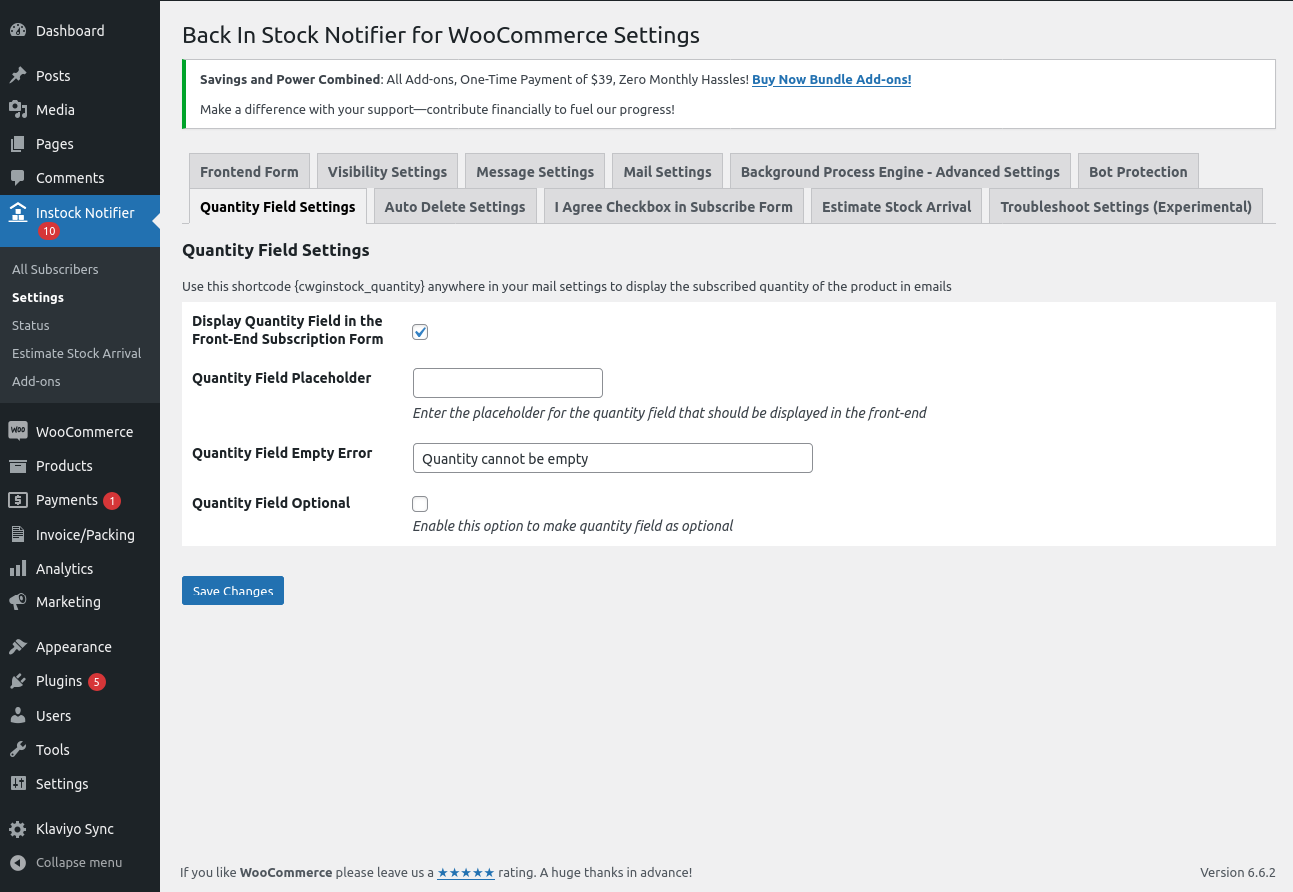
Постављање
Minimum Requirements
- PHP version 7.4 or greater
- MySQL 5.6 or greater
- WooCommerce 3.0+
- WordPress 4.7+
Automatic installation
Automatic installation is the easiest option, as WordPress handles the file transfers itself, and you don’t need to leave your web browser. To do an automatic install of Back In Stock Notifier, log in to your WordPress dashboard, navigate to the Plugins menu, and click Add New.
In the search field, type “Back In Stock Notifier” and click Search Plugins. Once you’ve found our plugin with author codewoogeek, you can view details about it, such as the point release, rating, and description. Most importantly, you can install it by simply clicking “Install Now.”
Manual installation
The manual installation method involves downloading our plugin and uploading it to your web server via your favorite FTP application. The WordPress codex contains instructions on how to do this here.
ЧПП
-
Difference between this plugin and other similar plugins?
-
Actually, we sync and send the email to your subscribers in a background process, so server crashes or timeouts are ignored when using our plugin. This ensures a 99.99% success rate for sent emails.
-
How to import subscribers’ data to my new site?
-
You can do this by using the native way of WordPress. Go to Admin Dashboard -> Tools -> Export -> Subscribers -> Download Export File (xml). Later, you can import that data into your new site by visiting Admin Dashboard -> Tools -> Import -> Upload Downloaded XML file and Finish Import. Now you’ve successfully migrated subscribers’ data.
-
Something went wrong error upon subscription and how to get rid of such error?
-
We use one layer of security to our ajax request which is WP Nonce, but due to caching mechanism from third party plugins/hosting this security nonce also cached which cause this error „something went wrong, please try again after some time“, some cases by setting up cache timeout in plugin settings reduce this kind of issue.
How to get rid of this error?
We added new techniques in version 2.0 to avoid the Something Went Wrong Error. If your site has encountered such issues, we suggest you try the below steps to get rid of the Something Went Wrong Error.
-
Switch to the WordPress REST API Route: Go to Admin Dashboard -> Instock Notifier -> Settings -> Troubleshoot Settings Section -> Frontend Subscribe Form Submission. One is WordPress AJAX (default) and the other is WordPress REST API Route. Try changing that option to „WordPress REST API Route“ and checking it out (purge your cache and check it out).
-
Google reCAPTCHA: Consider using Google reCAPTCHA v2 or v3. You will need a Site Key and a Secret Key for this. (Go to Admin Dashboard -> Instock Notifier -> Settings -> Bot Protection -> Bot Protection through -> Google reCAPTCHA -> 1. Enable Google reCAPTCHA in Subscribe Form : Enable 2. Select Google reCAPTCHA version -> v2/v3. Enter the Site Key and Secret Key corresponding to the selected version for proper operation.)
-
Turnstile: Consider using Turnstile as an additional bot protection option. You will need a Site Key and a Secret Key for this. Go to Admin Dashboard -> Instock Notifier -> Settings -> Bot Protection -> Bot Protection through -> Turnstile -> Enable Turnstile in Subscribe Form (Enable) -> Turnstile Site Key -> Turnstile Secret Key.
-
-
How to override/create a custom template for the front-end subscribe form?
-
-
Create a folder inside your current theme with the name „back-in-stock-notifier-for-woocommerce.“ For example: wordpress -> wp-content -> themes -> storefront/(your theme) -> back-in-stock-notifier-for-woocommerce.
-
Go to our plugin folder, then inside, find the „templates“ folder. (wordpress -> wp-content -> plugins -> back-in-stock-notifier-for-woocommerce -> templates -> default-form.php)
-
Open the „templates“ folder and copy the file with the name „default-form.php“ from that folder.
-
Now, paste the copied file inside your theme under the folder with the name „back-in-stock-notifier-for-woocommerce“ (step 1).
-
That’s all. Now, you’ve successfully loaded the template from your theme, and you can edit it however you want.
-
-
I manage stock inventory in thirdparty inventory management will your plugin handle this?
-
Not all site owners manage stock within the website; some of them manage their stock through third-party inventory management. The problem with our plugin is that Automatic Instock Email is not triggered/detected because some third-party software directly updates the stock in the database.
From v2.4, we methodologically implemented support for Third-party stock management to send our Automatic Instock Email. Do the following:
Go to Admin Dashboard -> Instock Notifier -> Settings -> Troubleshoot Section -> Enable this option if you have updated the stock from a third-party inventory plugin. Enable that checkbox option and save changes.
Now we check the product every five minutes to trigger our Automatic Instock Email when the stock status becomes „In Stock.“
-
How can I manually check for subscribers’ email?
-
Our plugin syncs with WordPress users who subscribe to our plugin. In some cases, an email id can be added without subscriptions (like cart abandonment, checkout page, etc.) by website owners. To check such emails, you can go to Admin Dashboard -> Users -> Add any data you want. For example, custom text.
-
What to do when a product is in stock but subscribers didn’t get emails?
-
If your product is in stock and your subscribers didn’t get emails, do the following:
1. Go to Admin Dashboard -> Instock Notifier -> Settings.
2. Go to the Troubleshoot Section.
3. Set „Enable to send Instock Email after ‘X’ time when stock becomes Instock“ to something like 5 minutes.
4. Save Changes. -
The status says „Mail Sent“ but the email never arrives. Why?
-
Without an SMTP plugin, WordPress sends email through the server’s PHP mail() function. The server accepts the email (which is why the status says sent), but many servers cannot actually deliver it, or the email lands in spam. To fix this, install and configure an SMTP plugin such as WP Mail SMTP or FluentSMTP so emails are sent through a real mail service. You can verify delivery from Admin Dashboard -> Instock Notifier -> Status -> Test Email.
-
Does your plugin support REST API?
-
From Version 2.0, we added support for REST API, which allows you to create/update/get/delete subscribers. For this, you need Consumer Key and Consumer Secret.
How to generate Consumer key and Consumer Secret?
We designed our plugin to work on top of WooCommerce, so the credentials created from WooCommerce (consumer key and consumer secret) can also be used for our REST API Endpoint to perform different actions. Go to WooCommerce -> Advanced -> REST API -> Create Keys (with read/write permissions).
What endpoints are provided by your plugin?
We created documentation for the REST API, which you can check here https://documenter.getpostman.com/view/15423262/TzJrDfTe
-
How to contact your support?
-
You can contact us via the support Forum of WordPress or by creating a support ticket from our site https://propluginslab.com/
Прегледи


Сарадници и градитељи
„Back In Stock Notifier for WooCommerce | WooCommerce Waitlist Pro“ је софтвер отвореног кода. Следећи људи су допринели овом додатку.
Сарадници


„Back In Stock Notifier for WooCommerce | WooCommerce Waitlist Pro“ је преведен на 4 језика. Хвала преводиоцима за њихове доприносе.
Преведите „Back In Stock Notifier for WooCommerce | WooCommerce Waitlist Pro“ на свој језик.
Заинтересовани сте за градњу?
Прегледајте код, проверите SVN складиште или се пријавите на белешку градње преко RSS-а.
Белешка о изменама
7.3.2 2026-07-23
- Fix: On variable products, the Add to Cart button now correctly disables again when switching back to an out-of-stock variation (for example after viewing an in-stock one). Previously it could remain clickable, most noticeable with Turnstile or reCAPTCHA enabled.
- Fix: With Cloudflare Turnstile enabled, the captcha now re-renders correctly each time you switch variations on a variable product. Previously it could go blank after switching, leaving the Subscribe button permanently disabled so visitors could not subscribe.
7.3.1 2026-07-22
- New: Auto-retry for stuck emails. When a restock email is queued but its background task fails or never runs, an optional recovery task resends it. Configurable under Settings > Background Process Engine with a retry frequency (minimum 1 hour), maximum attempts, and the status to apply once attempts are exhausted. Off by default, no background task is scheduled until you enable it.
- New: New-subscriber indicator. The Instock Notifier menu shows a badge counting subscribers added since you last opened the list, and the subscriber list shows how many arrived since your previous visit. The badge clears when you view the list. Respects the existing Hide Subscriber Count setting.
- Fix: Prevented fatal errors when a stock change is triggered externally (by another plugin or theme) for a product that has been deleted. The product is now verified before subscribers are scanned.
- Fix: Prevented a possible fatal in the W3TC cache auto-purge when the stock hook was fired with an empty product object.
- Tweak: The subscribe button and the variation „notify me“ button now use a button element instead of an input. Long labels and translations wrap correctly on mobile and can be styled with CSS. The button class, data attributes, reCAPTCHA/Turnstile handling and the submit behaviour are unchanged.
- Tweak: Frontend and admin stylesheets are now cache-busted by file modification time, so style updates reach visitors without a manual version change.
- Tweak: Dismissible Pro Plugins banner on the plugin admin screens, highlighting our other WooCommerce plugins. Each plugin links to its product page, it appears only on this plugin’s pages (never site-wide), and dismissing it hides it for 30 days per user.
- Note: If you targeted the subscribe button with element-qualified custom CSS such as „input.cwgstock_button“ or „input[type=submit]“, update it to the class selector „.cwgstock_button“. Plain class selectors were unaffected.
7.3.0 2026-07-20
- New: Fair Sending (First-Come-First-Served) option. On a limited restock, notify only as many subscribers as units in stock, the remaining subscribers stay on the waitlist and are notified on the next restock.
- New: Email speed limit option to send automatic instock emails gradually, matching your hosting or SMTP provider limits.
- New: Status page now shows which email address the test email is sent to, and the test result includes the recipient.
- New: SMTP plugin detection with admin guidance when emails are sent through the server PHP mail() function.
- Fix: Subscription confirmation email reported success even when sending failed.
- Fix: Disabling an email notification under WooCommerce > Settings > Emails no longer marks subscribers as „Mail Not Sent“, they stay subscribed until the email is re-enabled.
- Fix: Improved delivery result detection. Sends through SMTP/queueing plugins that return no value are no longer reported as failed, and blocked sends (for example „Do Not Send“ mode) are no longer reported as sent.
- Fix: Placeholder values (for example unsubscribe links) no longer leak between subscribers during batch sending.
- Fix: „Mail Sent on“ column stored a timezone-shifted time for automatic emails.
- Fix: Stale subscriber statuses on sites with persistent object caching (Redis/Memcached).
- Fix: Email settings migration re-applied default values over fields that were cleared on purpose.
- Fix: Button display issue in mobile view
- Tweak: Renamed the Extensions page to Marketplace.
- Tweak: Fixed the Refresh button icon alignment on the Marketplace page, admin assets are now cache-busted automatically on update.
- Tweak: Improved readme and default email texts.
- Tweak: Tested up to WooCommerce v10.9.4.
- Tweak: Tested up to WordPress v7.0.2.
7.2.2 2026-06-19
- Tweak: Resolved a conflict in the Background Process library by downgrading the library version.
- Tweak: Removed code that caused duplicate subscription forms to be displayed.
7.2.0 2026-06-10
- New: Added compatibility with Elementor.
- New: Added an Accessibility Compliance option under Troubleshoot Settings.
- Fix: Resolved the Mobile Detect library error.
- Fix: Resolved the Undefined Array Key error.
- Fix: Resolved the default value issue affecting the Subscription Success Email and Back In Stock Email subject and message.
- Fix: Updated the background processing library to the latest version to resolve issues with the default background process not functioning properly.
- Fix: Resolved an issue where the Status column was breaking in the list table.
- Tweak: Tested with WordPress 7.0.
- Tweak: Tested with WooCommerce 10.8.1.
- Tweak: Updated POT files.
7.1.0 2026-04-15
- New: Chunked data handling added to auto-delete functionality
- Tweak: Status page enhanced
- Tweak: Email shortcode placeholders now display properly in the email template
- Fix: Resolved conflict with Villa Theme WooCommerce Email Template Customizer
- Tweak: Tested up to WooCommerce v10.7.0
7.0.1 2026-03-04
- Tweak: Fixed a false positive reported by an anti-malware scanner for the REST API example email address.
7.0.0 2026-03-03
- New: Introduced our own WooCommerce email templates for Subscription Confirmation (Successful Subscription) and Back in Stock – Product Available emails.
- Tweak: Enhanced Extensions page.
- Tweak: POT File updated
- Tweak: Tested with WooCommerce v10.5.3.
6.3.3 2026-02-09
- Tweak: Added Sortable Columns for Mail Sent on and Required Quantity Columns in List Table
- Tweak: Tested with WooCommerce v10.5.0
6.3.2 2026-02-04
- New: Delete Subscribers Cron Schedule can be customized in the Troubleshoot settings.
6.3.1 2026-01-21
- New: Added custom From Name, From Email, and Reply-To Email settings
- Tweak: POT File updated
6.3.0 2026-01-09
- New: Dashboard Report Widget enhanced
- Tweak: Added option to check variable level stock when „Trigger mail to variable product subscribers when any other variation of that product is back in stock“ option enabled
- Tweak: Tested with WooCommerce v10.4.3
- Tweak: POT File updated
6.2.4 2025-12-09
- Fix: Webhook not firing after queued status integration.
- Tweak: Code enhanced for variable product subscribers with transient set to 180 seconds.
6.2.3 2025-12-04
- Tweak: Tested with WooCommerce v10.3.6
- Tweak: Tested with WordPress v6.9
6.2.2 2025-11-13
- Fix: View Subscribers Count showing 0 in Product display
- Tweak: Removed unwanted code
- Tweak: Tested with WooCommerce v10.3.5
6.2.1 2025-10-30
- Fix: Deprecated notice for jQuery BlockUI
- Tweak: Tested with WooCommerce v10.3.3
6.2.0 2025-10-24
- Fix: Prevented custom post statuses from being injected into WooCommerce product queries, which previously caused SQL errors in MariaDB
- Tweak: Tested with WooCommerce v10.3.0
- Tweak: Tested with WordPress v6.8.3
6.1.2 2025-09-25
- Fix: Egulias EmailValidator library PHP Dependency.
6.1.1 2025-09-25
- New: Added email validation using the Egulias EmailValidator library.
- Syntax validation (RFC compliance)
- DNS-level validation (MX/A record check)
- Tweak: Improved security and reliability of email input handling.
- Tweak: Removed unused JavaScript files.
- Tweak: Tested up to WooCommerce v10.2.1.
- Tweak: Updated POT file.
6.0.9.2 2025-09-09
- Fix: Invalid Email Address not displayed
- Tweak: Priority set to 999 for the upgrader_process_complete hook
6.0.9.1 2025-08-27
- Tweak: Added Checkbox option to Turn Auto Purge Cache for W3Total Cache when Product Stock Status Change in Troubleshoot Settings
- Tweak: POT file updated.
6.0.9 2025-08-25
- New: Built-in support to automatically purge the corresponding product cache in W3 Total Cache when stock status changes.
- Tweak: Third-party cron recurrence is now customizable.
- Tweak: POT file updated.
6.0.8 2025-08-21
- Tweak: Added e.stopPropagation() in the subscribe button click handler to prevent event bubbling into the WooCommerce cart form.
6.0.7 2025-08-15
- Tweak: URL updated
- Tweak: Tested upto WooCommerce v10.1.0
6.0.6 2025-08-07
- Tweak: Added logging for deleted subscription entries.
- Fix: Resolved issue where REST API status updates triggered subscription success emails for all statuses.
6.0.5 2025-07-23
- Fix: Fatal error related to Bulk Variations Grid compatibility
- Tweak: Displayed „Product Deleted“ info in list table instead of leaving it blank
- Tweak: Enhanced dashboard report
- Tweak: Updated POT file
6.0.4 2025-07-16
- New: Added „Delete Subscribers Data“ option on the Status page with confirmation prompt
- Tweak: Removed unwanted HTML tags in Dashboard Widget report
- Tweak: Updated POT file
6.0.2 2025-07-14
- Fix: „Subscribe“ button remained disabled when bot protection was turned off
- Tweak: Added fallback option when Turnstile fails to load implicitly
6.0.1 2025-07-13
- Fix: Issue with „Keep Subscribed“ status option when using the new „Queued“ status
- Fix: Conflict between Turnstile and Contact Form 7 Turnstile Integration
- Tweak: Compatibility tested with WooCommerce 10.0.0
6.0.0 2025-07-09
- New: Added Queued status
- New: Reports Dashboard Widget
- Tweak: Map variable product name when the option „Trigger mail to variable product subscribers when any other variation of that product is back in stock“ is enabled
- Tweak: Enhanced status color code
- Tweak: Tested with WooCommerce 9.9.5
- Tweak: POT File updated
5.9.0 2025-06-23
- New : Hide Subscribe Form on Free or Zero Price Out of Stock Products
- Tweak: JS variable appended with proper prefix
- Tweak: Required Quantity Shortcode {cwginstock_quantity} added for Email
- Tweak: Translation missing for reCAPTCHA copyright notice
- Tweak: Tested with WooCommerce 9.9.4
- Tweak: Tested with WordPress 6.8.1
- Tweak: POT File updated
5.8.2 2025-03-24
- Fix: Turnstile Secret Key localized to the JS variable
5.8.1 2025-03-03
- Fix : Google reCAPTCHA breaks with v5.8.0
- Tweak : Phone library updated and code enhanced
5.8.0 2025-02-26
- New : {total_subscribers} count to display in Frontend Subscribe Form using Estimate Stock Arrival Settings
- Tweak: Code enhanced as per WordPress Coding Standards – Plugin Check (PCP) by WordPress
- Tweak: Removed WooCommerce Waitlist Pro from Plugin Name due to Copyright Notice by Plugin Check (PCP)
- Tweak: Tested with WooCommerce 9.7.0
- Tweak: POT File updated
5.7.9 2025-02-11
- Tweak : Optimized Subscribers Count Display in Admin Menu
- Tweak : Tested with WooCommerce 9.6.1
- Tweak : Tested with WordPress 6.7.2
5.7.8 2025-01-22
- Tweak : Enhanced code to increase ajax variation threshold
- Tweak : Tested with WooCommerce 9.6.0
- Tweak : POT File updated
5.7.7 2025-01-20
- New : Compatibility with the Plugin „WooCommerce Bulk Variations by Barn2Plugins“
- New : Added a new setting „Trash Subscribers upon Product Deletion“
- Tweak : Tested with WooCommerce 9.5.2
5.7.6 2025-01-03
- New : Compatibility with the Plugin „PVT – Product Variation Table for WooCommerce“
- Fix : Depreceted error:CWG_Detection\MobileDetect::__construct(): Implicitly marking parameter $headers as nullable is deprecated, the explicit nullable
- Tweak : Improved the test email functionality on the Status Page by integrating the as_schedule_single_action event to verify the proper functionality of scheduled actions, particularly for automatic emails
- Tweak : Tested with WooCommerce 9.5.1
5.7.5 2024-12-11
- Fix : Product titles extend into other columns when they are too long in the ‘Product(s)’ column under the Instock Notifier > Estimate Stock Arrival > Estimate Stock Arrival List table
- Tweak : Enhanced Mobile view for „All Subscribers“ List table
5.7.4 2024-12-06
- Tweak : Added the display of the ‘Backorder’ status in the ‘Current Stock Status’ of the product in the Product column (Admin Dashboard > Instock Notifier > All Subscribers > Subscribers List Table > ‘Product’ column > Current Stock Status)
- Tweak : Repositioned the ‘Copy Subscription Mail Subject’ and ‘Copy Subscription Mail Message’ options next to the ‘Enter Email Ids separated by commas that you want to receive subscription copy mail’ in the ‘Mail Settings’ section
- Fix : Estimated stock arrival remaining days are displayed as negative when the stock date is earlier than the current date
- Tweak : Tested with WooCommerce 9.4.3
- Tweak : Tested with WordPress 6.7.1
5.7.3 2024-11-20
- Fix : Code enhanced to display the button only on the JetProduct table
5.7.2 2024-11-19
- Fix : An error of type E_ERROR due to JetProductTables Plugin Compatibility
5.7.1 2024-11-18
- Fix : Duplicate emails to the variable product subscribers when restock variations
5.7.0 2024-11-18
- New : JetProductTables Compatibility
- Fix : Duplicate emails to the variable product subscribers when restock variations
- Fix : Create variations triggers instock email
- Fix : Added clear scheduled event „cwg_schedule_third_party_support“ upon plugin deactivation
- Tweak : Tested with WooCommerce 9.4.1
- Tweak : Minimum version of PHP is 7.4
5.6.2 2024-11-12
- Tweak : Renamed the option „Enable Stop Sending Email from staging site environment“ to „Disable sending emails on staging environments“ in the „Troubleshoot Settings (Experimental)“ settings section
- Tweak : Added a confirmation alert when clicking the „Send Instock Mail“ in the „Subscribers“ List table (Admin Dashboard > Instock Notifier > All Subscribers)
- Tweak : Enhanced email masking in the log file
5.6.1 2024-10-28
- New : Register Deactivation Hook to clear scheduled events
- Tweak : Code Enhanced
- Tweak : Tested with WordPress 6.7
5.6.0 2024-10-25
- New : Added a new setting „Estimate Stock Arrival“
- New : Added a new setting „Disable Prefilled Data for Logged-in Users“
- Tweak : Keep Subscribed Status option info in Status Page
- Tweak : Requires Plugins WooCommerce added
- Tweak : POT File Updated
5.5.3 2024-10-10
- New : Added a new setting „Enable Stop Sending Email from staging site environment“
5.5.2 2024-09-30
- Tweak : Added support for HTML/Markdown in the „Hide Subscribe Form for Guests message“ option.
- Tweak : Tested with WooCommerce 9.3.3
5.5.1 2024-09-25
- New : Added a new setting „Hide Subscribe Form for Guests message“
- Tweak : Added dynamic class wrapper for subscriber form
- Tweak : POT File updated
- Tweak : Tested with WooCommerce 9.3.2
- Tweak: Tested with WordPress 6.6.2
5.5.0 2024-09-10
- Tweak : Updated Webhook payload (only_product_name, product_link , product_image)
- Tweak : Tested with WooCommerce 9.2.3
5.4.2 2024-08-22
- Tweak : Tested with WooCommerce 9.2.1
5.4.1 2024-08-21
- Fix: Fatal error – Cannot access offset of type string on string in the file „class-copy-mailer.php“
- Tweak: Tested with WooCommerce 9.1.4
- Tweak: Tested with WordPress 6.6.1
5.4.0 2024-06-03
- New: Added a new setting „Keep Subscription Entry to Subscribed Status even Instock Email Sent (Unless it is Unsubscribed)“.
- Tweak:Tested with WooCommerce 8.9.1
5.3.2 2024-05-03
- Fix: Vulnerability Unauthenticated Arbitrary Shortcode Execution reported by WordFence
- Tweak: Tested with WooCommerce 8.8.3
5.3.1 2024-04-04
- Fix: Critical error on access Bot Protection Section in Default UI Settings
- Tweak: POT file updated
5.3.0 2024-04-03
- New: Added New Bot Protection Settings and moved Google reCAPTCHA under Bot Protection
- New: Added Cloudflare Turnstile Captcha(Supported Visible Captcha)
- New: Added {subscriber_firstname} and {subscriber_lastname} shortcode in Mail Settings
- Tweak: POT file updated
- Tweak: Tested with WooCommerce 8.7.0
- Tweak: Tested with WordPress 6.5
5.2.2 2024-02-27
- New: Added new webhook topic „Subscriber upon Mailsent Status (Back In Stock)“
- Tweak: Enhanced subscriber name retrieval
5.2.1 2024-02-23
- New: Display „Current Stock Status“ of the product in the Product column (Admin Dashboard > Instock Notifier > All Subscribers > Subscribers List Table > „Product“ column > Current Stock Status)
- New: Display the „Available Quantity“ of the product in the Product column if it is in stock and managed by quantity (Admin Dashboard > Instock Notifier > All Subscribers > Subscribers List Table > „Product“ column > Available Quantity).
- New: Added Slovak translation files(Thanks to Vlado Laco)
- Tweak: Modified „Quantity“ column to „Required Quantity“
- Tweak: Tested with WooCommerce 8.6.1
5.2.0 2024-02-15
- Fix: PHP Deprecated: str_contains(): Passing null to parameter #1 ($haystack) of type string is deprecated
- Fix: PHP Deprecated: Creation of dynamic property CWG_Instock_Mail::$get_message is deprecated
- Tweak: Updated REST API support for fields ‘subscriber_phone’ and ‘custom_quantity’ in subscriber endpoints
- Tweak: Updated Webhook support for fields ‘subscriber_phone’ and ‘quantity’
- Tweak: Updated minimum PHP version requirement to 7.0 or greater
- Tweak: Tested with WooCommerce 8.5.2 and WordPress 6.4.3
5.1.0 2023-11-30
- New: Show Subscribers Count for Product List Table option added in Troubleshoot Settings
- New: WooCommerce Composite Products Compatibility(From WooCommerce)
- Fix: In Log file email not masking properly when email contain .(dot)
- Fix: Instock Emails trigger in Ascending Order
- Tweak: Revoked display of subscribers count column in product list table(It can be enable it in Troubleshoot settings)
- Tweak: Code Enhanced
- Tweak: POT File Updated
- Tweak: Tested with WooCommerce 8.3.0