
Опис
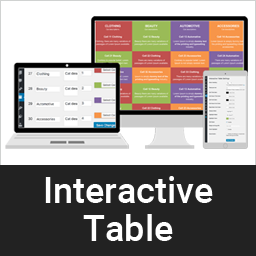
A dynamic way to display clean & responsive interactive table for your contents in a nice view.
Снимци екрана


Постављање
This section describes how to install the plugin and get it working.
e.g.
- Upload the plugin files to the
/wp-content/plugins/interactive-tabledirectory, or install the plugin through the WordPress plugins screen directly. - Activate the plugin through the ‘Plugins’ screen in WordPress
- Add category from category page /wp-admin/edit.php?post_type=interactive_table&page=it-cell-cetegory
- Add table item here /wp-admin/edit.php?post_type=interactive_table&page=it-settings or you can import demo from plugin demo folder /plugins/interactive-table/demo-data. Data is xml format, just import using default wordpress import tools.
ЧПП
-
Is is support unlimited color?
-
Yes, our pro version support unlimited color and unlimited cell.
Pro version is available here -
How do I set different but fixed color table without hover?
-
It is in Settings, /wp-admin/edit.php?post_type=interactive_table&page=it-settings, Just enable „Fixed highlight“
-
Can I place table Head row left or right?
-
Yes, this is also available in our pro version. Even you can set table head to bottom.
Pro version is available here
Прегледи
Нема рецензија за овај додатак.
Сарадници и градитељи
„Interactive Table“ је софтвер отвореног кода. Следећи људи су допринели овом додатку.
Сарадници
Преведите „Interactive Table“ на свој језик.
Заинтересовани сте за градњу?
Прегледајте код, проверите SVN складиште или се пријавите на белешку градње преко RSS-а.
Белешка о изменама
1.0.1
- Compatibility check
1.0
- Initial development.