
Опис
Page Overlay Background for Elementor adds a full-page overlay background option to Elementor pages. Users can enable a page overlay and customize its color. The overlay works seamlessly in both the Elementor editor and the frontend.
Features:
– Enable or disable a full-page overlay.
– Choose any overlay color (supports RGBA for transparency).
– Works on all Elementor pages with live preview.
How It Works:
The plugin adds a fixed overlay element on top of the page content with the selected color. When enabled, the overlay appears immediately without interfering with user interaction.
Снимци екрана
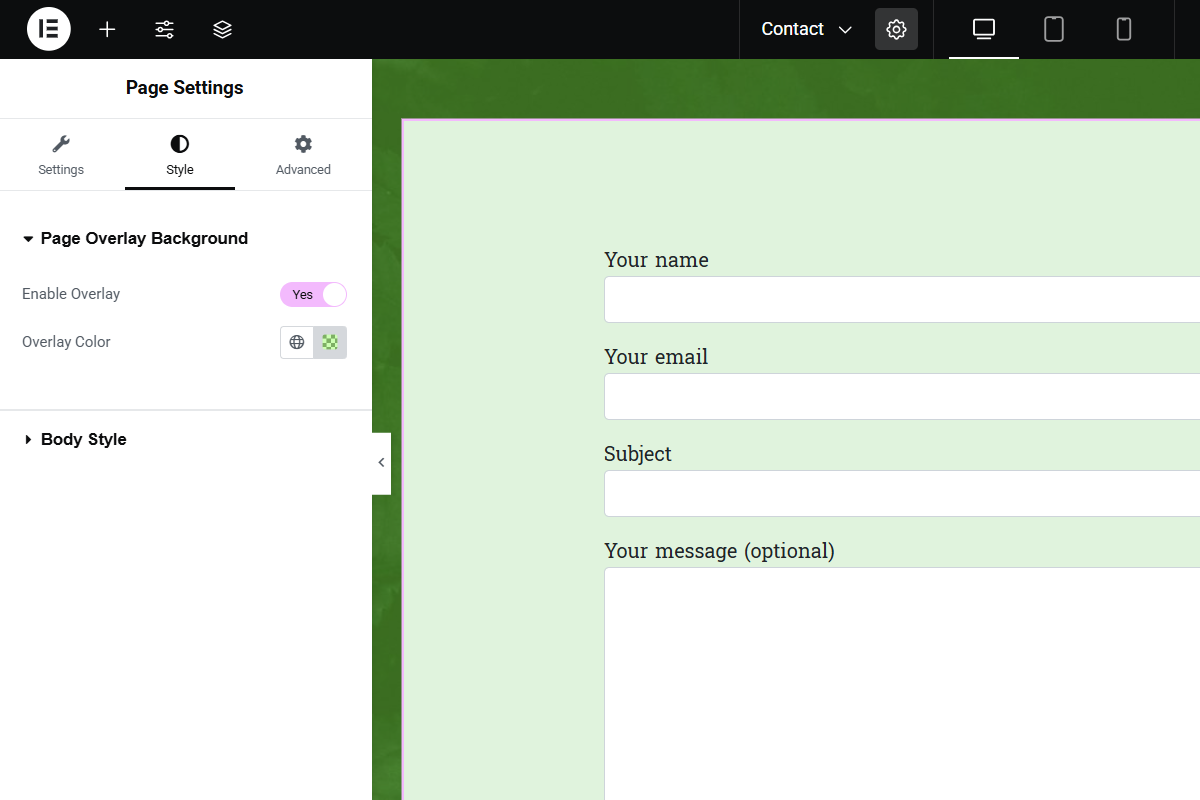
Example of editor output. 
Example of frontend output.
Постављање
- Upload the plugin files to the
/wp-content/plugins/page-overlay-background-for-elementordirectory, or install the plugin through the WordPress Plugins screen. - Activate the plugin through the Plugins screen in WordPress.
- Open the Elementor editor, edit a page, and go to the Style tab in Page Settings.
- Look for the Page Overlay Background section, enable the overlay, and select your desired color.
ЧПП
-
Can I disable the overlay on certain pages?
-
Yes, simply turn off the Enable Overlay switch in the Page Settings for that page.
-
Can I use transparent colors for the overlay?
-
Yes, you can use RGBA values for transparency (e.g.,
rgba(0,0,0,0.5)).
Прегледи
Нема рецензија за овај додатак.
Сарадници и градитељи
„Page Overlay Background for Elementor“ је софтвер отвореног кода. Следећи људи су допринели овом додатку.
Сарадници
Преведите „Page Overlay Background for Elementor“ на свој језик.
Заинтересовани сте за градњу?
Прегледајте код, проверите SVN складиште или се пријавите на белешку градње преко RSS-а.
Белешка о изменама
1.0
- Initial release