
Опис
The Smart Passworded Pages plugin enhances WordPress by allowing the creation of central login pages that grant access to any number of passworded child pages. In this fashion you can give each client/member/organization a central place to enter a password and they will be taken to the page that has only their information.
The password field is displayed as a field followed by a button with customizable text. The form is can be uniquely stylized with CSS. The child pages can in turn link to other pages protected with the same password and the password will not need to be re-entered.
To add the password field to a parent page, simply enter the short code
[smartpwpages]
If you wish to assign a unique label to the submit button or give the form a unique ID for CSS identification, the attributes in the following example can be used:
[smartpwpages label=\“Login\“ ID=\“sppForm1\“]
This plugin doesn’t add the ability to add passwords to pages. WordPress has that built in. On the right hand side of the page editing screen in WordPress, you can change the visibility to Password protected and enter in a password. If you are unfamiliar with using passwords in WordPress, you might want to read this page first: https://codex.wordpress.org/Using_Password_Protection
This plugin does make the password handling smarter and enhances it so that you can enter one password on a parent page and gain access to all the children pages using that password. If you don’t know what children pages or sub-pages are, you might want to read about it here: https://codex.wordpress.org/Pages#Creating_Pages
You can find out more about the Smart Passworded Pages plugin here: http://thecodecave.com/smart-passworded-pages-plugin/
Снимци екрана
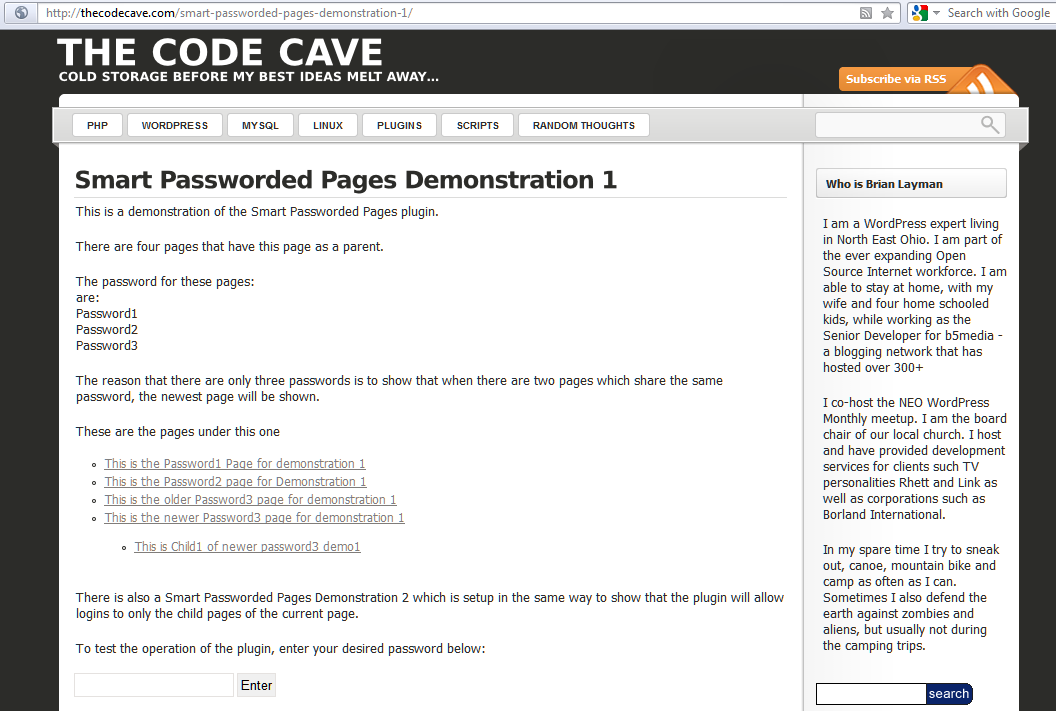


Постављање
Extract the zip file and just drop the contents in the wp-content/plugins/ directory of your WordPress installation and then activate the Plugin from Plugins page.
ЧПП
- Installation Instructions
-
Extract the zip file and just drop the contents in the wp-content/plugins/ directory of your WordPress installation and then activate the Plugin from Plugins page.
- There’s no dashboard page for this plugin. Is it working? What do I do now?
-
There’s no need for options, just create a parent page that is NOT passworded and include the shotcode somewhere in the text: [smartpwpages]
Then create child pages that ARE password protected using the normal WordPress process for adding a password. It’s that simple. The user will be taken to the first passworded child page that matches the password the reader entered.If you don’t know what children pages or sub-pages are, you might want to read about it here: https://codex.wordpress.org/Pages#Creating_Pages
- Your documentation doesn’t say how to enter the password into your plugin. How do you do it?
-
This plugin doesn’t add the ability to add passwords to pages. WordPress already has that built in. On the right hand side of the page editing screen in WordPress, near the top, you can change the \“Visibility\“ value to „Password protected“ and enter a password into the field that appears. Remember! Do this only for the child pages and not the parent pages!
If you are unfamiliar with using passwords in WordPress, you might want to read this page first: https://codex.wordpress.org/Using_Password_Protection
- I get a password prompt when I visit my page. I enter the password, then I see my page with the password prompt on it. What’s up with that?!?
-
You’ve password protected the parent page. Remember, you WANT people to see the page with the smart password prompt. Remove the password from that page and you’ll be fine.
- Can I put the smart password prompt in a sidebar or on the home page?
-
Yes, as of version 2.0. You still have to create a parent page and password protect the child pages. Then you can specify the ID of the parent page in the prompt.
In this fashion, you can create a central password page, or widget that takes you to multiple locations.
Here is an example of the contents of such a widget or page…
View Scores:
[smartpwpages parent=\“491\“ label=\“Enter Team PW:\“ ID=\“uniqueName1\“]View Team Notes:
[smartpwpages parent=\“507\“ label=\“Enter Team PW:\“ ID=\“uniqueName2\“] - Can I style my password prompts or the wrong password error?
-
Of course! You can even use the ID parameter on the short code change the ID of each entry form you use and make custom CSS for each.
Here is an example of some CSS that makes the entry field, button and password error message all really ugly…
(!! NOTE: There are slashes in the following text to make it appear correctly online. Do not include the slashes () in your css file !!)p#smartPWError {
border: 4px solid red;
width: 258px;
padding: 5px;
background-color: aqua;
font-weight: bolder;
}#smartPWLogin input[type=\“submit\“] {
background-color: coral;
color: navy;
font-size: large;
}input#smartPassword {
display: block;
background-color: yellowgreen;
color: cadetblue;
margin-bottom: 12px;
}
Рецензије


Сарадници и градитељи
„Smart Passworded Pages“ је софтвер отвореног кода. Следећи људи су допринели овом додатку.
Сарадници
Преведите „Smart Passworded Pages“ на свој језик.
Заинтересовани сте за развој?
Прегледајте кôд, погледајте SVN складиште или се претплатите на дневник развоја преко RSS-а.
Записник измена
2.0
- Updated to current version of WordPress
- Addressed FAQs
- Added ability to specify the parent form in the short code
- Escaped some variables to make the shortcode more secure
1.1.7
- Fixed another warning.
1.1.6
- Fixed several warnings and possible version compatibility issues.
1.1.5
- Fixed an error on the Invalid Password response
1.1.4
- Updated header to 3.8.1 compatibility
- Improved documentation
- NOTE: Released on the same day 1.1.3 was publicly checked in. This made 3.6+ compatibility universally available.
1.1.3
- Added 3.6 compatiblity
- Improved internationalization
- Added support for plugins that replace the default hashing protocol
1.1.2
- Tweeked the Exclude Pages plugin compatibilty
1.1.1
- The version labeled 1.1.0 hadn’t included my final fixes and did not work actually work with 3.4. 1.1.1 simply includes the code that was intended to be 1.1.0.
- Updated the styling of the changelog section of the readme file to allow it to parse correctly on WordPress.org
1.1.0
- Updated the plugin to include the security enhancements added in WordPress 3.4
1.0.1
- Added compatiblity with the exclude pages plugin
1.0
- Initial Release