Опис
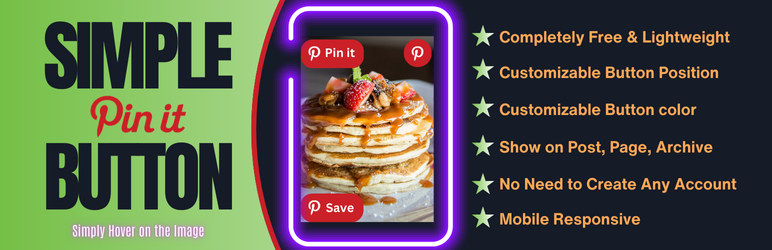
Simple Pin It Button is a WordPress plugin that adds a customizable „Pin it“ button over images on hover with various options. It’s designed to make it easy for your website visitors to share images on Pinterest, potentially increasing your site’s social media engagement.
Features
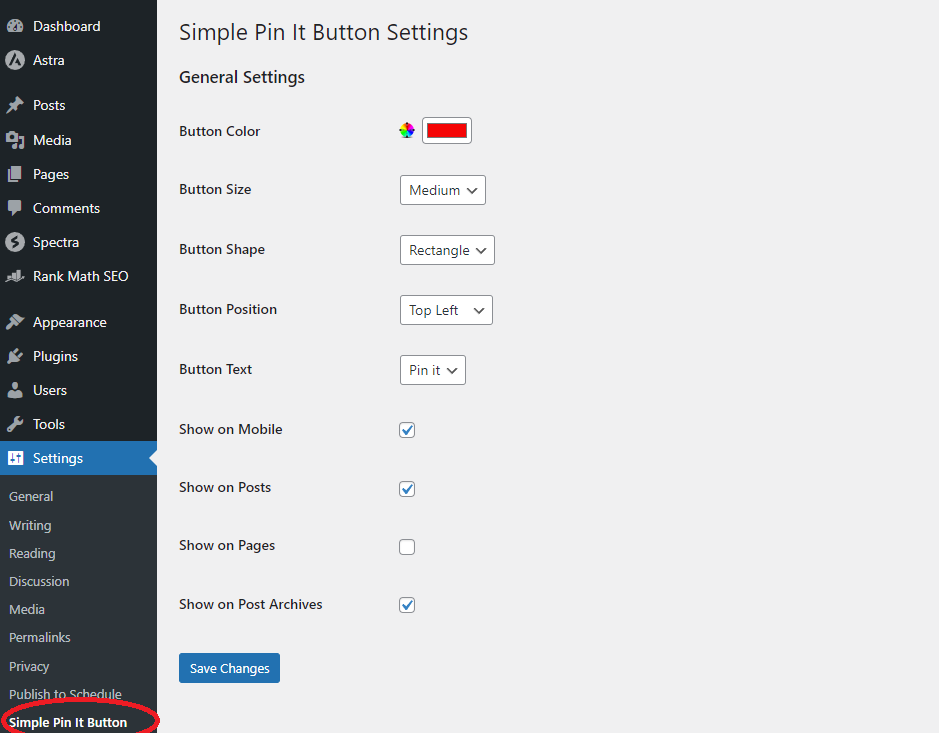
- Customizable button color
- Multiple button sizes (small, medium, large)
- Choice of button shapes (rectangle, round)
- Flexible button positioning (top-left, top-right)
- Option to show on mobile devices
- Selective display on posts, pages, and archives
- Lightweight and easy to use
- Completely Free to Use All Features, No Need to Create any account.
Third-Party Service
This plugin uses Pinterest’s service to create „Pin It“ buttons. When a user clicks on a „Pin It“ button, they will be directed to Pinterest’s website to complete the pinning process.
- Pinterest website: https://www.pinterest.com
- Pinterest Terms of Service: https://policy.pinterest.com/en/terms-of-service
- Pinterest Privacy Policy: https://policy.pinterest.com/en/privacy-policy
Снимци екрана


Постављање
- Upload the
Simple Pin It Buttonfolder to the/wp-content/plugins/directory - Activate the plugin through the ‘Plugins’ menu in WordPress
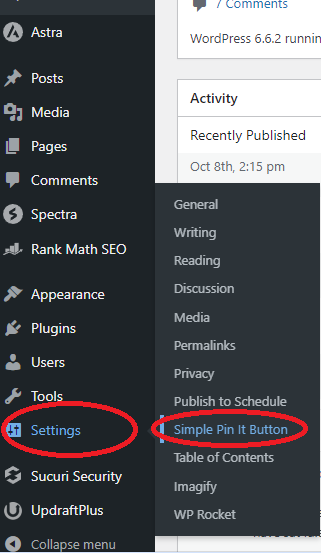
- Configure the plugin settings under Settings > Simple Pin It Button
Usage
After activation and configuration, the Pin It button will automatically appear over images based on your settings. No additional action is required for basic functionality. To customize the button’s appearance or behavior:
- Go to your WordPress admin panel
- Navigate to Settings > Simple Pin It Button
- Adjust the settings according to your preferences
- Click ‘Save Changes’
Doc & Support
Please use WordPress support forum on WordPress.org
We Need Your Support
- [Contact:] (https://rankrivet.com/contact-us/)
Frequently Asked Questions
Q: Can I control where the Pin It button appears? A: Yes, you can choose to show the button on posts, pages, and/or archives through the plugin settings.
Q: Is the button mobile-friendly? A: Yes, there’s an option to show the button on mobile devices. You can enable or disable this in the settings.
Q: Can I change the style of the button? A: Absolutely! You can customize the color, size, shape, and position of the button through the plugin settings.
Video Tutorials
Include soon
Рецензије
Нема рецензија за овај додатак.
Сарадници и градитељи
„Simple Pin It Button“ је софтвер отвореног кода. Следећи људи су допринели овом додатку.
Сарадници
Преведите „Simple Pin It Button“ на свој језик.
Заинтересовани сте за развој?
Прегледајте кôд, погледајте SVN складиште или се претплатите на дневник развоја преко RSS-а.
Записник измена
2.5.0
Remove an irrelevant feature and minor bug fixes
2.4.0
Added two new Features
Key Changes:
Image Size Filter:
Added a new setting for minimum image width (default set to 300px)
The plugin now checks each image’s width before displaying the Pin It button
Images smaller than the minimum width will not show the button
Custom Class Settings:
„Exclude Images with Class“ – Prevents the button from showing on images with a specific class (e.g., „nopin“)
„Only Include Images with Class“ – Shows the button only on images with a specific class (e.g., „pinit“)
2.3.2
Bug Fixes
Fixed an issue where some themes were changing the button text „Pin it“ and „Save“ to all capital letters.
2.3.1
Bug Fixes
Fixed an issue where selecting the „Show on Posts“ option would automatically select the „Show on Pages“ option in the plugin settings.
2.3
Updated compatibility to WordPress 6.6.2
Improved stability and performance
2.2
Minor bug fixes and improvements
2.1
Minor bug fixes and improvements
2.0
Minor bug fixes and improvements
1.0
Initial release