
Опис
Limit login attempts, stop brute force attacks, and protect your WordPress login with one of the most trusted WordPress security plugins, used on 2 million websites.
Limit Login Attempts Security adds brute force protection, two-factor authentication (2FA), a login firewall, bot protection, and IP blocking to the most targeted page on your site: the login page. It is lightweight, works automatically with the recommended settings, and won’t slow down your website.
Why WordPress Login Security Matters
By default, WordPress allows unlimited login attempts, so bots can guess usernames and passwords until one works. With AI-powered tools, attackers can run brute force attacks faster and more effectively than ever.
Most WordPress hacks and malware infections start with a compromised login. Limit Login Attempts Security closes that door by stopping brute force attacks, bot logins, credential stuffing, XML-RPC attacks, and WooCommerce login abuse before an attacker ever gets in. For complete website security, pair it with a malware scanner. It is compatible with the popular ones.
Brute Force Protection & Limit Login Attempts
- Limit login attempts by IP address and by username
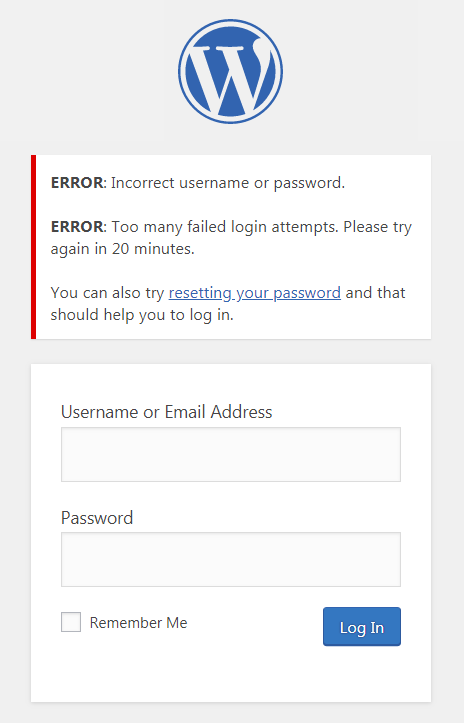
- Automatically lock out suspicious IPs and usernames
- Adjustable retry limits and lockout durations
- Protect wp-login.php and wp-admin from automated attacks
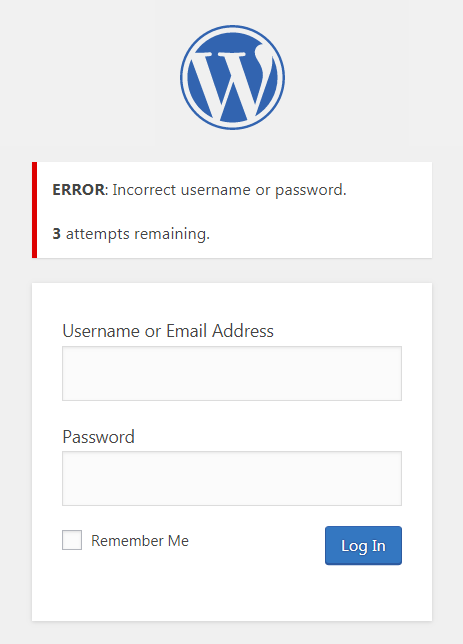
- Failed login protection with retry warnings for real users
Two-Factor Authentication (2FA / MFA)
Built-in two-factor authentication adds a second verification step to WordPress logins, so a stolen or guessed password alone isn’t enough. Secure login for administrators and users with no extra plugin required.
WordPress Firewall & Bot Protection
A lightweight login firewall that blocks malicious login requests, detects suspicious behavior, and reduces bot-based login attacks without the overhead of a full security suite.
XML-RPC Protection
Attackers use xmlrpc.php to try many passwords in a single request. XML-RPC protection applies the same login limits there, so this backdoor can’t bypass your brute force protection.
IP Blocking & Access Controls
- IP safelist and denylist (IP blocking), including IPv6 ranges
- Username safelist and denylist
- Custom trusted IP origin for Cloudflare and reverse proxy setups
Login Monitoring & Notifications
- Дневници неуспелих покушаја пријављивања
- Обавештења о закључавању путем е-поште
- Праћење одбијених покушаја
WooCommerce, Multisite & Plugin Compatibility
Protects WooCommerce login pages, custom login forms that use standard WordPress login hooks, and WordPress multisite networks. Compatible with Wordfence, Sucuri, Ultimate Member, MemberPress, WPS Hide Login, and Cloudflare.
Premium: Cloud Login Security (Free 14-Day Trial)
Upgrade to Limit Login Attempts Security Premium to move brute force protection to the cloud:
- Real-time malicious IP intelligence and a global denylist
- Country blocking for logins
- Offload failed login traffic from your server during attacks
- Побољшано ограничавање и постепено појачавање закључавања
- Registration page protection and successful login tracking
- Lockout analytics with geolocation data
- Synchronized lockouts, safelists, and denylists across all your sites
- Cloud backups of IP data and CSV exports
- Unlock yourself from the cloud dashboard
- Priority support from security specialists
Lightweight WordPress Security
Unlike large security suites, Limit Login Attempts Security focuses on login security and brute force protection. That means faster performance, less server overhead, and easier setup, whether you run a blog, a WooCommerce store, a membership site, an agency, or an enterprise WordPress network.
Надограђујете са изворног додатка Limit Login Attempts?
- Уклоните стари додатак Limit Login Attempts
- Поставите Limit Login Attempts Security
- Your settings remain intact
Translations
Available in Spanish, French, German, Dutch, Turkish, Swedish, Russian, Romanian, Chinese (Traditional), Brazilian Portuguese, and more.
Снимци екрана
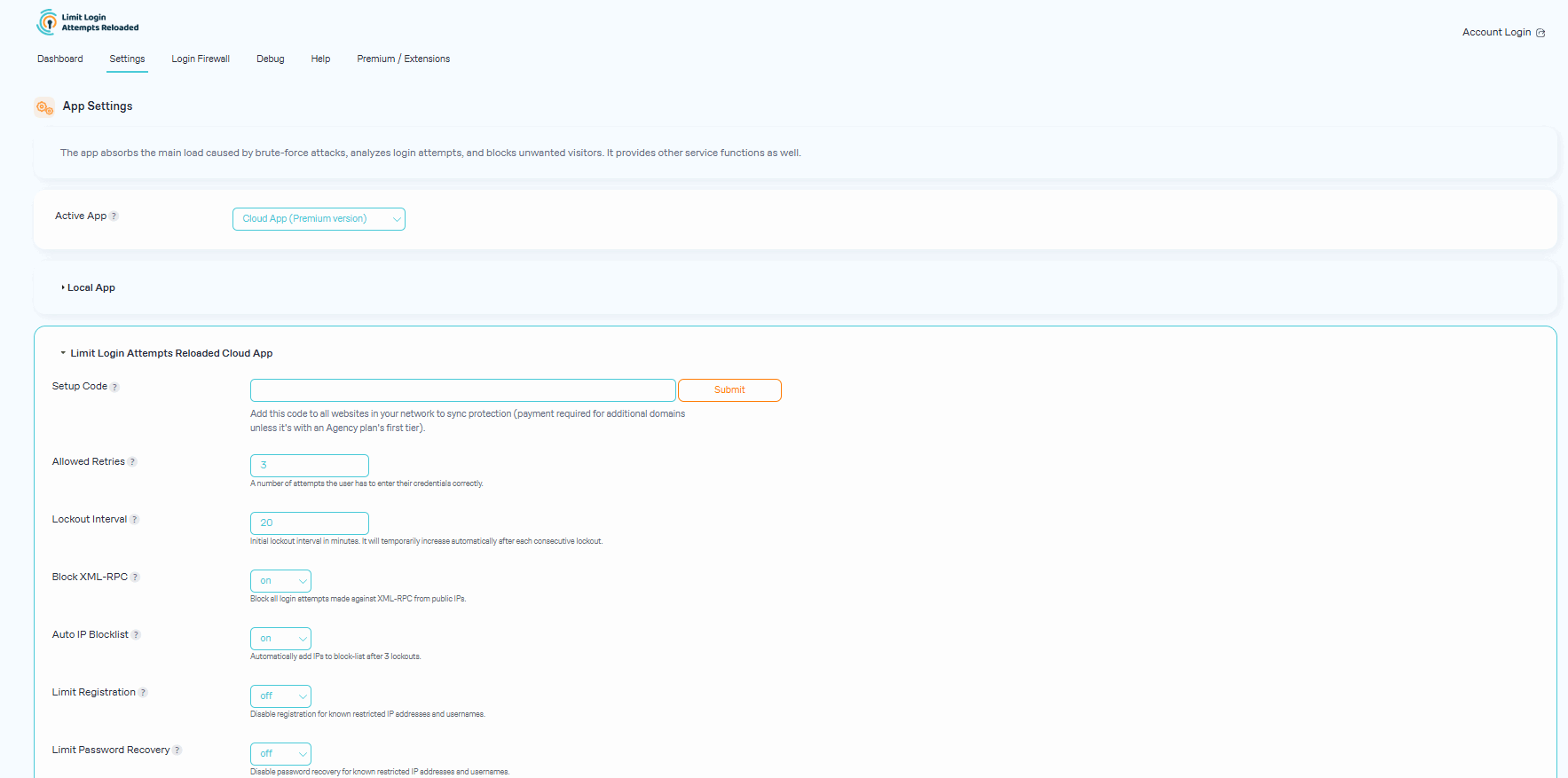
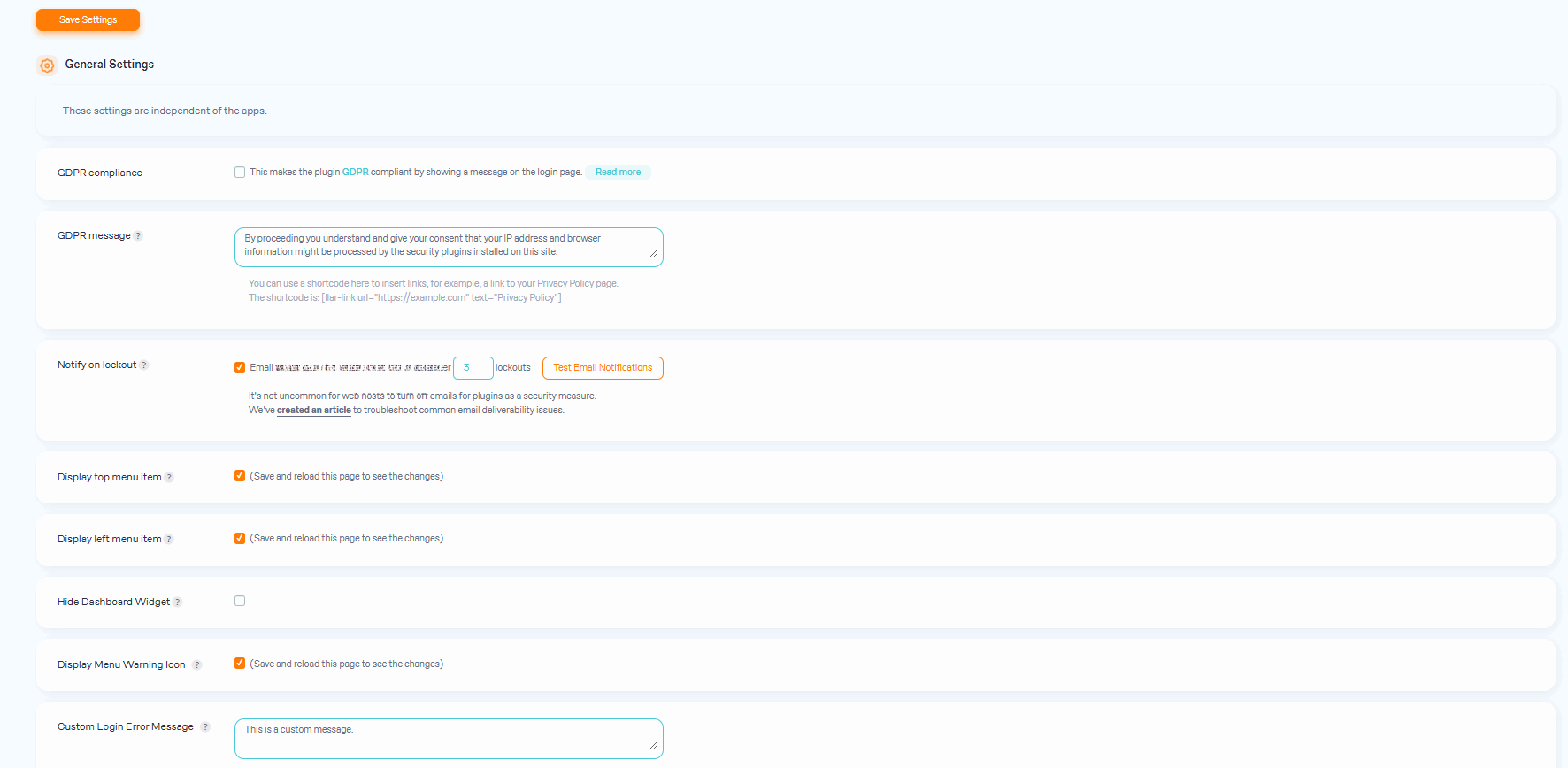
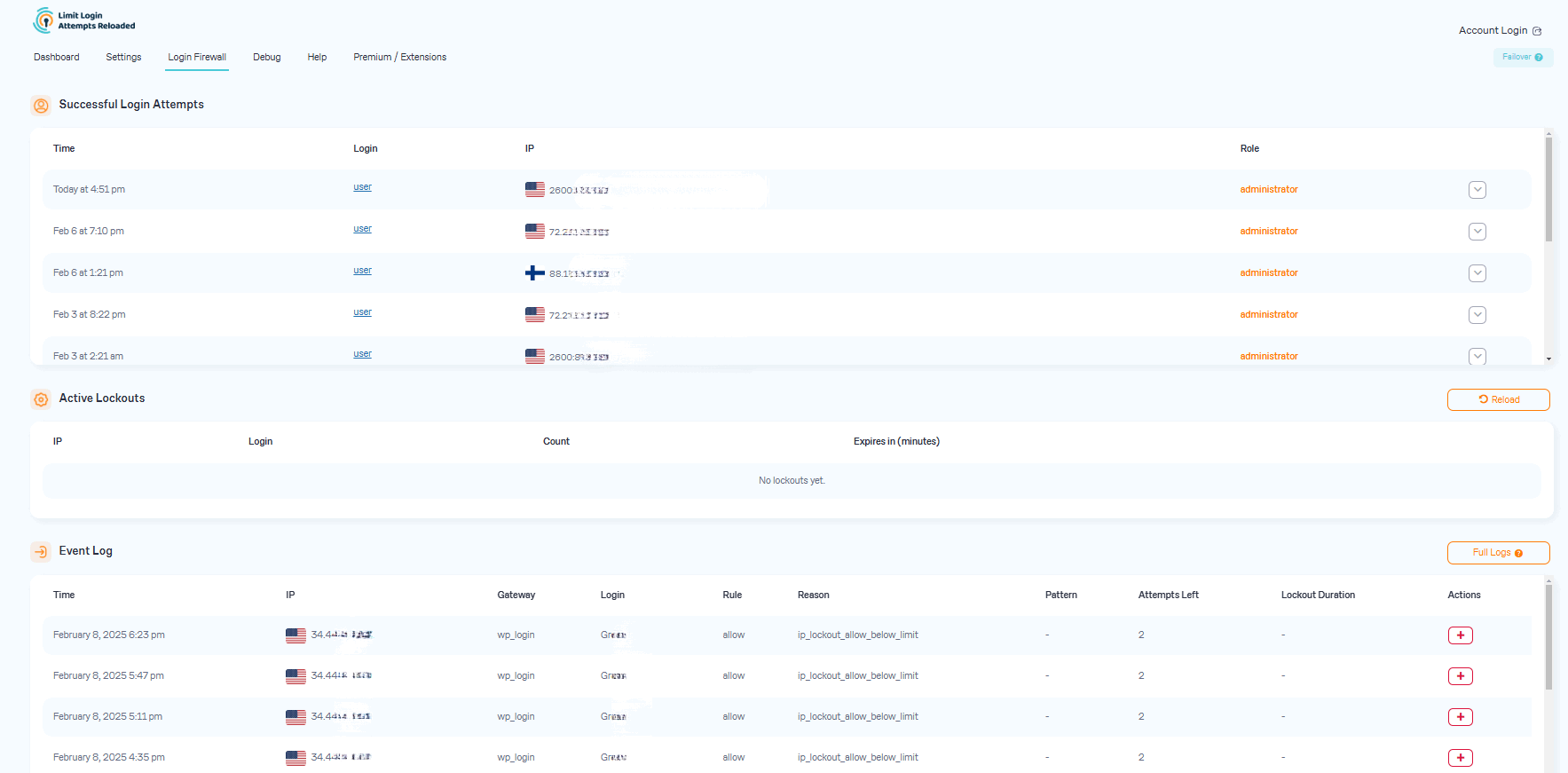
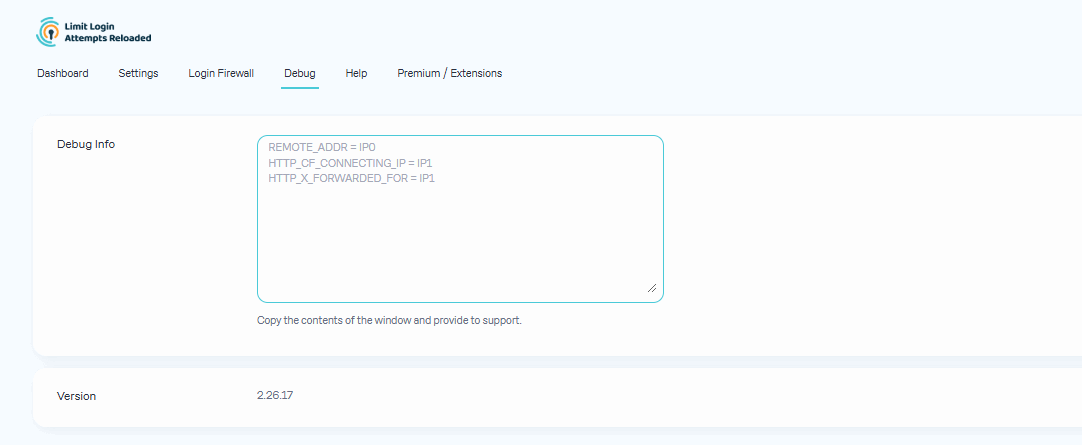
ЧПП
How does limiting login attempts stop brute force attacks?
A brute force attack tries thousands of password combinations. Once an IP or username exceeds the allowed number of failed logins, it is locked out, which makes guessing a password impractical. Learn more about how to prevent brute force attacks.
Does it include two-factor authentication (2FA)?
Yes. Two-factor authentication (2FA/MFA) is built into the free version and adds a second verification step to the WordPress login.
Is this a WordPress firewall?
It is a login-focused firewall. It blocks malicious login requests, bots, and denylisted IPs at the login page. Premium adds cloud-based IP intelligence and country blocking.
Does it protect against malware and hacks?
It does not scan files for malware. It prevents the most common way sites get hacked and infected, which is a compromised login. For full website security, use it alongside a malware scanner. It is compatible with Wordfence and Sucuri.
Који URL-ови се нападају и штите?
Your login page (wp-login.php, wp-admin), xmlrpc.php, the WooCommerce login page, and any custom login page that uses standard WordPress login hooks.
Will it slow down my website?
No. It focuses only on login protection, which keeps it lightweight. With Premium, failed login traffic is handled in the cloud, which reduces server load during attacks.
Is it compatible with Wordfence and other security plugins?
Yes. It works alongside Wordfence, Sucuri, WPS Hide Login, Ultimate Member, MemberPress, and Cloudflare. The Debug tab includes a compatibility table for popular plugins.
Шта да радим ако сви корисници буду блокирани?
Your site likely sits behind a proxy such as Cloudflare, Sucuri, or Nginx that replaces visitors’ IPs with its own, so every visitor appears to have the same IP. Adjust the Trusted IP Origin setting, or use our Cloud App, which detects non-standard IP origins automatically.
What do I do when an admin gets blocked?
Open the site from another IP, for example on your phone’s cellular connection or a VPN. If that doesn’t work, use FTP or your hosting file manager to rename the wp-content/plugins/limit-login-attempts-reloaded folder, log in, rename it back, and safelist your IP. Premium users can unlock themselves from the cloud dashboard.
Како да знам да сам под нападом?
Copy the IP from a lockout notification and check its location with an IP lookup tool. Several failed logins from locations you don’t recognize indicate an attack. Dozens or hundreds of IPs per day is common.
Да ли ови неуспели покушаји пријављивања могу бити лажни?
No. The plugin doesn’t generate them. New sites are often on shared IPs and newly registered domains are crawled quickly, which makes them easy targets. Read more about fake login attempts in WordPress.
What settings should I use?
The default settings are recommended. Each setting is explained in detail within the plugin.
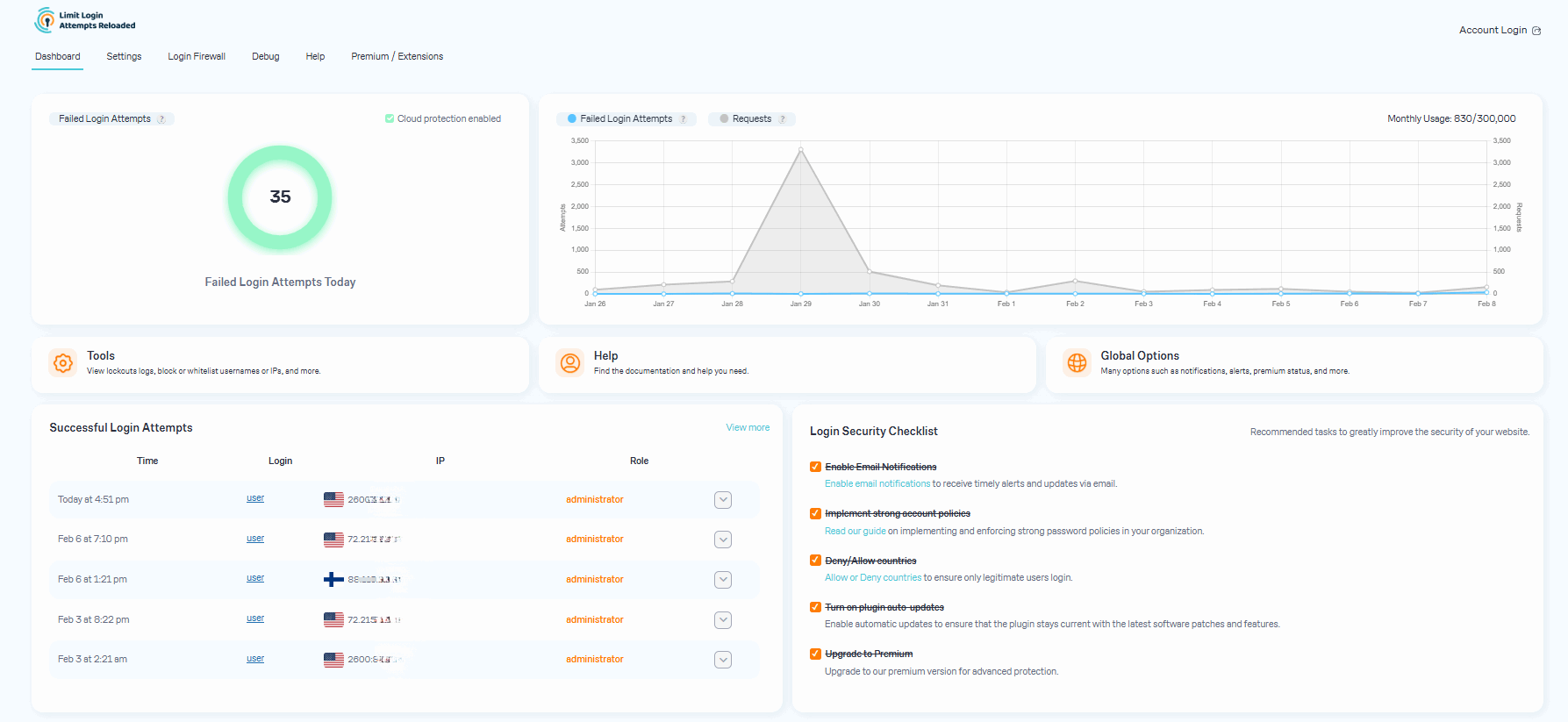
A new dashboard in your WordPress admin shows requests and failed login attempts relayed through our cloud service. You may also notice fewer lockout emails and better site performance.
Шта се дешава ако мој сајт прекорачи ограничења захтева у пакету?
Premium plans start at 100,000 requests per month, enough for almost any heavy brute force attack. We’ll alert you if you approach your limit and suggest the next plan. On the free version, attack traffic is absorbed by your hosting, which could raise hosting costs.
On the free version, copy the lists to each site manually. With Premium, sites in the same cloud account can share lockouts and access lists.
Рецензије


Сарадници и градитељи
„Limit Login Attempts Security – Brute Force Protection, 2FA, Firewall & Login Security“ је софтвер отвореног кода. Следећи људи су допринели овом додатку.
Сарадници

„Limit Login Attempts Security – Brute Force Protection, 2FA, Firewall & Login Security“ је преведен на 38 језика. Хвала преводиоцима на њиховим доприносима.
Заинтересовани сте за развој?
Прегледајте кôд, погледајте SVN складиште или се претплатите на дневник развоја преко RSS-а.
Дневник измена
3.4.2
- Security: blocked a server-side request forgery (SSRF) in the app setup feature. The setup destination is validated before fetching, and redirects are checked again. Thanks to Viktor Heiduck for the report.
3.4.1
- Two-factor authentication now applies to XML-RPC logins as well as the login form. Thanks to Qi Qin for the report.
- An invalid X-Forwarded-For header no longer stops the two-factor check. Thanks to Naoki Kawahigashi for the report.
- Added an admin notice when the reported PHP version is below the upstream release that fixes critical PHP vulnerabilities. The notice explains that a host or distribution may already have patched PHP without changing the version number, and tells admins to dismiss it instead of opening a support ticket in that case.
3.4.0
- Added a red dot to the admin menu and admin bar when Micro Cloud requests are exhausted.
- Introduced a 7-day free trial with consent-based activation across the plugin.
3.3.10
- Додато откривање странице за пријављивање из оставе или са скриптама које је уклонио алат за оптимизацију и администраторско обавештење које упозорава да то може покварити ток пријављивања кодом путем е-поште (MFA).
- Исправљен корак Micro Cloud у увођењу који се тихо завршавао при грешкама укључивања; сада приказује поруку о грешци са сервера како би корисници сазнали када је програм затворен или проба није доступна.
- Додата табела усаглашености у језичак „Debug“ која показује које LLAR могућности раде са популарним додацима трећих страна.
- Преуређена е-порука обавештења о закључавању.
3.3.9
- Преуређени позиви на надоградњу у премијум језичку тако да приказују цене специфичне за пакет и прилагођавају везе за надоградњу тренутно постављеном пакету.
- Додати банери коришћења Micro Cloud-а који приказују искоришћене месечне захтеве и упозоравају када је квота скоро потрошена.
- Ажурирана е-порука обавештења о закључавању новим позивом на прелазак на премијум.
- Исправљен виџет активних закључавања у облаку који је приказивао премало закључавања аутоматским учитавањем додатних страница када кратка група није попунила списак.
- Исправљено да локални списак блокираних и даље блокира пријављивања у режиму облака након што их је ACL у облаку дозволио; локална правила сада се примењују само као резервно решење када ACL у облаку није доступан.
- Исправљено да WooCommerce купци нису могли да се региструју током плаћања када је ограничавање регистрације у облаку било омогућено; прављење налога сада је дозвољено током плаћања, док самостални обрасци за регистрацију остају заштићени.
3.3.8
- Додати пакети Personal и Business у табелу поређења премијума, а приказани пакети сада се прилагођавају тренутно постављеном пакету.
- Поравнате dashicons иконице на администраторским страницама дневника, премијума, ACL-а и помоћи ради усаглашености са Вордпресом 7.
- Исправљено блокирање скрипте странице за неуспело пријављивање под Content Security Policy заснованом на nonce-у, њеним исписом помоћу wp_get_inline_script_tag(). Захвалност Oskar Schöldström-у (@oxyc) за pull request.
- Исправљено поклапање списка блокираних са е-адресом налога када је наведено само корисничко име; сада се послато пријављивање поклапа дословно (без разликовања великих и малих слова), док изричити уноси е-адреса и даље важе.
3.3.7
- Исправљена PHP упозорења када произвољном подешавању апликације у облаку недостаје поље натписа, описа или вредности.
- Додат атрибут SameSite=Lax колачићу тока пријављивања ради боље CSRF заштите.
- Исправљена висина реда dashicons иконица на свим администраторским страницама и виџетима контролне табле ради усаглашености са Вордпресом 7.
- Исправљено подешавање апликације у облаку тако да проверава да ли је setup code сачуван пре укључивања произвољне апликације, чиме се спречава недоследно стање при грешкама складиштења.
- Исправљена дугмад администраторског обавештења за рецензију која нису радила јер је њихова уметнута скрипта уклањана чишћењем исписа.
- Исправљено подешавање Micro Cloud-а тако да администраторима приказује стварну поруку о грешци са сервера и уредно обрађује непотпуно подешавање апликације уместо да тихо не успе.
Ранија издања
За дневник измена ранијих издања погледајте датотеку changelog.txt.